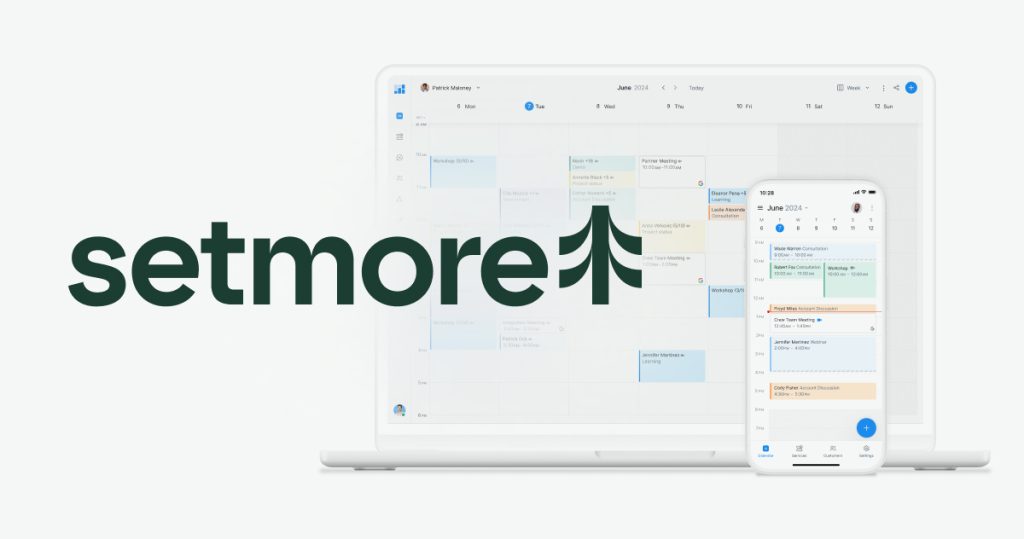
Setmore Review (2026): Pricing, Features & Honest Verdict
TLDR
Setmore is a feature-rich appointment scheduling platform with a generous free tier that includes 4 staff logins and 200 bookings. Best for: service businesses and freelancers who need payments and video meetings built in. Price: free or $9/user/mo Pro. Rating: 7.6/10
What is Setmore?
Setmore is an online appointment scheduling tool designed for service-based businesses. It combines booking pages, payment processing, video meetings, and staff management into a single platform. Founded in 2011, Setmore has built a solid reputation among small businesses like salons, clinics, fitness studios, and consulting firms.
The platform gives you a public booking page where clients can see availability and book appointments. Behind the scenes, you manage staff calendars, services, and customer records. Setmore integrates with Square, Stripe, and PayPal for payments, and includes built-in video meetings through Teleport (their own video tool).
Key Features
Booking Page
Every Setmore account gets a free booking page (yourbusiness.setmore.com) where clients can browse services, pick a staff member, and book a time. The page is mobile-responsive and can be embedded on your website. You can customize colors and add your logo, though the design options are more functional than flashy.
Payment Processing
Setmore integrates with Square, Stripe, and PayPal, letting you collect payments at booking time or after appointments. This triple integration is unusual for scheduling tools and gives businesses flexibility based on their existing payment setup. Clients can pay online through the booking page or you can process payments manually.
Video Meetings (Teleport)
Setmore includes a built-in video meeting tool called Teleport. When clients book a virtual appointment, they get a video link automatically. No need for a separate Zoom or Google Meet subscription. Teleport handles one-on-one calls well, though it lacks features like screen sharing and recording that dedicated video platforms offer.
Class and Group Scheduling
Beyond one-on-one appointments, Setmore supports class scheduling where multiple clients book the same time slot. This is valuable for fitness instructors, workshop leaders, and educators. You set the class capacity, and the booking page shows remaining spots.
Staff Management
Each staff member gets their own calendar, services, and availability settings. Admins can view all staff schedules side by side, making it easy to spot gaps or conflicts. The free plan supports up to 4 staff logins, which is notably generous compared to most competitors.
Customer Management
Setmore maintains a customer database that records booking history, contact details, and notes. It is not a full CRM, but it gives you enough context to personalize interactions and track repeat clients. Customer profiles are created automatically when someone books.
Pricing
Setmore offers one of the most generous free plans in the scheduling space. The free tier includes up to 4 staff logins, 200 bookings per month, and core features like the booking page, email reminders, and Square payments. The Pro plan costs $9 per user per month (billed annually) and adds unlimited bookings, SMS reminders, Stripe/PayPal payments, and recurring appointments. The Team plan at $25 per month bundles 2 user licenses with all Pro features.
The pricing structure is competitive. Getting 4 staff logins for free is a standout, especially for small service businesses that would pay $36-40/month elsewhere just for staff access.
Pros and Cons
Pros
- Generous free plan with 4 staff logins and 200 monthly bookings
- Triple payment integration with Square, Stripe, and PayPal
- Built-in video meetings via Teleport, no extra subscription needed
- Class scheduling for group appointments and workshops
- Clean, intuitive interface that staff can learn quickly
Cons
- Free plan caps at 200 bookings per month, which busy businesses hit fast
- Teleport video lacks screen sharing and recording
- Booking page customization is limited compared to Calendly or YCBM
- No native calendar sync on the free plan (requires Pro)
- Mobile app can be sluggish with larger appointment volumes
| Plan | Price | Plan Features | Best For |
|---|---|---|---|
| Free | $0 | 4 staff logins, 200 bookings/mo, booking page, email reminders, Square payments | Small service teams starting out |
| Pro | $9/user/mo | Unlimited bookings, SMS reminders, Stripe/PayPal, Google/Outlook sync, recurring appointments | Growing service businesses |
| Team | $25/mo | 2 user licenses included, all Pro features bundled | Small teams wanting a bundled deal |
Who Should Use Setmore?
Setmore is built for service businesses: salons, clinics, consultants, fitness studios, tutors, and similar operations. If you have a small team (up to 4 people) and need scheduling with payments, the free plan is hard to beat. Freelancers who want a professional booking page with payment collection will also find good value here.
Larger teams or businesses with complex scheduling needs (multi-location, advanced routing, deep CRM integration) may outgrow Setmore. The 200-booking cap on the free plan means growing businesses will eventually need to upgrade.
Alternatives
Calendly
The most popular scheduling tool with a polished interface and extensive integrations. Calendly excels at workflow automation and team routing, but its free plan only covers one user and its paid plans start at $10/seat/month without built-in payments or video.
Acuity Scheduling
Owned by Squarespace, Acuity offers deep customization and strong payment integration. It is particularly good for businesses that sell packages or memberships alongside appointments. No free plan, starting at $20/month.
Square Appointments
If you already use Square for payments, Square Appointments provides free scheduling for individuals with tight payment integration. It is especially strong for retail and beauty businesses but lacks some of Setmore’s team features.
FAQ
Is Setmore really free?
Yes. The free plan includes up to 4 staff logins, 200 bookings per month, a booking page, email reminders, and Square payment integration. There are no hidden fees or trial periods for the free tier.
Does Setmore integrate with Google Calendar?
Yes, but only on the Pro plan. Google Calendar and Microsoft 365 sync require a paid subscription. The free plan uses Setmore’s own calendar system only.
Can I use Setmore for virtual appointments?
Yes. Setmore includes Teleport, a built-in video meeting tool. Virtual appointment links are generated automatically when clients book. You can also integrate with Zoom if you prefer.
Verdict
Setmore punches above its weight with a free plan that gives small service businesses real utility. Four staff logins, payment processing, and built-in video meetings for $0 is a compelling package. At 7.6/10, it earns points for generosity and practicality. The booking cap and limited customization keep it from the top tier, but for service businesses watching their budget, Setmore delivers solid value without asking for a credit card upfront.
Setmore Pros & Cons
What We Like
- Generous free plan with 4 staff logins and 200 monthly bookings
- Triple payment integration with Square, Stripe, and PayPal
- Built-in video meetings via Teleport, no extra subscription needed
- Class scheduling for group appointments and workshops
- Clean, intuitive interface that staff can learn quickly
What Could Be Better
- Free plan caps at 200 bookings per month, which busy businesses hit fast
- Teleport video lacks screen sharing and recording
- Booking page customization is limited compared to Calendly or YCBM
- No native calendar sync on the free plan (requires Pro)
- Mobile app can be sluggish with larger appointment volumes
Setmore FAQ
Is Setmore really free?
Yes. The free plan includes up to 4 staff logins, 200 bookings per month, a booking page, email reminders, and Square payment integration with no hidden fees.
Does Setmore integrate with Google Calendar?
Yes, but only on the Pro plan. Google Calendar and Microsoft 365 sync require a paid subscription.
Can I use Setmore for virtual appointments?
Yes. Setmore includes Teleport, a built-in video meeting tool. You can also integrate with Zoom if you prefer.
What is Setmore?
Free appointment scheduling with 4 staff logins, payment processing via Square/Stripe/PayPal, built-in video meetings, and class booking.
How much does Setmore cost?
Setmore pricing starts at $9/user/mo. A free plan is available.
Is Setmore worth it?
A generous free scheduling tool with 4 staff logins, triple payment integration, and built-in video. Great value for service businesses, though the 200-booking cap and limited customization hold it back. We rate it 7.6/10.






