Raycast Review (2026): Pricing, Features & Honest Verdict
TLDR
Raycast is a macOS productivity launcher that replaces Spotlight with a keyboard-first command bar connecting to your entire dev workflow. Extensions, AI, clipboard history, and window management built in. Best for: developers and power users. Price: free forever, Pro from $8/mo. Rating: 8.4/10
What is Raycast?
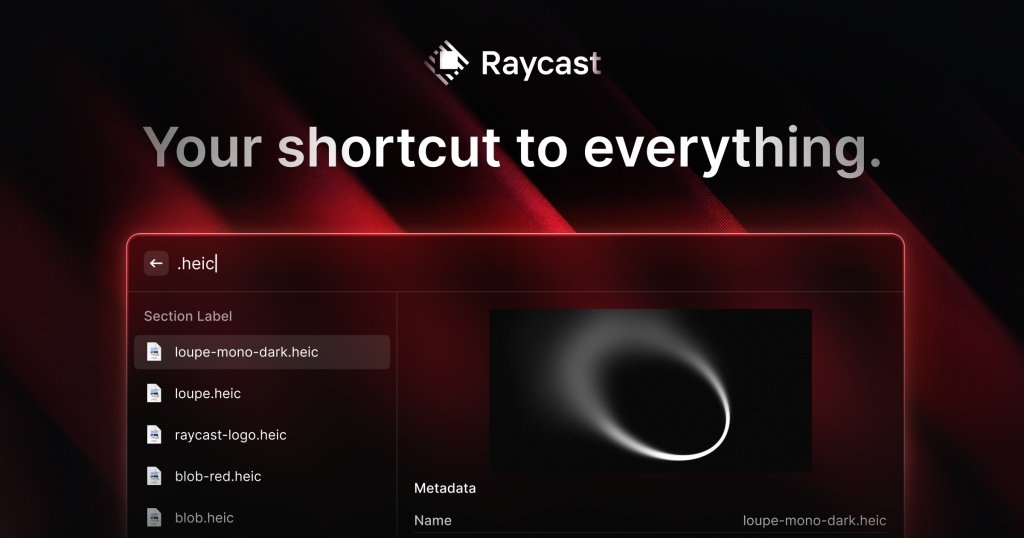
We have been tracking Raycast since its early Product Hunt launches, and it has grown into one of the most polished productivity tools on macOS. At its core, Raycast is a launcher. You press a hotkey, type what you want, and it happens. But calling it just a launcher undersells it significantly.
Raycast connects to your entire workflow through thousands of extensions. Search GitHub issues, create Linear tickets, check Slack messages, browse Notion pages, control Spotify. All from the same keyboard shortcut, without switching apps.
Founded in 2020 by Thomas Paul Mann and Petr Nikolaev, Raycast went through Y Combinator and has raised $47.8M including a $30M Series B led by Atomico. The community is massive: 32,000+ Slack members, endorsed by the CEO of Vercel and other tech leaders.
| Plan | Price | Plan Features | Best For |
|---|---|---|---|
| Free | $0 | All core features, 50 AI messages, extensions, 3-month clipboard | Individual users and developers |
| Pro | $8/mo (annual) | Unlimited AI, cloud sync, custom themes, unlimited clipboard | Power users wanting AI and sync |
| Team | $12/user/mo (annual) | Shared extensions, team snippets, admin controls | Development teams |
| Enterprise | Custom | SSO, SCIM, dedicated support | Large organizations |
What Raycast Gets Right
Speed That You Can Feel
Raycast is fast in a way that matters. Results appear as you type, with sub-millisecond latency. After using it for a week, going back to Spotlight feels sluggish. The app is native Swift, not an Electron wrapper, and the performance difference is immediately noticeable.
The Extension Ecosystem Is Massive
This is where Raycast pulls ahead of every competitor. The extension store has thousands of integrations, all installable with one click. GitHub, Linear, Jira, Slack, Notion, Figma, VS Code, Docker, AWS. If you use it, there is probably a Raycast extension for it. Community-built extensions go through a review process, so quality stays high.
It Replaces Multiple Apps
Before Raycast, you might have used Rectangle for window management, Maccy for clipboard history, TextExpander for snippets, and Spotlight for search. Raycast handles all of these natively. The clipboard history alone (searchable, with image support) is worth the install. Window management with keyboard shortcuts is smooth. Snippets with dynamic variables save real time.
The Free Plan Is Real
Unlike tools that cripple the free tier, Raycast gives you everything that matters for free. All extensions, clipboard history (3 months), window management, snippets, calculator, file search. The Pro plan adds AI, cloud sync, and unlimited clipboard history, but the free version is genuinely complete.
Where Raycast Falls Short
macOS Only (For Now)
Windows support is in beta, but Raycast is fundamentally a Mac tool. If your team is split across operating systems, you cannot standardize on it. This limits its appeal for organizations with mixed environments.
The Rabbit Hole Effect
With thousands of extensions and deep customization options, it is easy to spend hours configuring Raycast instead of doing actual work. The tool is so capable that optimizing your setup becomes its own hobby. Set a time limit for configuration and stick to it.
AI Costs Extra
The built-in AI assistant is excellent, with quick access to GPT-4 and Claude from your launcher. But after 50 free messages, you need Pro at $8/month. If AI is your primary reason for considering Raycast, evaluate whether you would rather use ChatGPT or Claude directly.
Raycast Pricing Breakdown
The free plan is permanent and includes all core functionality. No trial period, no feature gates on the essentials.
Pro at $8/month (billed annually, $10 monthly) adds unlimited AI, cloud sync across devices, custom themes, and unlimited clipboard history. The Advanced AI add-on at $8/month extra gives access to more AI models.
Team plans start at $12/user/month (annual) for shared extensions, team snippets, and admin controls. Students get 50% off Pro with verification.
Who Should Use Raycast
If you are a developer on macOS, install Raycast today. The free plan alone replaces several paid apps and the speed improvement over Spotlight is immediate. Designers, product managers, and anyone who works across multiple tools will also benefit.
If you are on Windows, wait for the beta to mature. If you prefer mouse-driven workflows over keyboard shortcuts, Raycast will feel unintuitive.
Alternatives
Alfred
The veteran Mac launcher with deep automation through its Powerpack. Alfred has been around since 2010 and offers more granular scripting control. Less modern UI than Raycast, but extremely powerful for users who invest time in workflows.
Spotlight
The built-in macOS search. Free, always available, and decent for basic app launching and file search. But it lacks extensions, clipboard history, window management, and the speed that makes Raycast worth switching to.
LaunchBar
Another veteran Mac launcher with strong scripting capabilities and a loyal user base. Faster to learn than Alfred but with fewer community extensions than Raycast. One-time purchase rather than subscription.
The Bottom Line
Raycast is the best productivity launcher on macOS, period. The free plan is generous enough that most users never need to upgrade. The extension ecosystem connects it to your entire workflow. The speed is tangible. The only real limitation is platform support. If you are on a Mac, there is no reason not to try it.
Raycast Pros & Cons
What We Like
- Generous free plan that covers all core features with no time limit
- Thousands of community extensions connecting to every developer tool
- Sub-millisecond response time, noticeably faster than Spotlight
- Built-in window management, clipboard history, and snippets replace 3-4 separate apps
What Could Be Better
- macOS only for the full experience (Windows is still in beta)
- Learning curve to discover and configure all the available extensions
- AI features require Pro subscription after the initial 50 free messages
- Can become a distraction if you spend too much time customizing it
Raycast FAQ
Is Raycast free?
Yes. The free plan includes all core features: launcher, extensions, clipboard history (3 months), window management, snippets, calculator, and 50 AI trial messages. There is no time limit on the free plan.
How is Raycast different from Alfred?
Both are Spotlight replacements, but Raycast has a more modern interface, a larger extension marketplace with one-click installs, and built-in features like window management that Alfred requires separate tools for. Alfred has been around longer and offers more granular scripting control.
Does Raycast work on Windows?
Raycast for Windows is currently in beta. The full, stable experience is macOS only. There is no Linux version.
What is Raycast?
macOS productivity launcher replacing Spotlight with extensions, AI chat, clipboard history, and a window manager. 32K+ community, $47.8M raised.
How much does Raycast cost?
Raycast pricing starts at $0 (Pro from $8/mo). A free plan is available.
Is Raycast worth it?
Raycast replaces macOS Spotlight with a blazing-fast launcher that connects to your entire workflow. Extensions for GitHub, Linear, Slack, Notion, and thousands more. Built-in AI, clipboard history, window management, and snippets. The free plan is genuinely usable forever. One of the best productivity tools available for Mac users. We rate it 8.4/10.






