21st.dev Review (2026): Pricing, Features & Honest Verdict
TLDR
21st.dev is a YC-backed, open-source marketplace for React/Tailwind UI components with an AI generator (Magic MCP) that creates production-ready components from natural language inside your IDE. Best for: frontend developers building with React and Tailwind CSS. Price: Free (5 tokens/month), Pro at $20/month. Rating: 7.7/10
What is 21st.dev?
We found 21st.dev through Product Hunt where it earned #1 Product of the Day on January 11, 2025 with 713 upvotes and ranked #5 Product of the Month for January 2025. Backed by Y Combinator, it brands itself as “the NPM for design engineers,” combining a curated community marketplace of React components with an AI-powered generator that works directly inside your IDE.
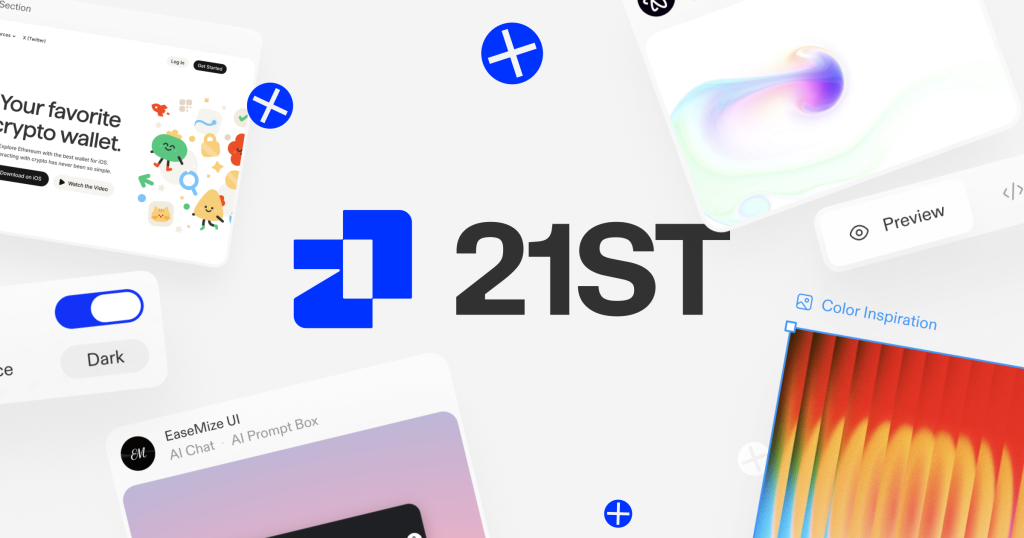
The platform has two major surfaces. The Component Marketplace is a curated library of community-submitted UI components (buttons, hero sections, pricing tables, navigation bars, modals, forms, testimonials) with live previews and one-command CLI installation via npx shadcn. Magic MCP is an AI agent that generates production-ready TypeScript components from natural language descriptions, running as an MCP server inside Cursor, Windsurf, and VS Code.
Key Features
Magic AI Component Generation
Type /ui create a modern navigation bar with responsive design inside Cursor or Windsurf and get multiple styled variations with clean TypeScript, proper props, and responsive behavior. It functions like v0 by Vercel but runs inside your IDE instead of a separate web app. The output is production-ready code, not a wireframe or mockup.
Curated Component Marketplace
Thousands of community-submitted React + Tailwind components organized by category: heroes, pricing sections, buttons, AI chat components, shaders, and more. Every component has a live preview and installs with a single CLI command. A three-tier quality pipeline (on_review, posted, featured) ensures curation quality.
SVGL Asset Library
Built-in access to thousands of company logos and brand icons for use in generated components. Need a pricing table with Stripe and GitHub logos? They are already available without hunting for SVG files.
Open Source with Full Ownership
The platform itself is open source (5,000+ GitHub stars, 266 forks). All generated and published components are fully editable with no licensing restrictions. You own the code completely.
Pricing
- Free: $0/month. 5 tokens/month. Basic access to the component library.
- Pro: $20/month ($192/year, ~$16/month annual). 50 tokens/month. Studio and sandbox environment, premium components, AI generation.
Token costs: 1 token per AI-generated component, 5 tokens to unlock a premium community component. At $20/month for 50 tokens, each generated component costs about $0.40. That is reasonable for production UI work but can add up during rapid prototyping sessions.
| Plan | Price | Plan Features | Best For |
|---|---|---|---|
| Free | $0 | 5 tokens/month, basic marketplace access | Trying the platform |
| Pro | $20/month | 50 tokens/month, studio, premium components | Active frontend developers |
Who is 21st.dev Best For?
Frontend developers working with React, Next.js, and Tailwind CSS who want to move faster. Design engineers building or maintaining design systems. Startups and small teams needing rapid UI prototyping without hiring a dedicated designer. Freelancers and agencies delivering client projects. “Vibe coders” using AI-first IDEs like Cursor and Windsurf.
Pros
- Magic MCP generates production-ready components directly inside your IDE
- Curated marketplace with live previews and one-command installation
- Open source with no licensing restrictions on generated code
- YC-backed with 5,000+ GitHub stars and active weekly curation
Cons
- Only useful for React/Tailwind stack, not Vue, Svelte, or vanilla JS
- 5 free tokens/month is very limited for meaningful evaluation
- No team or enterprise plans for organizations
- Component quality varies since the marketplace is community-driven
Alternatives
v0 by Vercel
AI-powered UI generation from prompts, similar concept but runs as a web app rather than an IDE-integrated MCP. Better for quick prototyping and sharing. 21st.dev is better for direct integration into your development workflow where generated code lands in your project immediately.
shadcn/ui
The free, open-source component library that 21st.dev is built on top of. No AI generation, no marketplace, no curation. If you just need baseline components and do not want AI generation or community variations, shadcn/ui is free and excellent.
Radix UI
The underlying primitive library that both shadcn/ui and 21st.dev components use. Lower-level, unstyled, and focused on accessibility. Better for teams building custom design systems from scratch who want maximum control over styling.
FAQ
Does 21st.dev work outside of Cursor and Windsurf?
The marketplace and CLI installation work in any development environment. The Magic MCP AI generator specifically integrates with Cursor, Windsurf, and VS Code with Cline. Other editors are not currently supported for AI generation.
Can I publish and monetize my own components?
You can publish components to the marketplace. The curation pipeline reviews submissions for quality. Monetization details are not publicly documented, but the platform supports premium (token-gated) components.
How does 21st.dev compare to building components from scratch?
For standard UI patterns (navbars, pricing tables, hero sections), 21st.dev saves hours per component. For highly custom designs, you will still need manual work. The generated code provides a strong starting point that you customize rather than building from zero.
Verdict
21st.dev is the best tool in its niche: AI-assisted React/Tailwind component development. The Magic MCP integration feels like the future of UI development, generating production-ready code right where you work. The curated marketplace adds community-driven variety that AI generation alone cannot match. The limitations are clear: React/Tailwind only, modest free tier, no team plans, and variable community component quality. But for frontend developers in the React ecosystem who want to ship UI faster, 21st.dev is a genuine productivity multiplier. The $20/month Pro plan pays for itself after a few saved hours of component building.
21st.dev Pros & Cons
What We Like
- Magic MCP generates production-ready components directly inside your IDE
- Curated marketplace with live previews and one-command installation
- Open source with no licensing restrictions on generated code
- YC-backed with 5,000+ GitHub stars and active curation
What Could Be Better
- Only useful for React/Tailwind stack, not Vue or Svelte
- 5 free tokens/month is very limited for evaluation
- No team or enterprise plans
- Community component quality varies
21st.dev FAQ
Does 21st.dev work outside Cursor and Windsurf?
Marketplace and CLI work anywhere. Magic MCP AI generation works in Cursor, Windsurf, and VS Code with Cline.
Can I publish my own components?
Yes. Submissions go through a three-tier quality pipeline. Premium (token-gated) components are supported.
How does it compare to building from scratch?
For standard patterns (navbars, pricing tables), saves hours per component. Custom designs still need manual work but generated code is a strong starting point.
What is 21st.dev?
YC-backed marketplace for React/Tailwind UI components with Magic MCP AI generator that creates production-ready components from natural language inside your IDE.
How much does 21st.dev cost?
21st.dev pricing starts at $20/month. A free plan is available.
Is 21st.dev worth it?
21st.dev is the best tool for AI-assisted React/Tailwind component development. Magic MCP generates production code right where you work. The marketplace adds community variety. React-only and no team plans are limitations, but for frontend devs it is a genuine productivity multiplier. We rate it 7.7/10.






