Chunk Review (2026): Pricing, Features & Honest Verdict
TLDR
Chunk is a native Mac planner that turns to-dos into timed blocks beside your Google, Outlook and Apple calendars. It is polished, cheap and subscription-free, but Mac-only for now and non-refundable. Best for: Mac users who plan their day in blocks. Price: from $29.99 one-time, free plan no (7-day trial). Rating: 7.0/10.
What is Chunk?
We found Chunk on Product Hunt, where it launched on 6 October 2026 as a macOS planner that schedules your day in blocks. The app is older than that launch. Its public download history starts with version 0.1.0 in April 2025, and the build we inspected, version 3.4.4, shipped on 1 October 2026, days after version 3.4 reworked the window into three layouts called Tasks, Plan and Calendar.
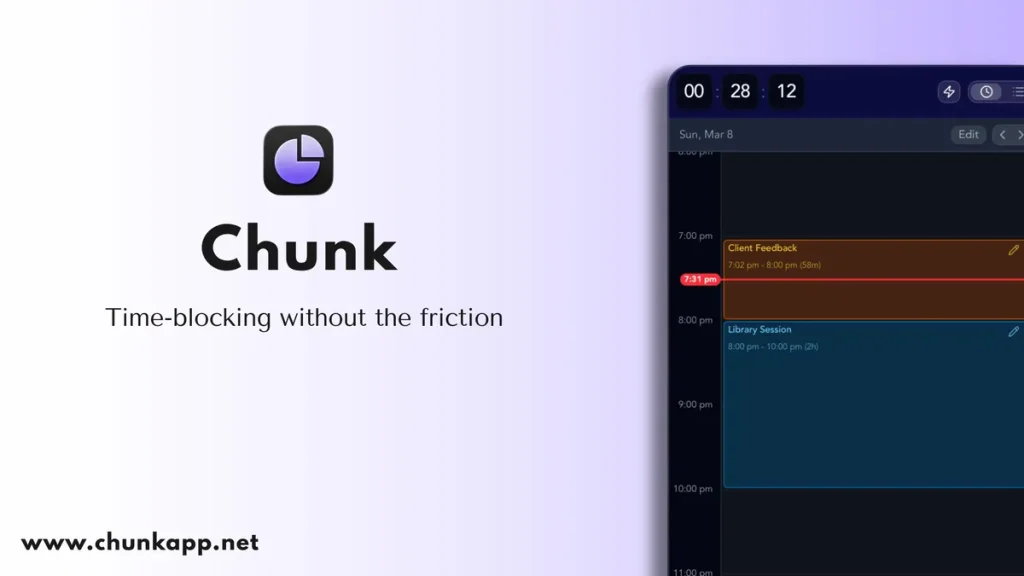
The idea is easy to grasp. You open Chunk from the menu bar with Cmd+/, drag your to-dos onto a timeline, and a countdown in the menu bar shows how long is left in the current block. Google, Outlook and Apple calendars share that timeline and sync both ways. One developer builds and sells it as a one-time licence, and the site names no legal entity: the terms, refund policy and footer only ever say Chunk.
What Are Chunk’s Key Features?
One timeline for to-dos and meetings
Chunk’s day, week and month views put your own blocks beside events from Google Calendar, Outlook and Apple Calendar. Sync goes both ways: drag or resize an external event in Chunk and the change lands back in the source calendar, and a lock toggle freezes external events as read-only if you would rather not move them by accident. Version 3.4 added editing of repeating events as this event, this and following, or all events, a detail many planners skip. The schedule also exports as PDF or CSV.
Apple Reminders and reusable template lists
Your Reminders lists appear in Chunk’s to-do column next to its own lists, smart lists and a search across everything, including calendar events. Drag a reminder onto the day and it becomes a block. Templates sit in the same column as recurring lists: build a typical day once, give it a repeat rule by day, week, month or year, then drop the whole template or single blocks onto the calendar. For people who plan the same shape of week again and again, this cuts the morning setup to seconds.
A countdown and full-screen alerts
This is the heart of the app. A live countdown sits in the menu bar, the main window floats above full-screen apps, and when a block ends a full-screen alert takes over so you mark it complete or reschedule it on the spot. The About page says Chunk was built by someone with ADHD around one idea: plan once in the morning, then let timers carry the day. A stats dashboard compares planned hours with completed to-dos over 7, 30 and 90 days.
A Claude connector that runs on your Mac
Chunk ships a local MCP connector (Model Context Protocol, the standard Claude uses to talk to other apps). Settings, then AI Integrations, registers it with Claude Desktop, and Claude can then read your schedule and create, move or delete events, to-dos and templates from a written request. The pricing page lists no AI add-on, and the connector runs on whatever Claude plan you already have, so any usage limits are Anthropic’s. We saw no other AI planning feature on the site; planning a week with AI means asking Claude to do it.
What Is It Like to Use Chunk?
We did not install or run Chunk. This section draws on the vendor’s site, its release history and the installer, which we opened only to read its configuration. The 89 MB disk image passes Apple’s notarisation check, holds a universal build for Apple silicon and Intel Macs, and asks for macOS 12 Monterey or newer. It is signed by an individual developer account rather than a company account.
The workflow the site describes is quick. Press Cmd+/ from anywhere, the window slides in, drag a to-do or a template onto the timeline, and get back to work while the menu bar counts down. Version 3.4 put the three layouts on one surface you slide between, from all to-dos on one side to all calendar on the other, with Plan in the middle showing both at once.
Sync between Macs runs through your own iCloud account. The installer’s entitlements confirm a private CloudKit container plus a local network service for nearby Macs, which the FAQ says syncs in 1 to 2 seconds on the same network and in around 10 to 30 seconds through iCloud. Google and Outlook sign-in tokens live in the Mac’s Keychain, and the app talks straight to Google’s and Microsoft’s calendar endpoints.
Update cadence is a real plus. The public release page lists 46 versions since April 2025, eight of them between 6 September and 1 October 2026, delivered through a signed in-app updater. The 3.4.4 notes fixed a bug that had stopped the Claude connector from creating to-dos and editing Reminders and calendars, so that part of the app is still young.
Where Does Chunk Fall Short?
Direct Mac purchases are final. The refund policy calls a licence bought from Chunk a final sale that is not refundable, pointing to the 7-day trial that needs no card instead. That is fair at $29.99, but it means you should connect your real Google or Outlook accounts during the trial, not after paying. The policy adds that consumer-law rights are unaffected.
The privacy wording needs a careful read. The FAQ says your schedule never leaves your device when Claude is connected, while the same feature section admits Claude processes whatever goes into your prompt. In practice, anything Claude reads from your calendar is sent to Anthropic for that request. The Mac app is local-first, but the Claude part is not.
The privacy policy also says the directly sold Mac app can send product analytics to a third-party analytics service, covering feature use, app version, a pseudonymous install ID and your Mac’s hostname, with licence identifiers attached once you activate. Only the Setapp build is said to start with analytics off. To-do titles, notes and calendar content are excluded, and you can switch analytics off in settings.
It is Mac only for now. The iPhone version is listed as coming soon, mobile is the single item listed as in progress on the roadmap, and there is no Windows, Linux, Android or web version. If you plan on a phone during the day, Chunk cannot follow you yet.
Finally, there is key-person risk. Chunk is a solo-built commercial app with no company named on its site. The pace of updates is excellent, but a lifetime licence lasts as long as the developer keeps going. The site carries five testimonials with personal names and no verifiable companies.
How Much Does Chunk Cost?
Chunk starts at $29.99 one-time for a Lifetime License covering 2 Macs, after a 7-day trial that needs no card and ends with no access. The Family Package is $59.99 one-time for up to 6 Macs. Both include future updates and priority support, according to the pricing page, and the checkout page confirms the $29.99 charge and the 2-Mac scope. There is no free plan.
Chunk for iPhone is priced at $8.99 one-time on the App Store but is not out yet. It is sold separately from the Mac licence, comes with its own 7-day trial, supports Apple Family Sharing, and refunds for it go through Apple rather than Chunk.
There is a cheaper route. Setapp sells Chunk as a standalone app from $19.99 with no billing interval, or inside its $14.99 a month membership. The catch: Setapp lists version 3.1.2 and macOS 13 or newer, far behind the 3.4.4 direct build, and we could not confirm how many Macs a Setapp purchase covers.
Against subscription planners the maths is lopsided. Sunsama’s price card shows $22 a month billed monthly or $17 a month billed yearly. Akiflow Pro is $34 monthly or $19 a month billed yearly, $228 a year. Morgen is $30 monthly or $15 a month billed yearly. A single year of Morgen’s yearly plan, $180, buys six Chunk licences. Chunk’s own comparison page quotes Sunsama at $20 and $25, figures that match Sunsama’s FAQ but not its current price card.
| Plan | Price | Plan Features | Best For |
|---|---|---|---|
| Free Trial | $0 for 7 days | Full app on 1 Mac, no card needed, no access after the trial ends | Testing calendar sync with your real accounts before buying |
| Lifetime License | $29.99 one-time | 2 Macs, future updates and priority support included, non-refundable | Individuals planning on one or two Macs |
| Family Package | $59.99 one-time | Up to 6 Macs, future updates and priority support included, non-refundable | Households sharing several Macs |
| Chunk for iPhone | $8.99 one-time (coming soon) | Sold separately on the App Store, 7-day trial, Family Sharing, syncs through iCloud | Mac owners who want their plan on the phone once it ships |
Who is Chunk Best For?
Use Chunk if you work on a Mac most of the day, already keep meetings in Google, Outlook or Apple Calendar, and want your to-dos to land on the same timeline with a visible countdown. It suits people who lose time between blocks, including the ADHD users the developer built it for, and anyone tired of paying $15 to $34 a month for a planner.
Skip Chunk if you need a phone or Windows app today, want a team planner with shared workspaces, or want an assistant that schedules your week for you without prompting. Skip it too if a non-refundable purchase from a one-person outfit makes you uneasy; the trial is the only safety net.
Best Chunk Alternatives
Sunsama
Sunsama is a guided planning tool that walks you through each workday and week, placing to-dos from other services onto a calendar. It runs on the web, Mac, Windows and phones. It costs $22 a month billed monthly or $17 a month billed yearly, with no lifetime option.
Akiflow
Akiflow gathers to-dos from many tools into one inbox and lets you drag them onto your calendar, with apps on every major platform. Pro costs $34 a month billed monthly or $19 a month billed yearly, and it also sells multi-year Believer plans.
Morgen
Morgen is a calendar-first planner with AI-assisted scheduling that runs on Mac, Windows, Linux, phones and the web. It costs $30 a month billed monthly or $15 a month billed yearly, with team plans from $10 a seat per month billed yearly.
Final Verdict: Is Chunk Worth It?
For a Mac user, yes. Chunk does the core job of a block planner properly: one timeline for your own work and your meetings, two-way sync with all three big calendars, Reminders built in, and a countdown with full-screen alerts that keeps you moving from one block to the next. At $29.99 once, it costs less than two months of most subscription rivals, and the release history shows a developer who ships fixes fast.
The cautions are real but manageable. Purchases are final, the Claude connector sends what it reads to Anthropic despite the never-leaves-your-Mac wording, analytics need switching off by hand, and everything rests on one developer with no company named. Use the full 7-day trial with your real calendars. If it sticks, the lifetime licence is one of the better-value planners on macOS.
Chunk Pros & Cons
What We Like
- One-time $29.99 licence for 2 Macs, against $15 to $34 a month for subscription planners like Sunsama, Akiflow and Morgen
- Two-way sync with Google Calendar, Outlook and Apple Calendar, including edits to repeating events
- Menu-bar countdown, a window that floats over full-screen apps and full-screen alerts when each block ends
- Apple Reminders and reusable template lists live in the same to-do column you drag from
- Notarised universal build for Apple silicon and Intel, with 46 releases since April 2025 and Mac-to-Mac sync through your own iCloud
What Could Be Better
- Direct Mac purchases are a final sale with no refunds; the 7-day trial is the only safety net
- Mac only today: the $8.99 iPhone app is still listed as coming soon, and there is no Windows, Android or web version
- Solo-built with no legal entity named on the site, so the lifetime licence depends on one developer
- The direct build can send product analytics including your Mac's hostname, and the Claude connector sends what it reads to Anthropic despite never-leaves-your-Mac wording
Chunk FAQ
What is Chunk?
Chunk is a native macOS menu-bar planner that lets you drag to-dos onto a timeline as timed blocks, next to events from Google Calendar, Outlook and Apple Calendar, which sync both ways. A countdown in the menu bar and full-screen alerts keep you moving between blocks, and a local connector lets Claude Desktop edit your schedule.
How much does Chunk cost?
Chunk costs $29.99 one-time for a Lifetime License covering 2 Macs, or $59.99 one-time for a Family Package covering up to 6 Macs, both after a 7-day trial with no card. An iPhone version is listed at $8.99 one-time but is not out yet. Setapp also sells an older version from $19.99.
Is Chunk worth it?
For Mac users who plan in blocks, yes. At $29.99 once it costs less than two months of most subscription planners and is updated often. Purchases are non-refundable and it is Mac only for now, so test it with your real calendars during the 7-day trial.
What are the best Chunk alternatives?
Sunsama ($22 a month, or $17 a month billed yearly) for guided planning across platforms, Akiflow ($34 a month, or $19 a month billed yearly) for pulling to-dos from many tools into one inbox, and Morgen ($30 a month, or $15 a month billed yearly) for a calendar-first planner that also runs on Windows and Linux.
Does Chunk offer a free plan?
No. Chunk has a 7-day free trial with full access and no card required, after which you need a one-time licence to keep using it.
Who is Chunk best for?
Chunk is best for people who work on a Mac most of the day, keep meetings in Google, Outlook or Apple Calendar, and want their to-dos on the same timeline with a visible countdown, including the ADHD users it was built for. It is a poor fit if you need a phone, Windows or team planner today.






