DataFast Review (2026): Pricing, Features & Honest Verdict
TLDR
DataFast is a revenue-first analytics platform by indie maker Marc Lou that connects your traffic sources directly to Stripe revenue data. Simple, privacy-friendly, and built for founders who care about which channels make money, not which pages get views. Best for: indie hackers and SaaS founders with multiple projects. Price: From $9/mo (free trial: yes). Rating: 7.5/10.
What Is DataFast?
We found DataFast while browsing Product Hunt’s top launches, where it earned 690 upvotes and Product of the Day on January 28, 2026. The pitch is simple: stop tracking pageviews and start tracking revenue. Most analytics tools tell you how many people visited your pricing page. DataFast tells you which marketing channel brought the customer who actually paid.
It comes from Marc Lou (Marc Louvion), Product Hunt’s Maker of the Year 2023. Marc has built 24+ startups and earned over $2M online. He is also the creator of ShipFast, a popular NextJS boilerplate. DataFast follows his philosophy: build lean, ship fast, solve one problem well. The product does not try to be Google Analytics. It tries to answer one question: where is your money coming from? With 14,711 users, 1,100+ paying customers, and roughly $20K MRR, it is a bootstrapped tool built by a maker for makers. That context matters because it explains both the product’s strengths (simplicity, speed, focus) and its limitations (no heatmaps, no session recordings, no enterprise features).
What Are DataFast’s Key Features?
Revenue Attribution
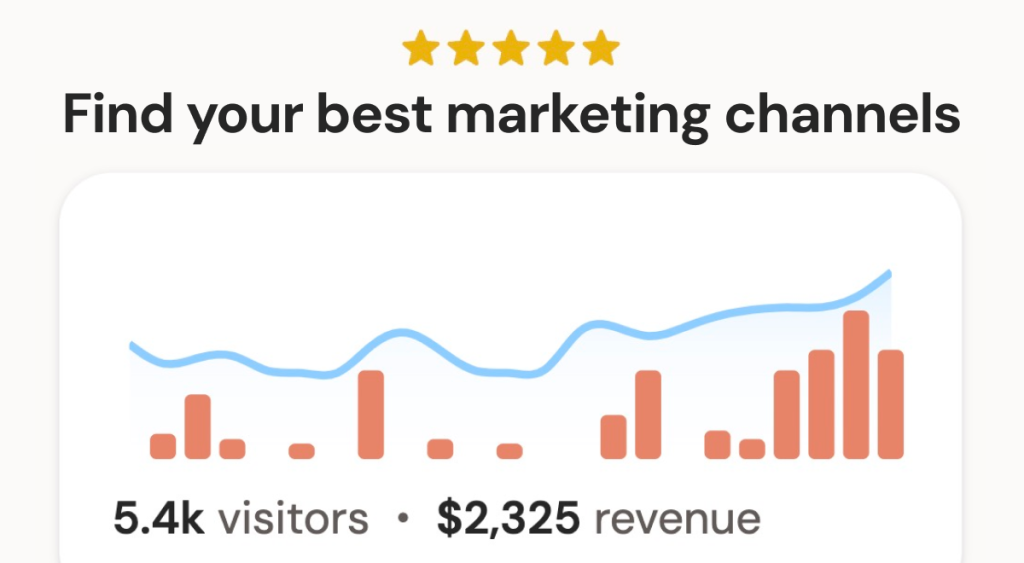
This is the core feature and the reason DataFast exists. Connect your Stripe, LemonSqueezy, Polar, or Shopify account and DataFast maps every paying customer back to the traffic source that brought them in. You can see which channels drive the highest lifetime value, not just the most clicks. For founders running paid experiments across X, Reddit, YouTube, and Google, this answers the question that actually matters: where should I spend my next dollar?
Multi-Site Dashboard
If you are running multiple projects (and most indie hackers are), DataFast lets you monitor all of them from a single dashboard. The Growth plan ($19/mo) supports up to 30 websites with 30 team members. You get traffic trends, revenue events, and conversion rates across all your properties in one view. Compare that to juggling separate Google Analytics accounts for each project.
X (Twitter) Attribution
DataFast tracks mentions and link clicks from X specifically, which is notable because X attribution is notoriously difficult with standard analytics tools. If you are building in public on X (as many indie hackers do), this feature connects your posting activity to actual revenue outcomes. Both pricing tiers include this, with advanced X features on the Growth plan.
Live Visitor Intelligence
A real-time globe view shows active visitors on your site with their locations, referral sources, and activity. There is also full API access for building custom integrations or dashboards. The live view is more of a nice-to-have than a core workflow tool, but it is satisfying to watch in real time when you launch something new.
How Much Does DataFast Cost?
DataFast starts at $9/mo for the Starter plan, which includes 10,000 monthly events, 1 website, 1 team member, and 3 years of data retention. The Growth plan is $19/mo and bumps you to 30 websites, 30 team members, and 5+ years of data retention with advanced X features. Both plans include a 14-day free trial with no credit card required. Pricing scales with event volume beyond these tiers, going up to 10M+ events.
At $9/mo, DataFast undercuts Fathom Analytics ($15/mo for 100K pageviews) and matches Plausible Analytics ($9/mo for 10K pageviews). The key difference is the revenue attribution layer, which neither Fathom nor Plausible offers natively. You would need to bolt on a separate attribution tool to get that from competitors. For what it does, DataFast is priced aggressively.
| Plan | Price | Plan Features | Best For |
|---|---|---|---|
| Starter | $9/mo | 10K monthly events, 1 website, 1 team member, 3 years data retention | Solo founders with a single project |
| Growth | $19/mo | 10K+ monthly events, 30 websites, 30 team members, 5+ years data retention | Indie hackers managing multiple projects |
Who Is DataFast Best For?
Use DataFast if you are an indie hacker or SaaS founder running one or more products with Stripe (or LemonSqueezy/Polar) as your payment processor. The revenue attribution feature is genuinely useful if you are experimenting with multiple acquisition channels and want to know which ones convert to paying customers, not just traffic. The multi-site dashboard is a real time-saver if you are managing a portfolio of projects.
Skip DataFast if you need deep analytics capabilities like heatmaps, session recordings, funnel analysis, or scroll depth tracking. It does not have any of those. Skip it if your revenue model is ad-based or affiliate-based, since the Stripe integration is central to the value proposition. And skip it if you run a single established business with a mature analytics stack. DataFast solves a specific problem for a specific type of builder, and it does not pretend otherwise.
Best DataFast Alternatives
Plausible Analytics
Plausible starts at $9/mo for 10K pageviews (annual: $7.50/mo). It is privacy-focused, cookie-free, and open source. The dashboard is clean and simple, much like DataFast’s. But Plausible does not offer revenue attribution. You get traffic data without the money layer. If you just want lightweight analytics without the revenue connection, Plausible is excellent.
Fathom Analytics
Fathom starts at $15/mo for 100K pageviews. It is another privacy-first alternative with a simple interface, GDPR compliance, and no cookies. Fathom focuses on being a “set it and forget it” analytics tool. Like Plausible, it lacks native revenue attribution. The higher starting price gets you more pageview headroom but fewer features than DataFast at a lower price point.
Simple Analytics
Simple Analytics is exactly what the name suggests. EU-hosted, fully GDPR-compliant, and stripped down to essentials. Pricing starts at $9/mo. It is one of the most privacy-forward options available, with servers exclusively in the EU. But again, no revenue attribution, no multi-site portfolio view, and no payment processor integrations. Good for privacy-conscious site owners who just need traffic numbers.
Final Verdict: Is DataFast Worth It?
DataFast does one thing that most analytics tools ignore: it connects your traffic data to your actual revenue. For indie hackers and SaaS founders who are constantly experimenting with channels and need to know where their paying customers come from, this is the right tool at the right price. At $9/mo, it costs less than a fancy coffee habit and gives you data that can genuinely change how you allocate your marketing budget.
The limitations are real. No heatmaps, no session recordings, no deep funnel analysis. If you are running a VC-backed startup with a growth team, DataFast is too simple. But that is not who it is built for. It is built for makers who ship products, connect Stripe, and want to know which tweet or Reddit post actually drove revenue. Marc Lou built this for people like himself, and it shows. We would recommend the Growth plan at $19/mo for anyone managing more than one project, and the Starter plan for solo founders with a single product.
DataFast Pros & Cons
What We Like
- Revenue attribution connects traffic sources directly to Stripe payments
- Multi-site dashboard monitors up to 30 projects from one view
- Aggressively priced at $9/mo, undercutting Fathom and matching Plausible
- Privacy-first, cookieless, GDPR-compliant with a lightweight 4KB script
- Built by Marc Lou, PH Maker of the Year 2023, with 14K+ users
What Could Be Better
- No heatmaps, session recordings, or scroll depth tracking
- Revenue attribution requires Stripe, LemonSqueezy, Polar, or Shopify
- Too simple for enterprises needing deep funnel analysis
- Dashboard locks if you exceed your monthly event limit
DataFast FAQ
What is DataFast?
DataFast is a revenue-first analytics platform by Marc Lou that connects your website traffic data directly to your payment processor (Stripe, LemonSqueezy, Polar, Shopify). It shows which marketing channels drive paying customers, not just pageviews. It includes web analytics, revenue attribution, live visitor tracking, and a multi-site dashboard.
How much does DataFast cost?
DataFast starts at $9/mo for the Starter plan (10K monthly events, 1 website). The Growth plan is $19/mo (30 websites, 30 team members, 5+ years data retention). Higher event tiers are available up to 10M+. All plans include a 14-day free trial with no credit card required.
Is DataFast worth it?
For indie hackers and SaaS founders who sell through Stripe and want to know which marketing channels actually drive revenue, yes. At $9/mo it is one of the most affordable analytics tools with native revenue attribution. Skip it if you need heatmaps, session recordings, or enterprise-grade analytics.
What are the best DataFast alternatives?
Plausible Analytics ($9/mo for 10K pageviews) is privacy-focused but lacks revenue attribution. Fathom Analytics ($15/mo for 100K pageviews) is similar. Simple Analytics ($9/mo) is EU-hosted and GDPR-first. None of these offer native payment processor integration like DataFast.
Does DataFast offer a free plan?
DataFast does not offer a permanent free plan, but all paid plans include a 14-day free trial with no credit card required. If you exceed your event limit, data continues to be recorded but the dashboard locks until you upgrade or the next billing cycle.
Who is DataFast best for?
DataFast is best for indie hackers, SaaS founders, and product builders who sell through Stripe, LemonSqueezy, or Shopify and want to see which marketing channels drive actual paying customers. The multi-site dashboard is especially useful for anyone managing a portfolio of projects.






