Fibery Review (2026): Pricing, Features & Honest Verdict
TLDR
Fibery is a flexible work management platform that lets teams build custom workflows, databases, and docs in one connected workspace. Best for: teams that outgrow rigid project management tools. Price: free for up to 10 users, paid from $12/user/month. Rating: 8.1/10.
What is Fibery?
We found Fibery through Product Hunt, where it won Product of the Day for its ambitious pitch: replace your scattered stack of project management, docs, and database tools with one connected platform.
Fibery sits in an interesting space between Notion, Coda, and Linear. It gives you the flexibility of a database tool with the structure of a project management platform. You can model your entire business: products, features, bugs, customers, feedback, OKRs, sprints, and connect everything with bidirectional relations.
The core idea is that work tools should adapt to how your team actually works, not force you into someone else’s workflow. So instead of picking between kanban boards, Gantt charts, or list views, you build whatever structure makes sense for your process.
Key Features
The custom entity system is what sets Fibery apart. You create “Types” (like database tables) for anything: Features, Bugs, Customers, Sprints, Epics, whatever your team needs. Then you connect them with relations. A Feature belongs to a Product, is assigned to a Sprint, and links to Customer Feedback. These connections surface automatically across views.
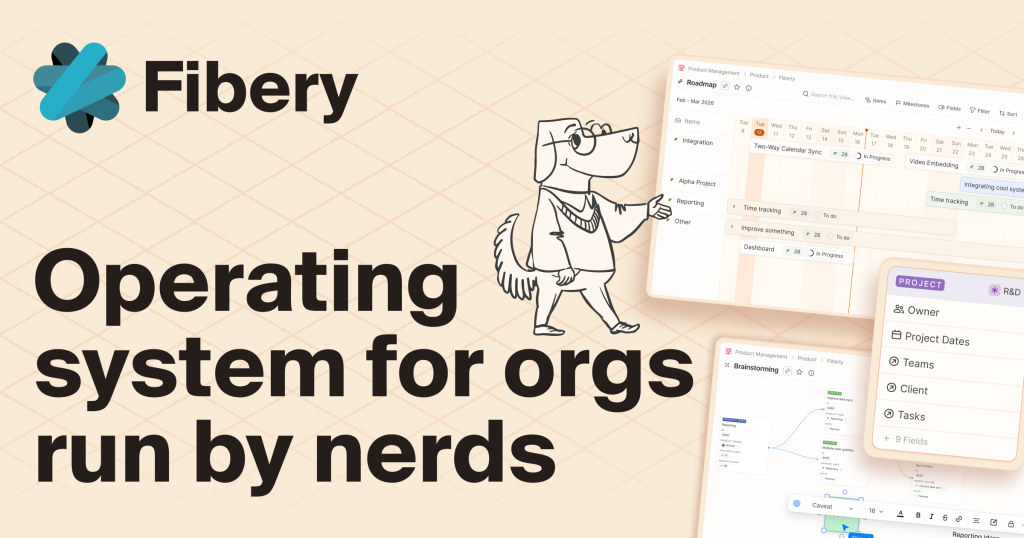
Views are genuinely flexible. The same data can appear as a board, timeline, table, list, chart, or whiteboard. Switch between views without restructuring anything. A product manager sees a timeline. An engineer sees a board. Same data, different lens.
The docs system is deeply integrated. Documents live inside your workspace and can reference any entity. Write a spec, link it to a feature, and the feature card shows the linked doc. No more hunting through Google Docs for the right spec.
AI features include smart fields that auto-categorize feedback, summarize documents, and extract action items. The AI works on your actual data, not generic templates.
Fibery offers a 6-month free program for early-stage startups, which is generous compared to most tools that offer 30-90 day trials.
Pricing
The free plan supports up to 10 users with core features. No time limit. This is genuinely useful for small teams getting started.
Standard costs $12 per user per month (annual billing). Adds automations, integrations, and priority support. Most small teams will live here.
Pro at $20 per user per month adds advanced permissions, audit logs, custom branding, and the full AI suite.
Enterprise at $40 per user per month includes SSO, SCIM, dedicated support, and SLA guarantees.
The startup program gives qualifying early-stage companies 6 months free on any paid plan. If you are pre-Series A with under 50 employees, it is worth applying.
| Plan | Price | Plan Features | Best For |
|---|---|---|---|
| Free | $0 | Up to 10 users, core features, no time limit | Small teams getting started |
| Standard | $12/user/month | Automations, integrations, priority support | Growing teams needing automation |
| Pro | $20/user/month | Advanced permissions, audit logs, full AI suite | Teams needing governance and AI features |
| Enterprise | $40/user/month | SSO, SCIM, dedicated support, SLA | Large organizations with compliance needs |
Who is Fibery For?
Product teams that have outgrown Trello or Asana and find Linear too opinionated. Startups that want one tool instead of five but do not want to sacrifice structure for flexibility. Teams where product management, engineering, and customer feedback need to be connected in one place.
Fibery works best when someone on the team is willing to invest time in setup. The flexibility is a double-edged sword. You can build exactly what you need, but you have to build it.
Where Fibery Falls Short
The learning curve is real. Fibery gives you building blocks, not a finished product. New users often stare at a blank workspace wondering where to start. The templates help, but customizing them to fit your exact workflow takes hours, not minutes.
Mobile experience is lacking compared to competitors. The web app is powerful but the mobile apps feel like an afterthought. If your team needs to update tasks from their phones regularly, this will frustrate them.
Performance can slow down with large datasets. Once you have thousands of entities with complex relations, some views take noticeably longer to load. This is not a dealbreaker for most teams, but power users will notice.
The community is smaller than Notion or ClickUp, which means fewer templates, integrations, and community-built solutions to learn from.
Alternatives
Notion
Notion is the most popular flexible workspace, with a massive template library and community. Better for docs and knowledge bases. Weaker on structured project management and lacks native sprint planning. Fibery has stronger bidirectional relations and purpose-built product management features. Notion is easier to start with but harder to scale for engineering teams.
Linear
Linear is the gold standard for engineering issue tracking. Faster, more opinionated, and better designed for sprint workflows. But it only does issue tracking. No docs, no customer feedback, no OKRs. If your team needs just issue tracking, Linear wins. If you need a connected workspace, Fibery covers more ground.
Coda
Coda is closer to a programmable document than a project management tool. Powerful formulas and automations. Better for custom internal tools and dashboards. Less structured than Fibery for traditional project management. Coda excels when you need to build something unique. Fibery excels when you need structured work management with flexibility.
FAQ
Fibery Pros & Cons
What We Like
- Extremely flexible custom entity system models any business process
- Bidirectional relations connect features, bugs, customers, and feedback
- Free plan supports 10 users with no time limit
- 6-month free startup program for early-stage companies
What Could Be Better
- Steep learning curve requires significant setup investment
- Mobile apps feel like an afterthought compared to web experience
- Performance slows with large datasets and complex relations
Fibery FAQ
How does Fibery compare to Notion?
Fibery has stronger bidirectional relations and purpose-built project management features like sprint planning and bug tracking. Notion is better for docs and knowledge bases. Fibery is more structured for work management, while Notion is more flexible for general-purpose wikis and notes.
Is Fibery hard to set up?
Yes, the initial setup takes hours, not minutes. You need to define your entity types, relations, and views. Templates help but customization is expected. The flexibility is a double-edged sword: you can build exactly what you need, but you have to build it yourself.
Does Fibery offer a startup program?
Yes. Early-stage startups (pre-Series A, under 50 employees) can apply for 6 months free on any paid plan. This is more generous than most competitors that offer 30-90 day trials.
What is Fibery?
Flexible work management platform that lets teams build custom workflows, databases, and docs in one connected workspace. Free for up to 10 users, paid from $12/user/month.
How much does Fibery cost?
Fibery pricing starts at $12/user/month. A free plan is available.
Is Fibery worth it?
Fibery is one of the most flexible work management platforms available, letting teams build exactly the workspace they need instead of adapting to rigid workflows. The learning curve is real and the mobile experience is lacking, but for product teams that have outgrown simpler tools like Trello or Asana, Fibery offers a powerful and well-priced alternative. We rate it 8.1/10.






