Framer Review (2026): Pricing, Features & Honest Verdict
TLDR
Framer is a no-code website builder that combines a visual design editor with professional hosting, CMS, and AI-powered features. Originally a prototyping tool, it pivoted to site building in 2022 and now serves 500,000+ monthly active users at a $2 billion valuation. Free plan available, paid plans from $10 per month. Trusted by startups like Miro and Perplexity. Best for design-forward marketing sites and landing pages, but limited CMS and no native e-commerce hold it back for complex projects. Rating: 7.8/10.
What is Framer?
Framer started life in 2013 as a JavaScript-based prototyping tool for designers. It lived in the same category as Figma and InVision, helping teams create interactive prototypes before handing off to developers. In May 2022, the company made a radical pivot: it relaunched as a no-code website builder, competing directly with Webflow, Squarespace, and WordPress.
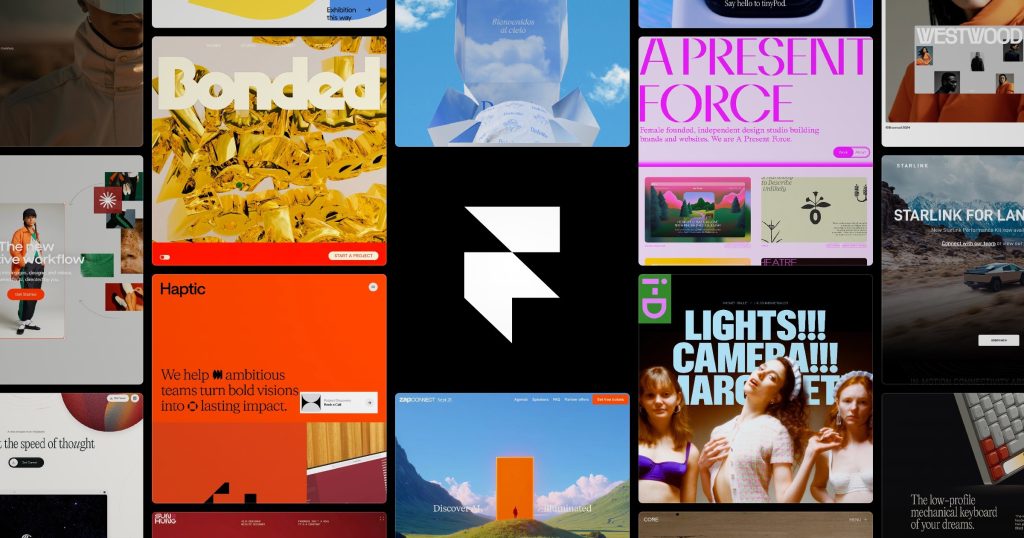
The pivot worked. Framer grew to 500,000+ monthly active users and achieved a $2 billion valuation. The product’s strength is its design DNA. Unlike most website builders that start from templates and constrain creativity, Framer gives designers pixel-level control over every element. Animations, interactions, responsive layouts: everything works through a visual interface that feels more like Figma than WordPress.
In 2026, Framer added AI features including Wireframer (AI-generated page layouts) and Workshop (collaborative design tools), plus on-page editing for marketing teams who want to update content without touching the editor. The company simplified its pricing from five plans to three core tiers, making the value proposition clearer. Framer has become the default choice for startups and agencies building marketing sites that need to look exceptional without hiring a frontend developer.
What Are Framer’s Key Features?
Visual Design Editor
Framer’s editor feels like a design tool first and a website builder second. You get pixel-perfect control over layout, typography, spacing, and visual hierarchy. Drag elements anywhere. Stack components with flexbox. Create complex layouts without writing CSS. The responsive design system lets you design for desktop, tablet, and mobile simultaneously with breakpoint-specific overrides. For designers coming from Figma, the learning curve is almost zero. For non-designers, the quality of default styles and auto-layout means even basic pages look professional.
Animations and Interactions
This is where Framer demolishes competitors. Scroll-triggered animations, hover effects, page transitions, parallax, and micro-interactions are all built into the visual editor. No code, no plugins, no external animation libraries. You define the animation visually, set triggers and timing, and the editor generates optimized code. Webflow has animations too, but Framer’s implementation is more intuitive and produces smoother results. For agencies and startups that want their sites to feel premium, the animation system alone justifies choosing Framer.
CMS and Content Management
Framer includes a built-in CMS with collections, custom fields, and content-aware design components. You can create blog posts, case studies, team directories, or any structured content type and design custom layouts for each. The Free plan includes 10 CMS collections and 1,000 pages. Higher plans unlock more collections, items, and advanced features like computed fields and conditional visibility. The CMS works well for simple content sites, but it is significantly less powerful than Webflow’s CMS or WordPress. Complex content relationships, advanced filtering, and large content libraries push Framer’s CMS to its limits.
AI Features
Framer’s AI tools include Wireframer, which generates page layouts from text descriptions, and AI-powered copy generation that writes content directly in the editor. The AI features are useful for rapid prototyping: describe a landing page and get a starting point in seconds. But the generated designs need significant refinement. They are conversation starters, not finished products. For teams that use AI as a starting point and iterate from there, these features speed up the early design phase without replacing creative judgment.
How Much Does Framer Cost?
The Free plan includes a Framer subdomain, basic analytics, 10 CMS collections, 1,000 pages, and 5 MB file uploads. To remove Framer branding and use a custom domain, you need the Basic plan at $10 per month. The Pro plan at $30 per month adds priority support, more CMS capacity, and advanced analytics. The Scale plan at $100 per month introduces usage-based pricing, A/B testing, private plugins, and advanced hosting.
Framer recently simplified pricing from five plans to three core tiers (Basic, Pro, Scale), with 60% of customers seeing prices drop by 30% or more. The Free plan is genuinely useful for testing and personal projects. Compared to Webflow ($14 per month for Basic with a custom domain), Framer is slightly cheaper at the entry level. Compared to Squarespace ($16 per month), Framer offers more design flexibility at a similar price. Enterprise pricing is custom. Students get a free Basic plan for as long as they are enrolled.
| Plan | Price | Plan Features | Best For |
|---|---|---|---|
| Free | $0 | Framer subdomain, 10 CMS collections, 1000 pages, 5MB uploads | Testing and personal projects |
| Basic | $10/mo | Custom domain, remove branding, basic analytics | Personal and hobby sites |
| Pro | $30/mo | Priority support, more CMS, advanced analytics | Professionals and startups |
| Scale | $100/mo | Usage-based, A/B testing, private plugins, advanced hosting | Growing companies |
Who is Framer Best For?
Use Framer if you are building a marketing site, landing page, portfolio, or startup homepage that needs to look exceptional. Designers who want pixel-perfect control without writing code will feel immediately at home. Agencies that build sites for clients will appreciate the speed: Framer projects ship faster than equivalent Webflow or WordPress builds. Startups that iterate on their marketing messaging weekly benefit from the on-page editing features that let non-technical team members update content.
Skip Framer if you need e-commerce. There is no native shopping functionality, and third-party integrations add complexity. Skip it if you need a robust CMS for large content libraries, since Framer’s CMS cannot compete with WordPress or Webflow for content-heavy sites. Skip it if you need multi-language support on a budget, because localization features add significant cost on higher tiers. And skip it if you are building a web application rather than a website. Framer builds pages, not apps.
Best Framer Alternatives
Webflow
The most powerful no-code website builder with a deep CMS, e-commerce, and visual development tools. Starting at $14 per month for a basic site. More complex than Framer but significantly more capable for content-heavy sites and online stores. The learning curve is steeper, but the ceiling is higher. Best for teams that need CMS power, e-commerce, and client billing in one platform.
Squarespace
Template-driven website builder with built-in e-commerce, email marketing, and scheduling. Starting at $16 per month. Less design flexibility than Framer but easier to use for non-designers. Stronger e-commerce and blogging features out of the box. Best for small businesses that want an all-in-one platform without design expertise.
WordPress
The open-source CMS powering 43% of the web. Free to self-host, or use managed hosting from $3 per month. Infinite flexibility through themes and plugins, but requires more technical knowledge. Better for blogs, membership sites, and complex content architectures. Best for developers and teams that want maximum control and a massive plugin ecosystem.
Final Verdict: Is Framer Worth It?
Framer is the best website builder for teams that prioritize design quality. The visual editor gives designers the creative freedom they expect from tools like Figma, but the output is a production website, not a prototype. The animation system is best-in-class. The simplified pricing makes it accessible, and the free tier is genuinely useful for evaluation.
The limitations are clear. No e-commerce. A CMS that works for simple content but struggles with complexity. Localization costs that add up quickly for international teams. These are not bugs but deliberate product decisions: Framer focuses on what it does well rather than trying to be everything. If your site is primarily a marketing tool, a portfolio, or a startup’s public face, Framer builds it faster and more beautifully than any alternative. If you need a platform for content publishing, online sales, or web applications, look elsewhere.
Framer Pros & Cons
What We Like
- Best-in-class animation and interaction design system
- Pixel-perfect visual editor that feels like Figma
- Simplified pricing with generous free tier
- Free Basic plan for enrolled students
What Could Be Better
- No native e-commerce functionality
- CMS is limited compared to Webflow or WordPress
- Localization features add significant cost on higher tiers
- Not suitable for web applications, only websites
Framer FAQ
Is Framer good for beginners?
Framer is easier than Webflow but more complex than Squarespace. Designers coming from Figma will feel at home. Non-designers benefit from strong default styles and auto-layout. The learning curve is moderate.
Can I build an online store with Framer?
Framer does not have native e-commerce. You can integrate third-party tools like Lemon Squeezy or Stripe for basic payment processing, but for a full online store, Shopify or Webflow Commerce are better options.
How does Framer compare to Webflow?
Framer has a more intuitive editor and better animations. Webflow has a more powerful CMS, native e-commerce, and a deeper feature set for complex sites. Framer is better for marketing sites; Webflow for content-heavy and commerce sites.
Does Framer offer a student discount?
Yes. Enrolled students get a free Basic plan (worth $120/year) for as long as they are studying. This includes custom domain, removed branding, and basic analytics.
What is Framer?
No-code website builder with design-grade visual editor, animations, CMS, and AI features. 500K+ monthly active users.
How much does Framer cost?
Framer pricing starts at $10/mo. A free plan is available.






