Grist Review (2026): Pricing, Features & Honest Verdict
TLDR
Grist is an open-source spreadsheet-database hybrid with Python formulas, custom layouts, and granular access control. Self-hostable and free. Best for: technical teams wanting spreadsheet flexibility with database structure. Price: Free (self-hosted) / $10/user/mo cloud. Rating: 8.2/10
What is Grist?
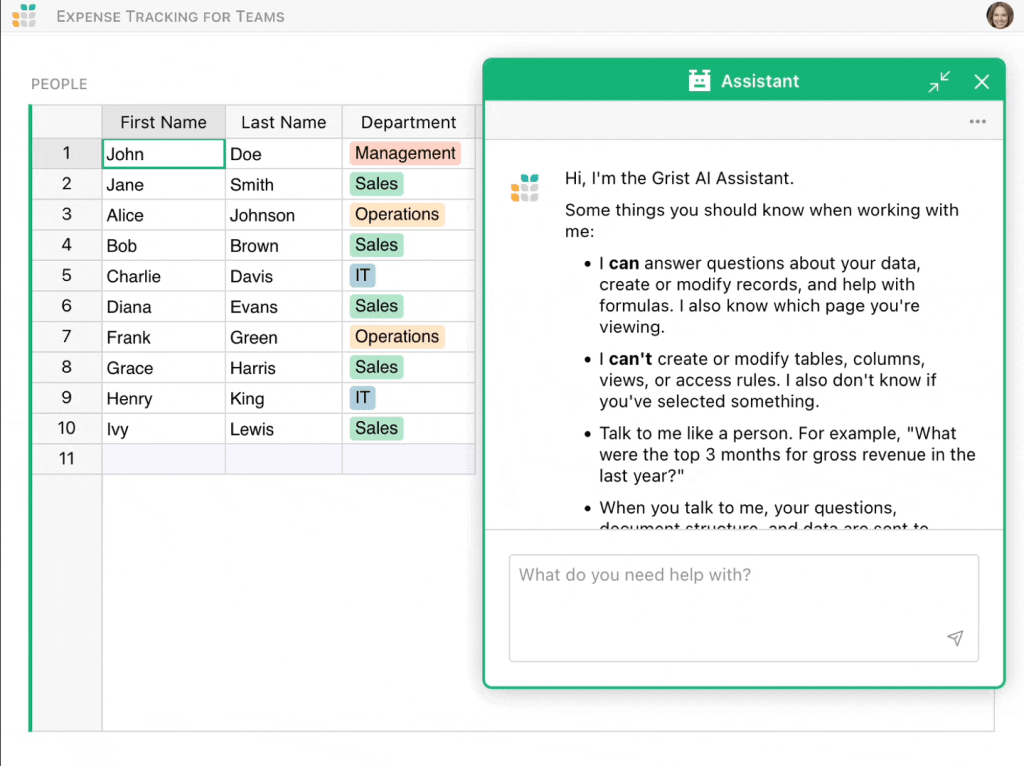
Grist is an open-source tool that combines the familiarity of spreadsheets with the structure of a relational database. It started as a product at Grist Labs and went fully open source, now sitting at over 7,000 stars on GitHub. You get tables with typed columns, linked records, and Python-powered formulas instead of the usual spreadsheet formula language.
What sets Grist apart from similar tools is the custom layout system. You can arrange multiple linked views (tables, charts, card views, calendars) on a single page, all connected to the same underlying data. When you click a row in one view, the others filter automatically. It feels like building a custom app without writing any frontend code.
Key Features
Python Formulas
Instead of traditional spreadsheet formulas, Grist uses Python. This means you get access to Python’s string manipulation, date handling, list comprehensions, and logic. For anyone comfortable with Python, this is a massive upgrade over nested IF/VLOOKUP chains. Formulas run in a sandboxed environment so they are safe even on shared documents.
Custom Page Layouts
Each page in Grist can contain multiple widgets: tables, card views, charts, calendars, and custom widgets. You drag them into layouts and link them so selecting a record in one widget filters all the others. This lets you build dashboard-style interfaces that feel like custom apps, all without code.
Granular Access Control
Grist has row-level and column-level access rules that reference the data itself. You can write rules like “users can only see rows where the Department column matches their own department.” This is far more powerful than typical spreadsheet sharing permissions and makes Grist viable for multi-team use with sensitive data.
Self-Hosting
The entire platform runs as a single Docker container. You can deploy it on any server, VPS, or even a Raspberry Pi. Self-hosting gives you full control over your data, unlimited users, and no row limits. The setup is straightforward and documented well.
Templates and API
Grist ships with dozens of templates for CRM, project tracking, inventory, HR, and more. It also has a full REST API for reading and writing data, plus webhook support for integrations. The API makes it possible to use Grist as a lightweight backend for small apps.
Pricing Breakdown
Grist has both a self-hosted open-source version and a managed cloud offering.
- Self-Hosted (Free) – Full features, unlimited users, unlimited rows, single Docker container
- Cloud Free – 5,000 rows, 3 team members, basic access controls
- Cloud Team ($10/user/month) – Unlimited rows, full access controls, priority support, version history
- Enterprise (Custom) – SSO, dedicated infrastructure, SLA, custom onboarding
The self-hosted option being truly free with no feature gates is rare. Most “open-source” tools strip out key features from the community edition. Grist gives you everything. The cloud pricing at $10/user/month is reasonable and competitive with similar tools.
Pros and Cons
Pros
- Fully open source with no feature restrictions on self-hosted
- Python formulas are vastly more powerful than spreadsheet formulas
- Custom page layouts create app-like experiences without code
- Granular row/column access control is enterprise-grade
- Self-hosting via single Docker container is dead simple
Cons
- Learning curve for non-technical users unfamiliar with Python
- Smaller community and fewer integrations than Airtable
- UI design feels functional but not polished compared to commercial alternatives
- No native mobile app (responsive web only)
- Chart customization options are limited
| Plan | Price | Plan Features | Best For |
|---|---|---|---|
| Self-Hosted | Free | Full features, unlimited users, unlimited rows | Teams with server access who want full control |
| Cloud Free | $0 | 5,000 rows, 3 team members, basic access controls | Small teams testing the platform |
| Cloud Team | $10/user/mo | Unlimited rows, full access controls, priority support | Teams wanting managed hosting with no limits |
Who Should Use Grist?
Grist is ideal for technical teams, developers, and data-literate users who want the flexibility of a spreadsheet with the structure and power of a database. If you know Python (even basics), the formula system alone is worth switching for. Self-hosting enthusiasts will appreciate the simple Docker deployment with no artificial limits.
It is less suited for non-technical teams that need a polished, plug-and-play experience. If your team struggles with Google Sheets formulas, Python formulas will be a harder sell. In that case, Airtable or NocoDB with their more visual interfaces might be better fits.
Alternatives
Airtable
The most polished spreadsheet-database hybrid. Airtable has a massive app marketplace, better mobile apps, and more integrations. But it is closed-source, expensive at scale, and lacks the formula power of Python. Choose Airtable for ease of use and ecosystem, Grist for power and self-hosting.
NocoDB
Another open-source Airtable alternative. NocoDB sits on top of existing databases (MySQL, PostgreSQL) and provides a spreadsheet interface. It is more database-focused and less spreadsheet-focused than Grist. Better if you already have a database and want a UI on top, worse for standalone use.
Baserow
Open-source, self-hostable, and visually similar to Airtable. Baserow has a cleaner UI than Grist but uses standard formulas instead of Python. It is a good middle ground between Airtable’s polish and Grist’s power. Choose Baserow if your team prefers visual tools over code.
FAQ
Is Grist really free?
The self-hosted version is completely free with no feature restrictions, row limits, or user caps. The cloud version has a free tier (5,000 rows) and paid plans starting at $10/user/month.
Do I need to know Python to use Grist?
Basic usage works without Python. You can create tables, link records, and build layouts without writing any formulas. Python is needed for computed columns and complex logic, but even simple Python (if/else, string operations) goes a long way.
Can Grist replace Airtable?
For technical teams, yes. Grist matches or exceeds Airtable in data modeling, formulas, and access control. Where it falls short is in the app marketplace, native integrations, and mobile experience.
How hard is self-hosting?
Very easy. It runs as a single Docker container with one command: docker run -p 8484:8484 gristlabs/grist. Data persists in a mounted volume. No external database or complex configuration required.
Grist Pros & Cons
What We Like
- Fully open source with no feature restrictions on self-hosted
- Python formulas vastly more powerful than spreadsheet formulas
- Custom page layouts create app-like experiences without code
- Granular row/column access control is enterprise-grade
- Self-hosting via single Docker container is dead simple
What Could Be Better
- Learning curve for non-technical users unfamiliar with Python
- Smaller community and fewer integrations than Airtable
- UI feels functional but not polished compared to commercial tools
- No native mobile app
Grist FAQ
Is Grist really free?
The self-hosted version is completely free with no feature restrictions. The cloud version has a free tier (5,000 rows) and paid plans from $10/user/month.
Do I need to know Python to use Grist?
Basic usage works without Python. Python is needed for computed columns and complex logic, but even simple Python goes a long way.
Can Grist replace Airtable?
For technical teams, yes. It matches or exceeds Airtable in data modeling, formulas, and access control. It falls short in the app marketplace and mobile experience.
How hard is self-hosting?
Very easy. Single Docker container, one command, no external database required.
What is Grist?
Open-source spreadsheet-database hybrid with Python formulas, custom layouts, granular access control, and simple self-hosting via Docker.
How much does Grist cost?
Grist pricing starts at $10/user/mo. A free plan is available.






