Kodo Review (2026): Pricing, Features & Honest Verdict
What is Kodo?
TLDR
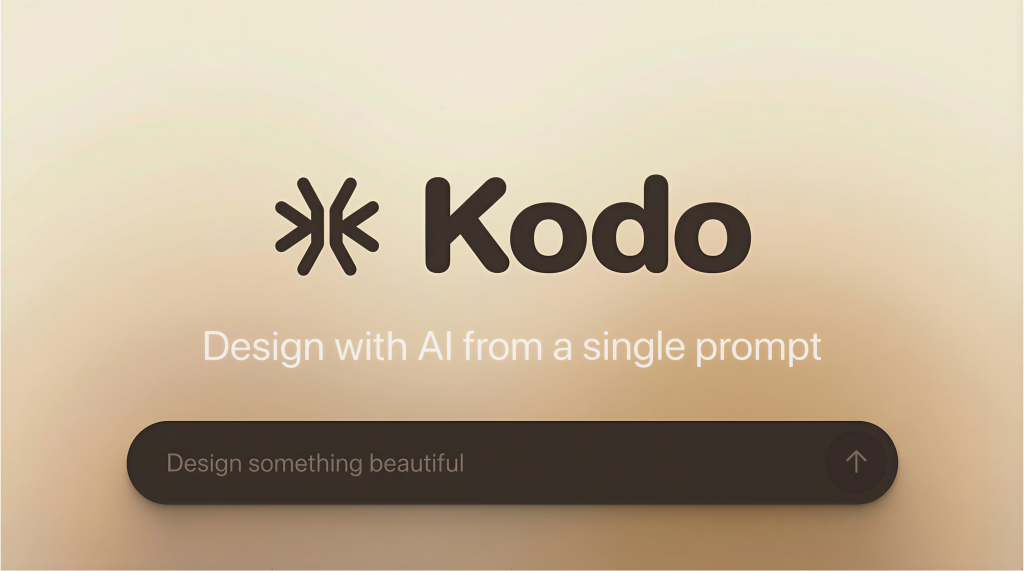
Kodo is an AI design tool that generates fully editable posters, slides, social media graphics, and menus from a text prompt. Unlike AI image generators that output flat, uneditable images, Kodo creates structured, layered designs where you can change every element: text, colors, layout, spacing, fonts. It positions itself as an AI-powered alternative to Canva and Figma for people who want professional designs without learning professional tools.
Founded in 2025 by Michael Goldstein, Kodo launched on Product Hunt in March 2026. The core frustration that inspired the product is familiar to anyone who’s tried AI design tools. You generate something that looks great, but you can’t actually use it because it’s a flat image. You can’t change the headline, swap the logo, or adjust the padding. Kodo solves this by generating vector-based, layered designs that behave like real design files.
What Are Kodo’s Key Features?
Text-to-Design Generation
Describe what you want and Kodo builds it. “A product launch poster for a SaaS tool with a dark background and teal accents” produces a complete, editable design in 1-2 minutes. Each generation uses 3-9 credits depending on complexity. The results are surprisingly polished for a v1 product, though you’ll almost always want to tweak something before exporting.
Full Vector Editing
Every element in a Kodo design is individually editable. Text, shapes, images, colors, spacing, and layers are all accessible. This is the key differentiator. You’re not stuck with what the AI gives you. You can move elements around, change fonts, swap colors, and adjust layouts the same way you would in Figma or Canva. It’s not as powerful as Figma, but it’s far more capable than any AI image generator.
Real-Time Collaboration
Teams can work on the same design simultaneously. For marketing teams that need to iterate quickly on social media graphics or presentation decks, this removes the “send me the Canva link” bottleneck. Collaboration is available on all plans, including the free tier.
Multi-Format Export
Export to PNG, JPG, PDF, or PPTX. The PPTX export is particularly useful for teams that create slide decks regularly. Generate a presentation design in Kodo, export to PowerPoint, and keep editing in the tool your team already uses. Free plan exports include a watermark; paid plans remove it.
How Much Does Kodo Cost?
Kodo starts free with 40 credits per month, 10 projects, and watermarked exports. The Starter plan at $9/month gives you 170 credits, 50 projects, and removes the watermark. Pro costs $29/month with 600 credits, unlimited projects, and priority support. Since each design uses 3-9 credits, the free plan gets you roughly 4-13 designs per month.
Canva Pro costs $13/month and gives you unlimited designs plus a massive template library. Figma is free for individuals and $15/month per editor for teams. Kodo is cheaper than Figma’s team plan but more expensive than Canva for what you get. The value proposition is speed: generating a first draft from a prompt is faster than starting from a blank canvas or browsing through templates. But 40 free credits won’t last long if you’re iterating on designs.
| Plan | Price | Plan Features | Best For |
|---|---|---|---|
| Free | $0/mo | 40 credits/mo, 10 projects, watermarked exports | Testing the product |
| Starter | $9/mo | 170 credits/mo, 50 projects, watermark-free exports | Occasional design needs |
| Pro | $29/mo | 600 credits/mo, unlimited projects, priority support | Regular design work |
Who is Kodo Best For?
Use Kodo if you need quick, professional-looking designs and you’re not a designer. It’s ideal for founders creating pitch decks, marketers who need social media graphics fast, and small teams without a dedicated design person. The text-to-design workflow genuinely saves time compared to browsing Canva templates or learning Figma from scratch.
Skip Kodo if you’re a professional designer. The editing tools are basic compared to Figma, and you’ll hit limitations quickly on complex layouts. Also skip it if you need a large template library. Kodo generates designs from prompts, so there’s no browsable template marketplace. If you already know Canva well, Kodo’s AI generation might not save you enough time to justify switching. And the credit-based pricing means heavy users will burn through their allocation fast.
Best Kodo Alternatives
Canva
The market leader in accessible design. Massive template library, intuitive editor, and a strong free plan. $13/month for Pro. Better for users who prefer browsing templates over prompting AI. Also has its own AI features now, though they’re less capable than Kodo’s generation.
Figma
Professional-grade design tool with deep collaboration features. Free for individual use, $15/month per editor for teams. Far more powerful for complex UI design work, but steeper learning curve. No AI design generation built in.
Microsoft Designer
Free AI design tool from Microsoft that generates social media posts, invitations, and more. Solid for basic designs and integrates with the Microsoft ecosystem. More limited editing capabilities than Kodo, but completely free for Microsoft 365 users.
Final Verdict: Is Kodo Worth It?
Kodo nails the one thing most AI design tools get wrong: editability. Generating a beautiful image you can’t modify is useless for real work. Kodo generates designs you can actually use, tweak, and hand off to clients. The $9/month Starter plan is reasonable for occasional use, and the free tier lets you test the workflow before committing.
The product is young, and it shows in some areas. The editing tools lack the depth of Figma. The credit system can feel restrictive for power users who iterate heavily. And without a template library, you’re relying entirely on the AI to produce good starting points. But for non-designers who need professional output quickly, Kodo fills a gap that Canva and Figma don’t quite cover. It’s worth trying the free plan to see if the AI-first workflow clicks for you.
Kodo Pros & Cons
What We Like
- AI-generated designs are fully editable, not flat images
- Simple text-to-design workflow that actually produces usable output
- Affordable Starter plan at $9/month
- Multi-format export including PPTX for presentations
What Could Be Better
- Free plan limited to 40 credits (roughly 4-13 designs per month)
- Editing tools are basic compared to Figma
- No template library, everything relies on AI generation
- Free exports include a watermark
Kodo FAQ
What is Kodo?
Kodo is an AI-powered design tool that generates fully editable posters, slides, social media graphics, and menus from text prompts. Unlike AI image generators, Kodo creates layered, vector-based designs you can modify.
How much does Kodo cost?
Kodo has a free plan with 40 credits per month. The Starter plan costs $9/month with 170 credits, and the Pro plan costs $29/month with 600 credits. Each design generation uses 3-9 credits.
Is Kodo worth it?
For non-designers who need quick, professional-looking graphics, yes. The editable output is a real advantage over AI image generators. The $9/month Starter plan is reasonable for occasional use.
What are the best Kodo alternatives?
Top alternatives include Canva ($13/mo Pro, massive template library), Figma (free for individuals, professional-grade design), and Microsoft Designer (free for Microsoft 365 users).
Does Kodo offer a free plan?
Yes. Kodo offers a free plan with 40 credits per month, 10 projects, and real-time collaboration. Free exports include a watermark. No credit card required.
Who is Kodo best for?
Kodo is best for founders, marketers, and small teams without dedicated designers who need professional-looking graphics quickly. It is less suited for professional designers who need Figma-level editing tools.






