Mispher Review (2026): Pricing, Features & Honest Verdict
TLDR
Mispher is a free, MIT-licensed Mac app for on-device dictation that also rewrites paragraphs, translates sentences, and runs a local agent, all with no cloud, account, or telemetry. Best for: privacy-minded Apple Silicon users who want more than voice to text. Price: free, open source. Rating: 8.4/10.
What is Mispher?
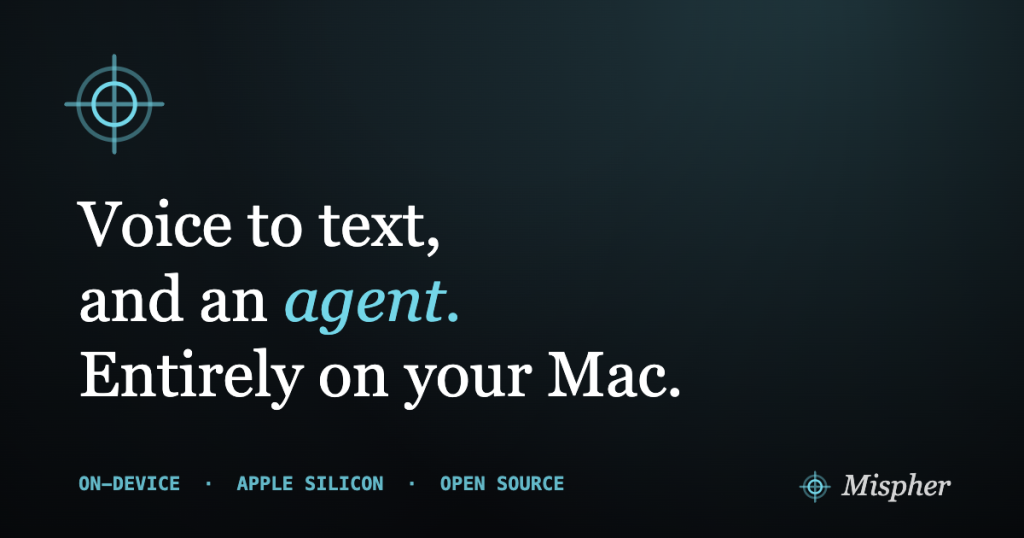
Mispher is voice-to-text for the Mac, done entirely on your own machine. You speak, and it gives you the text. But that is only the starting point. Mispher can also take what you said and rewrite the paragraph, translate the sentence, or hand the whole thing to a local agent that plans a task and actually carries it out. All of it runs on-device: no cloud services, no account to create, and no telemetry phoning home. It is released as open source under the MIT license, which means it is free to use, free to inspect, and free to modify. The tagline captures the range: dictate, rewrite, translate, and an agent, in a single device.
The project comes from developer dsaad68 and is distributed through Homebrew with a single command. We dug into it because on-device transcription has quietly gotten very good, and Mispher is riding that wave hard. It uses a stack of speech models, Parakeet for English and 25 European languages, a CTC model for Chinese, Nemotron for around 40 more, and Qwen3-ASR, paired with a local LFM2.5 agent that can plan and call tools like Apple Notes, the clipboard, files, and MCP servers. In a market where the popular dictation apps are increasingly subscriptions, sometimes cloud-only, a free, private, local tool that does more than transcribe is a genuinely notable arrival in 2026.
What Are Mispher’s Key Features?
On-device transcription in many languages
The foundation is fast, private speech-to-text that never leaves your Mac. Mispher supports a wide spread of languages through several models: Parakeet EOU for English, Parakeet TDT for 25 European languages, a CTC model for Chinese, Nemotron for roughly 40 additional languages, and Qwen3-ASR. Because it all runs locally on Apple Silicon, there is no upload, no round trip to a server, and no privacy exposure. For anyone who dictates sensitive notes, that on-device guarantee is the whole point.
Rewrite and translate on the fly
Mispher does not just dump raw transcript. It can rewrite a paragraph, cleaning up filler and tightening phrasing, or translate a sentence into another language, all from the same voice input. This turns dictation into something closer to a writing assistant: you speak roughly, and you can get back polished or translated text without opening a second app or pasting into a chatbot. It closes the gap between the messy way people actually talk and the clean text they want to end up with.
A local agent that takes actions
The most ambitious feature is the built-in agent, powered by a local LFM2.5 model that plans and calls tools. Instead of only producing text, it can act: save to Apple Notes, work with the clipboard, handle files, or reach out through MCP to other tools. So you can speak an instruction and have the agent go do it, on-device. It will not rival a large cloud model on complex reasoning, since it runs a smaller local model, but for scoped, practical tasks it is a real step beyond plain dictation.
No account, no telemetry, MIT-licensed
Everything about Mispher’s design leans toward privacy and openness. There is no account to sign up for, no telemetry collecting usage data, and the whole thing is MIT-licensed open source, so you can read exactly what it does. Installation is a single Homebrew command: brew install –cask dsaad68/tap/mispher. For developers and privacy-conscious users, that transparency is worth as much as any single feature.
How Much Does Mispher Cost?
Mispher is free. It is open-source software released under the MIT license, with no subscription, no paid tier, no account, and no upsell. You install it with Homebrew and start using every feature, transcription, rewriting, translation, and the agent, at zero cost. There is no premium version being held back; the free thing is the whole thing.
That matters enormously in this category, because the popular Mac dictation apps are not free. Superwhisper, one of the closest on-device competitors, costs $8.49 per month or $249.99 for a lifetime license. Wispr Flow, the polished cloud-based option, is $15 per month, or $144 per year, and caps its free tier at 2,000 words a week. MacWhisper has a free tier but charges for its pro features as a one-time purchase. Mispher matches or beats what these charge for on the dictation side, adds rewriting, translation, and an agent, and asks for nothing.
The honest trade is not money, it is requirements and maturity. Mispher needs Apple Silicon and macOS 26, which is a bleeding-edge bar that rules out older Macs. And being free and new means you are not paying for polish or support; you are getting an actively evolving open-source project. For the right hardware, though, the value is close to unbeatable: you would pay a couple hundred dollars over a few years for a subscription rival to do less.
| Plan | Price | Plan Features | Best For |
|---|---|---|---|
| Free (MIT) | $0 | Full app: on-device transcription, rewrite, translate, local agent, MCP support, no account, no telemetry | Everyone on a supported Mac |
Who is Mispher Best For?
Use Mispher if you have an Apple Silicon Mac on macOS 26 and you care about privacy. Anyone who dictates confidential material, journalists, lawyers, healthcare workers, or developers pasting code and notes, benefits from the guarantee that nothing leaves the machine. It is also ideal for people who want more than transcription: if you regularly rewrite, translate, or want to speak a command and have it acted on, Mispher bundles all of that for free. And if you value open source and want to see exactly what your dictation tool does, the MIT license seals it.
Skip Mispher if your Mac does not meet the requirements, because Apple Silicon and macOS 26 are non-negotiable and there is no Windows version. Skip it too if you need a mature, heavily supported product with guaranteed stability, since it is new and moving fast, with rough edges to expect. And if your workflow depends on a big cloud model handling complex agent tasks, the on-device agent, while impressive, runs a smaller model and will not match that ceiling.
Best Mispher Alternatives
Superwhisper
Superwhisper is the closest philosophical match: on-device Mac dictation that works offline and keeps your audio local. It is more polished and established than Mispher, with a refined interface and strong reliability, but it costs $8.49 per month or $249.99 for a lifetime license. It focuses on transcription rather than shipping a built-in agent. Choose Superwhisper if you want a proven, paid, local dictation app today; choose Mispher if you want on-device processing plus rewriting, translation, and an agent for free.
Wispr Flow
Wispr Flow is the slick, cross-platform option, covering Mac, Windows, iPhone, and Android with AI-powered text cleanup. It costs $15 per month or $144 per year, with a free tier limited to 2,000 words a week. The trade-off is that it is cloud-based and needs a connection, so your speech leaves your device, the opposite of Mispher’s approach. Pick Wispr Flow if you need multi-device support and polish and are comfortable with the cloud; pick Mispher if privacy and price are your priorities.
MacWhisper
MacWhisper is a well-liked local transcription app built on Whisper models, with a free tier and a one-time purchase for pro features rather than a subscription. It is great for transcribing audio files and dictation on-device, and its buy-once model appeals to people who hate recurring bills. It does not include Mispher’s rewrite-translate-agent trio or MIT licensing. Consider MacWhisper if you want a mature, one-time-payment local transcriber and do not need the extra agent features.
Final Verdict: Is Mispher Worth It?
Mispher is one of the most impressive things we have tried this year, and the reason is simple: it gives away, for free and as open source, capabilities that competitors wrap in monthly subscriptions. On-device transcription in dozens of languages, paragraph rewriting, sentence translation, and a local agent that can actually take actions, all without an account, without telemetry, and without a single dollar. For a privacy-conscious user on the right hardware, that combination is close to ideal, and the MIT license means it cannot be quietly turned into a paywalled product later without the community forking it.
The 8.4 rating puts Mispher in exceptional territory, and it earns that by beating paid rivals on both value and privacy while doing more than they do. The rating is not higher only because of two real limits: the steep Apple Silicon and macOS 26 requirement locks out a lot of users, and as a brand-new, fast-moving project it lacks the polish and support of a paid app. If your Mac qualifies and you value privacy, install it today, there is no reason not to. If you are on older hardware or need a mature product with a support line, Superwhisper or MacWhisper are the safer paid picks, but you will be paying for what Mispher hands out for nothing.
Mispher Pros & Cons
What We Like
- Completely free and MIT-licensed, with no subscription and no lock-in
- Runs entirely on your Mac: no cloud, no account, and no telemetry
- Does more than dictation: rewrites paragraphs, translates sentences, and runs a local agent that can take actions
- Wide language and model support, including English, 25 European languages, Chinese, and around 40 more
What Could Be Better
- Requires Apple Silicon and macOS 26, so older Macs are out
- Brand new and evolving, so expect rough edges and rapid change
- The local agent depends on smaller on-device models, so it will not match a big cloud model on complex tasks
Mispher FAQ
What is Mispher?
Mispher is a free, open-source Mac app for on-device dictation. It transcribes speech, can rewrite a paragraph, translate a sentence, or hand the task to a local agent that plans and takes actions, all entirely on your Mac with no cloud, account, or telemetry. It is MIT-licensed.
How much does Mispher cost?
Mispher is completely free and released under the MIT license. There is no subscription, no paid tier, and no account. You install it with Homebrew using 'brew install --cask dsaad68/tap/mispher' on a supported Mac at no cost.
Is Mispher worth it?
For an Apple Silicon Mac on macOS 26, absolutely, because it delivers private, on-device dictation plus rewriting, translation, and an agent for free, features that rivals charge monthly for. The only reason to skip it is if your Mac does not meet the requirements or you need a mature, polished product.
What are the best Mispher alternatives?
Superwhisper is a popular on-device Mac dictation app at $8.49 per month or $249.99 lifetime, Wispr Flow is a polished cloud-based option at $15 per month, and MacWhisper is a one-time-purchase local transcription tool with a free tier.
Does Mispher offer a free plan?
Yes, Mispher is entirely free. It is MIT-licensed open-source software with no paid tiers, no account, and no telemetry. Every feature, including transcription, rewriting, translation, and the local agent, is available at no cost.
Who is Mispher best for?
Mispher is best for privacy-conscious users on Apple Silicon Macs running macOS 26 who want fast dictation that stays on-device, and who value being able to rewrite, translate, and run an agent without sending their voice or text to the cloud.






