Nimbia Review (2026): Pricing, Features & Honest Verdict
TLDR
Nimbia is an AI onboarding agent that joins every new signup in a live screen-sharing call, speaking, answering questions and clicking through your product to guide users to their aha moment 24/7. It is genuinely novel and early data is strong. Best for: self-serve SaaS with an onboarding gap. Price: custom, book a demo, no public free plan. Rating: 8.4/10.
What is Nimbia?
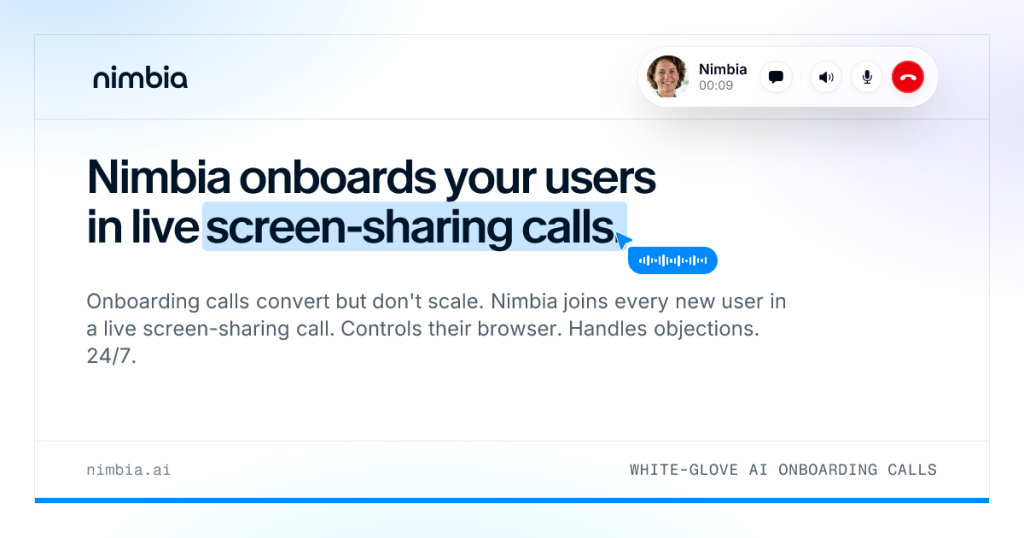
Nimbia does something we had not seen before we dug into it: it gets on a live screen-sharing call with each new user of your software and onboards them the way a good founder would. It speaks in a natural voice, listens and can be interrupted, answers questions, handles objections, and, crucially, controls the user’s browser to actually click through your product and show them how features work. It runs 24 hours a day across every time zone, supports multiple languages, and deploys with a single code snippet. The goal is simple: get every new signup to their aha moment without needing a human on every call.
The product is built by Hyper Labs B.V., with founders Joris Machielse and Jonno Riekwel and a team backed by operators from Google, Flexport, OpenAI and Booking.com. Under the hood it leans on GPT-5, Cartesia’s Sonic audio for the voice, and Supademo. Nimbia launched on Product Hunt in 2026, landing near the top of its day with strong engagement. It is early, but the technical bar is high, and the reason it matters now is timing: self-serve SaaS lives or dies on activation, and hiring humans to onboard every trial user has never been affordable. Nimbia is betting AI finally makes founder-quality onboarding something you can give to everyone.
What Are Nimbia’s Key Features?
Live voice conversation
Nimbia talks and listens in real time, with the ability to be interrupted mid-sentence like a real call. This is not a chatbot popping tooltips; it is a spoken conversation where the user can ask a messy, half-formed question and get a relevant answer. The natural-voice quality, powered by Cartesia’s Sonic, is what makes the experience feel like a person rather than an IVR menu, and it is the hardest part to get right.
Browser control and live demos
The standout capability is that Nimbia clicks. It controls the user’s browser to walk them through features step by step, so instead of describing where a button is, it moves the cursor there. That turns onboarding from a lecture into a guided, hands-on tour, which is exactly how a founder would do a demo call. It is also the feature that raises the most questions, and the team has publicly addressed how they guard against prompt injection and keep the session safe.
Always-on, multilingual coverage
Because it is an AI, Nimbia onboards at 3 a.m. in any time zone and switches languages to match the user. For a product with global self-serve signups, this is the part no human team can match: every trial user gets the same high-touch welcome the moment they sign up, not whenever support is awake. That immediacy is a big driver of activation, since the highest-intent moment is right after signup.
Fast setup and integrations
Nimbia learns your product from call recordings, documentation or a test account, and deploys with a single snippet. It integrates with tools like Slack, HubSpot and Salesforce, so what it learns about a user in a call can flow into your CRM and your team’s workflow. That keeps the onboarding data from being a dead end and lets sales or success follow up with context. The learning-from-existing-material approach also lowers the setup burden: you are not scripting a rigid flow, you are pointing Nimbia at what you already have and letting it build its understanding, which is a big part of why deployment is measured in a snippet rather than a project.
How Much Does Nimbia Cost?
Nimbia does not publish fixed prices, and that is the honest starting point. The pricing page says the cost depends on your rollout: call volume, how many products it covers and which integrations you need, and it asks you to book a 20-minute call to talk through the right shape. That is a consultative, usage-based model rather than a public tiered one, which is common for a young B2B product still finding its pricing but frustrating if you want to compare before you commit.
Because there is no sticker price, the fair way to think about value is against the alternatives and against the cost of not solving the problem. In-app onboarding tools like Userpilot and Appcues run into the hundreds of dollars a month, often $250 to $300/mo and up, and they still require you to build the flows. A human onboarding or customer success hire costs thousands a month and cannot cover every signup or every time zone. Nimbia is positioned as more effective than the first and far cheaper than the second, but you will only learn where it lands for you on the demo call.
If you go in, model it against a concrete number: what one extra point of trial-to-paid conversion is worth to you. The early A/B data Nimbia cites, 1.4x higher week-one activation, is the kind of lift that pays for a tool like this many times over if it holds for your product. Ask for a trial or a scoped pilot so you can measure that before signing anything.
| Plan | Price | Plan Features | Best For |
|---|---|---|---|
| Custom | Contact sales | Priced on call volume, products covered and integrations | SaaS teams with self-serve signups |
Who is Nimbia Best For?
Use Nimbia if you run a self-serve SaaS product and activation is where you leak users. It is a strong fit if onboarding currently depends on the founder doing demo calls that do not scale, if your users are spread across time zones, or if your product has enough surface area that new users get lost without guidance. Teams chasing better trial-to-paid conversion are the clearest buyers, because that is the exact metric Nimbia is built to move.
Skip Nimbia if your product is dead simple and users get value in one click, because there is little onboarding to automate. Be cautious too if your security posture cannot accommodate an AI controlling browser sessions, or if you need transparent, self-serve pricing before you will even trial a tool. And as an early product with a short track record, it suits teams comfortable being on the front edge rather than those who need years of references first.
Best Nimbia Alternatives
Userpilot
Userpilot is an established in-app onboarding platform for building product tours, tooltips and checklists, typically starting around $299/mo. It is mature, analytics-rich and proven, but it is a different model: you design flows that users click through on their own, with no live conversation. Choose Userpilot if you want reliable, self-guided onboarding with deep analytics and are not ready to hand the wheel to a live AI.
Appcues
Appcues is another well-known no-code onboarding tool, in a similar price band to Userpilot, focused on in-app flows and adoption nudges. Like Userpilot, it is passive: it guides but does not talk or answer novel questions. It is the safer, more familiar pick for a team that wants standard onboarding UX patterns without the novelty or the security questions that come with Nimbia’s browser-controlling agent.
Supademo
Supademo builds interactive product demos and walkthroughs, with a free tier and paid plans from around $27/mo, and Nimbia itself uses it in the stack. It is far cheaper and great for creating self-serve demo content, but it is a demo builder, not a live onboarding agent that converses with each user. Use Supademo if your need is polished interactive demos on a budget rather than personalized live sessions.
Final Verdict: Is Nimbia Worth It?
Nimbia is the rare tool that made us stop and pay attention. Giving every single signup a live, talking, browser-driving onboarding call is something no human team can scale to, and the fact that it works well enough to produce a 1.4x activation lift in an early A/B test is a real signal, not just launch hype. The team’s pedigree and the technical quality of the voice and browser control back that up. For a self-serve SaaS company where activation is the bottleneck, this is one of the most exciting things you can put in front of new users right now.
We rate it 8.4, in exceptional territory, but not perfect, and the reasons are honest ones. The pricing is custom-only, so you cannot evaluate cost without a sales call, and the product is very new with a thin public track record. The live browser-control model will also give some security teams pause. None of that undercuts what it does; it just means you should pilot it, measure the conversion lift on your own funnel, and confirm the security answers before rolling it out. Do that, and Nimbia could be the highest-leverage onboarding decision you make this year.
Nimbia Pros & Cons
What We Like
- Runs a live, human-like onboarding call for every single signup, something a human team cannot scale to
- Actually controls the browser and speaks, so it demonstrates features instead of just talking
- Works 24/7 across time zones and multiple languages
- Early A/B result of 1.4x higher week-one activation and trial-to-paid conversion is compelling
What Could Be Better
- Pricing is custom-only, so you cannot compare cost without booking a demo
- Very new, with a small track record and one flagship customer cited so far
- Live AI browser control raises understandable security and prompt-injection questions for some teams
Nimbia FAQ
What is Nimbia?
Nimbia is an AI onboarding agent that joins new signups in a live screen-sharing call. It speaks and listens in natural voice, controls the user's browser to demonstrate features, answers questions and handles objections, running 24/7 in multiple languages.
How much does Nimbia cost?
Nimbia does not publish fixed prices. Pricing depends on your rollout: call volume, how many products it covers and which integrations you need. You book a 20-minute call to get a quote shaped to your usage.
Is Nimbia worth it?
If your activation or trial-to-paid conversion is a bottleneck, very likely yes. The early A/B data showing 1.4x higher week-one activation suggests real ROI. The catch is you cannot judge the price without a sales call, and it is a young product.
What are the best Nimbia alternatives?
Userpilot and Appcues offer in-app onboarding flows and tooltips, and Supademo builds interactive product demos. None replicate Nimbia's live, talking, browser-controlling AI call, so they solve the problem differently.
Does Nimbia offer a free plan?
There is no public free plan. Pricing is custom and starts with a demo call, though the team has referenced free or trial options depending on your rollout, which you would confirm during that conversation.
Who is Nimbia best for?
SaaS companies with a self-serve trial who are losing users to weak onboarding, founders who are the onboarding bottleneck, and products with users spread across time zones where live human onboarding cannot scale.






