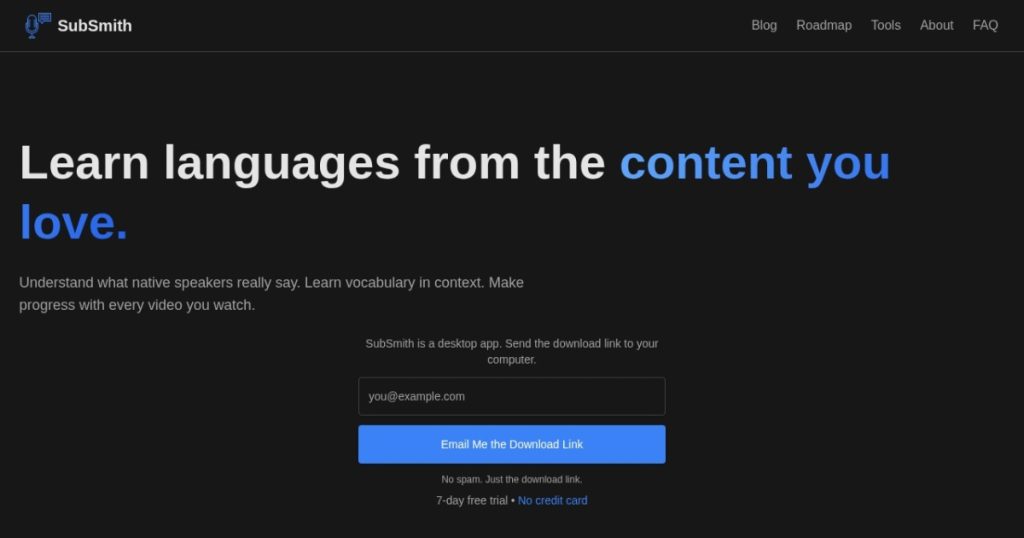
SubSmith Review (2026): Pricing, Features & Honest Verdict
TLDR
SubSmith is a desktop language-learning app that turns your own video and audio files into accurate, editable subtitles using Whisper AI running locally on your machine. It adds a hover dictionary and one-click Anki export for immersion study. Best for: self-directed language learners using their own media. Price: $15 per year or $40 lifetime. Rating: 8.3/10.
What is SubSmith?
SubSmith is a desktop app built for people learning a language through content they actually enjoy. You point it at a local video or audio file, a movie, a podcast, a YouTube download, and it generates accurate subtitles using Whisper AI running locally on your computer. Because the transcription happens on your machine, there are no cloud uploads and no file-size limits. From there it becomes a study tool: a hover dictionary gives instant word definitions while you read, and you can export sentences straight to Anki as flashcards. It supports 99 or more languages and reads common formats like MP4, MKV, AVI, MP3, and WAV.
It was built by a solo developer based in Birmingham, in the UK, out of a personal frustration: wanting to learn a language using the media they already loved instead of textbook drills. That origin shows in the design, which targets the immersion-learning crowd rather than casual dabblers. The product is early and low-profile, with no company structure or funding disclosed and no independent user reviews out there yet, so the honest read is that this is a promising indie tool rather than a proven platform. We tested its pricing and feature claims against its own site and comparison pages.
What Are SubSmith’s Key Features?
Local Whisper transcription
The heart of SubSmith is offline transcription. It runs Whisper AI locally to turn MP4, MKV, AVI, MP3, and WAV files into subtitles, with no upload step and no file-size cap. Running locally has two payoffs: your media never leaves your computer, and you are not throttled by a cloud plan’s limits. The tradeoff is honest and worth knowing. Whisper can hallucinate text during silence, struggles with overlapping speakers, and drops accuracy on noisy or heavily accented audio, so important lines need a quick manual check before you turn them into study material.
Hover dictionary
While you read the generated subtitles, you can hover over any word to get an instant definition in a popup. This removes the constant break-your-flow habit of switching to a separate dictionary app or browser tab. For immersion learning, where the goal is to stay inside the content, this small feature does a lot of the daily work. It is the difference between watching a show as passive entertainment and mining it for vocabulary without friction.
Anki flashcard export
SubSmith turns sentences from your subtitles into Anki flashcards with one click, so the words you look up become spaced-repetition study material. This is the feature that closes the loop from watching to remembering. The one caveat is setup: it requires the AnkiConnect add-on and some configuration, which adds friction for non-technical users. Once it is wired up, the workflow is smooth, but expect a few minutes of setup before the one-click promise holds true.
Editable transcripts and export
Because Whisper is not perfect, SubSmith lets you edit transcripts and timestamps directly, then export to SRT or plain TXT. It also supports MKV dual-subtitle playback, so you can watch with both the target language and a translation on screen at once. The editing tools are what make the honest accuracy limits manageable: you fix the lines that matter, ignore the ones that do not, and end up with clean subtitles and clean flashcards. This is the workflow reality of any Whisper-based tool. The transcription gets you 90 percent of the way for free, and a few minutes of cleanup on the sentences you actually plan to study turns rough output into reliable material. SubSmith keeps that cleanup in one window instead of forcing you to bounce between a transcript, a dictionary, and Anki.
How Much Does SubSmith Cost?
SubSmith starts at $15 per year, billed annually and cancellable, with a lifetime license available for a one-time $40. There is a 7-day free trial that does not require a credit card, but no permanent free plan. Both paid tiers include everything: 99-plus languages, the hover dictionary, Anki export, transcript and timestamp editing, and SRT or TXT export. One note on sourcing: these prices appear only on the homepage, since the FAQ does not restate them and the dedicated pricing URL 404s, so they are the vendor’s own stated numbers without third-party corroboration yet.
At these prices SubSmith is aggressively cheap, and the comparison makes that clear. Language Reactor, the browser extension it explicitly positions against, has a free core with Pro at $5 per month or $28 per year. Migaku, a full immersion suite, runs $10 per month on its Standard plan. Against a subscription like Migaku, SubSmith’s $40 lifetime license pays for itself in four months and then costs nothing forever. Even the $15 annual plan undercuts almost everything in the category.
The lifetime option is the standout value, especially for a committed learner who will keep studying for years. The usual caveat with lifetime deals from a solo developer applies: you are betting the app keeps getting maintained. Given the low price and the 7-day trial, though, the downside is small, and the local-processing model means the core transcription works even without ongoing server costs on the developer’s end.
| Plan | Price | Plan Features | Best For |
|---|---|---|---|
| Free trial | $0 for 7 days | Full features, no credit card required | Trying it out |
| Annual | $15/year | 99+ languages, hover dictionary, Anki export, SRT/TXT export | Regular learners |
| Lifetime | $40 one-time | All features forever, one payment | Committed long-term learners |
Who is SubSmith Best For?
Use SubSmith if you learn languages through media you download yourself, movies, shows, podcasts, and you want to turn that content into subtitles and flashcards without uploading anything to the cloud. It fits self-directed intermediate learners who already use Anki and want a smoother pipeline from watching to studying. If you value privacy or work with large local files that cloud tools would choke on, the offline Whisper approach is a real advantage.
Skip SubSmith if you mainly study through streaming services like Netflix or YouTube in the browser, because a tool like Language Reactor that overlays those platforms directly will fit your habits better. Skip it if you are a beginner who wants a guided curriculum rather than raw immersion material, and skip it if you are not willing to do occasional manual cleanup, since Whisper’s accuracy limits mean some lines need fixing before they make good flashcards.
Best SubSmith Alternatives
Language Reactor
Language Reactor is the tool SubSmith compares itself against, and the closest mainstream competitor. It is a browser extension that overlays dual subtitles and a click dictionary on Netflix and YouTube, with a free core and Pro at $5 per month or $28 per year. The key difference is source material: Language Reactor works inside streaming sites, while SubSmith works on files you own locally. Choose Language Reactor if your immersion happens on Netflix and YouTube rather than downloaded media.
Migaku
Migaku is the full-featured immersion suite. It combines a browser-based learning environment with a built-in spaced-repetition system, starting at $10 per month on Standard with a 10-day free trial. It does more than SubSmith, bundling the SRS instead of exporting to Anki, but it costs more and locks you into a subscription. Pick Migaku if you want an all-in-one immersion platform and do not already live in Anki.
DoubleSubs
DoubleSubs is the free, open-source option, and one of the most-cited free Language Reactor alternatives. It is a browser-based tool for dual-subtitle learning at no cost. It lacks SubSmith’s local Whisper transcription and Anki pipeline, so it is more limited, but the price is unbeatable. Try DoubleSubs first if you want to test the dual-subtitle immersion approach before paying for anything.
Final Verdict: Is SubSmith Worth It?
SubSmith earns its 8.3 rating on value and focus. It does one thing, turning your own media into study-ready subtitles and flashcards, and it does it privately, offline, and for less money than almost anything else in the category. The $40 lifetime license against Migaku’s $10 per month or Language Reactor’s subscription is genuinely hard to beat, and the local Whisper processing is both a privacy win and a way around cloud upload limits. For a committed learner who studies with downloaded content and uses Anki, it is close to an ideal fit.
The honest caveats keep it grounded rather than knocking it down. Whisper’s accuracy wobbles on noisy or accented audio, the Anki export needs AnkiConnect setup, and there are no independent reviews yet, so you are trusting a young solo project. But the 7-day trial and the low price make the risk small. If you learn languages through your own media and want a clean pipeline from watching to remembering, SubSmith is worth the $40. We would grab the lifetime license after the trial confirms it fits your workflow.
SubSmith Pros & Cons
What We Like
- Local Whisper transcription with no cloud uploads and no file-size limits
- Hover dictionary and one-click Anki export streamline immersion study
- $40 lifetime license is far cheaper than subscription rivals
- Supports 99-plus languages and common video and audio formats
What Could Be Better
- Whisper accuracy drops on noisy or accented audio and needs manual cleanup
- Anki export requires setting up the AnkiConnect add-on
- Young solo project with no independent user reviews yet
SubSmith FAQ
What is SubSmith?
SubSmith is a desktop language-learning app that turns your own video and audio files into editable subtitles using Whisper AI running locally. It adds a hover dictionary and one-click Anki flashcard export.
How much does SubSmith cost?
SubSmith is $15 per year or $40 for a lifetime license, both with all features. There is a 7-day free trial with no credit card required, but no permanent free plan.
Is SubSmith worth it?
Yes for committed learners who study with their own downloaded media and use Anki. The $40 lifetime license is excellent value, though Whisper's accuracy needs occasional manual cleanup.
What are the best SubSmith alternatives?
Language Reactor (Netflix and YouTube overlay, free and $5/mo), Migaku (full immersion suite with built-in SRS from $10/mo), and DoubleSubs (free, open-source dual subtitles).
Does SubSmith offer a free plan?
No permanent free plan. SubSmith offers a 7-day free trial with no credit card required, after which you choose the $15 per year or $40 lifetime license.
Who is SubSmith best for?
Self-directed intermediate language learners who immerse using their own downloaded movies, shows, and podcasts, value offline privacy, and already use Anki for spaced repetition.






