Better Proposals Review (2026): Pricing, Features & Honest Verdict
TLDR
Better Proposals is proposal software that turns sales documents into trackable web pages with built-in e-signatures and payment collection. It is fast and opinionated, but rigid the moment you need a custom layout. Best for: small agencies and consultants sending template-driven proposals every week. Price: from $19/user/mo. Free plan: no. Rating: 7.8/10
What is Better Proposals?
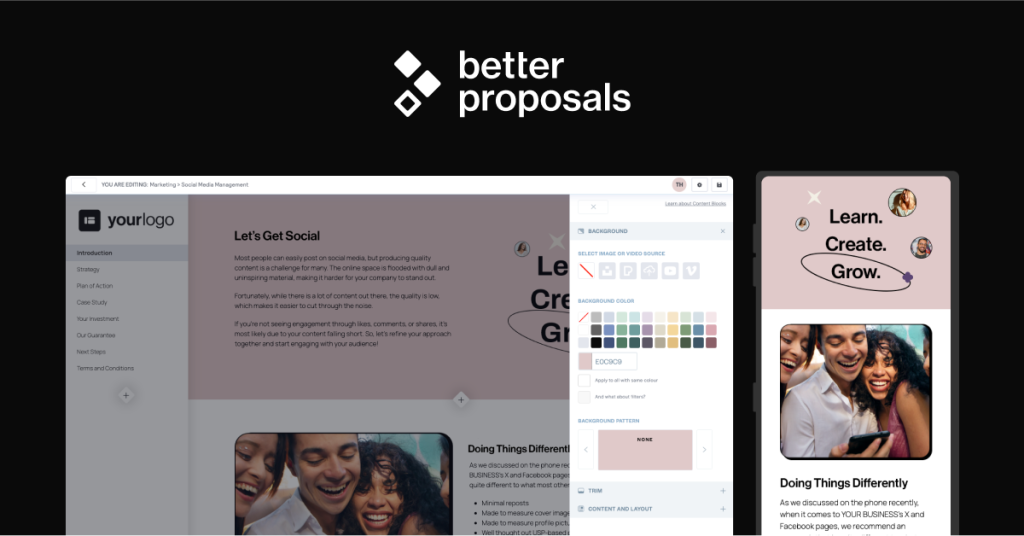
Better Proposals replaces the PDF attachment. Instead of emailing a document and hoping, you send a link to a responsive web page that the client opens in a browser, scrolls through, signs, and pays on. You get told the second it is opened. You get told which sections they read and how long they spent there. When they sign, the signature is legally binding and the deposit can be taken on the same page.
The pitch is speed. Pick a template, swap the client name and scope, hit send, and the proposal is live in minutes rather than the hour it takes to wrestle a Word file into a decent looking PDF. Everything else in the product exists to shorten the gap between sending and signing.
The company is bootstrapped and run by founder Adam Hempenstall, with a fully remote team spread across the UK, the US, Croatia, South Africa and Turkey. It has been in the proposal software market for roughly a decade, which is unusual in a category where most of the competition has taken venture money and drifted upmarket into enterprise document workflow. Better Proposals has stayed pointed at the same buyer: the agency, consultant or small sales team that sends a similar proposal over and over and wants it out the door in fifteen minutes. The company makes a point of human-only support with no AI chatbot on the front line, and advertises a two minute response target.
What Are Better Proposals’ Key Features?
Web-based proposals with section-level tracking
Every proposal is a hosted web page, not a file. That changes what you can see. You get an open notification, then a breakdown of which sections were viewed and for how long. If a prospect spent four minutes on the pricing section and skipped the case studies, you know what the follow-up call is about. PDF-based competitors can tell you a document was opened. Very few tell you what happened inside it. On the Premium plan and above you can serve those pages from your own custom domain so the link does not carry a vendor name.
Digital signatures and payment on acceptance
Signatures are legally binding and included on every plan, including the $19 Starter tier, which is worth noting because several competitors gate e-signature volume behind higher plans. Better Proposals also lets you collect a payment at the moment of signature through connected payment integrations, so the deposit lands before the client has a chance to cool off. The catch is that you get one signature block per proposal. If two directors have to sign off, or you need a countersignature from your own side plus theirs, this is a genuine blocker.
Template and content library
All plans include unlimited templates and a shared content library, so recurring blocks like your terms, your team bio or your standard scope wording get written once and reused. There are prebuilt templates by industry if you are starting cold. The company also sells a done-for-you custom template design service starting at $1,495, which tells you something about how much the default library matters to their customers. The trade-off is that you build inside their editor. You cannot upload an existing PDF or Word proposal and dress it up, so migrating a library of legacy documents means rebuilding them.
Integrations and follow-up automation
There are 30+ integrations covering the obvious ground: HubSpot, Salesforce, Slack and Zapier, plus payment and accounting tools. CRM integrations sit on Premium and above. Follow-up automation is not in the base product. It is a separate add-on called Nudge at $10/user/mo, which chases unsigned proposals for you. Charging extra for automated follow-up on a product whose entire pitch is closing faster is a slightly cheeky bit of packaging, and it pushes the real cost of a Premium seat to $39/mo.
How Much Does Better Proposals Cost?
Better Proposals starts at $19/user/mo on the Starter plan, dropping to $13/user/mo if you pay annually. Starter is genuinely limited: one user, and a cap of 10 documents sent per month. Premium is $29/user/mo ($21 annual) and lifts you to 50 documents per month with unlimited users, a custom domain and CRM integrations. Enterprise is $49/user/mo ($42 annual) and removes the send limit entirely while adding password protection, content locking and manager approvals. There is a 14-day free trial with no credit card required, and no free plan.
Against the field this is competitive but not the bargain it first looks. PandaDoc starts at $19/user/mo on annual billing and jumps to $49/user/mo for Business, so at entry level the two are level, but PandaDoc gives you document editing and form building that Better Proposals does not. Proposify runs $29/mo for Basic and $49/mo for Team. Qwilr starts around $35/user/mo for Business and produces the best looking documents of the group. Better Proposals wins on cheapest usable seat and on the fact that signatures are not paywalled.
Watch the seat maths too. Starter is capped at a single user, so the moment a second person needs to send anything you are on Premium at $29/user/mo. For a five person agency that is $145/mo, or $195/mo with Nudge. That is still under what the same team would pay on PandaDoc Business, but it is a long way from the $13 figure on the pricing page.
The document caps are where the pricing bites. Ten sends a month on Starter is a solo consultant, not a sales team, and 50 sends on Premium is easy to hit if you propose for every inbound lead. Budget realistically for Premium plus Nudge at $39/user/mo, and treat the $13 annual Starter headline as a marketing number rather than the price you will pay.
| Plan | Price | Plan Features | Best For |
|---|---|---|---|
| Starter | $19/user/mo | 1 user, 10 documents sent per month, unlimited templates, legally binding signatures, content library | Solo consultants and freelancers |
| Premium | $29/user/mo | Unlimited users, 50 documents per month, custom domain, CRM integrations | Small agencies and sales teams |
| Enterprise | $49/user/mo | Unlimited document sends, password protection, content locking, manager approvals | Larger teams needing approval control |
| Nudge add-on | $10/user/mo | Automated follow-up chasing on unsigned proposals, stacks on any plan | Teams losing deals to silence |
Who is Better Proposals Best For?
Use Better Proposals if you are an agency, freelancer or small sales team sending broadly similar proposals on repeat, and your bottleneck is speed and follow-up rather than design. It is a good fit if you want signature and payment collection in the same flow, if you want tracking data to drive your follow-up calls, and if you would rather pay $29 a seat than $49.
- Design agencies and marketing agencies pitching retainers
- Consultants and freelancers who send five to thirty proposals a month
- Small sales teams that want open tracking without a full CRM rollout
- Anyone who needs a deposit taken at the point of signature
The tracking data is the underrated part of the fit. If you run a sales process where follow-up quality matters more than proposal volume, knowing that a prospect reopened the pricing page twice on a Tuesday morning is worth more than any template. That is the workflow this tool is built around.
Skip Better Proposals if you need multiple signers on one document, because you get a single signature block. Skip it if your proposals require several pricing tables to present tiered options, because you are limited to one. Skip it if you have a library of existing PDF or Word proposals you want to bring across intact, since there is no document upload path. And skip it if your buyers judge you on visual polish, because reviewers consistently score its customisability and editor below Qwilr and PandaDoc, and some describe the interface as clunky.
Best Better Proposals Alternatives
PandaDoc
The category heavyweight. PandaDoc starts at $19/user/mo billed annually with Business at $49/user/mo, and it goes far wider than proposals: contracts, quotes, forms, approval workflows and a proper document editor that accepts uploads. If your proposal problem is really a document problem, PandaDoc is the better buy. It is also heavier to set up and easier to over-configure, and its cheapest tier holds back a lot of the workflow features that justify it.
Proposify
The closest like-for-like competitor. Proposify runs $29/mo on Basic and $49/mo on Team, so it is pricier at the door than Better Proposals, but it gives you stronger content management, approval workflows and metrics on team performance rather than just document performance. Pick Proposify if you have several reps and want to see who is closing, rather than one person who wants proposals out fast.
Qwilr
The design-forward option, starting around $35/user/mo for Business. Qwilr documents look better than anything Better Proposals produces out of the box, with interactive pricing tables, embedded video and quote builders that let clients configure options themselves. It costs more, and Enterprise carries a ten seat annual minimum. Choose Qwilr when the proposal itself is part of the sales pitch and you are selling to buyers who notice the difference.
Final Verdict: Is Better Proposals Worth It?
Better Proposals earns a 7.8 because it does one job very well and charges fairly for it. Web proposals with real section-level tracking, unpaywalled legally binding signatures and payment on acceptance, all for $19/user/mo at entry, is a strong package for a solo consultant or a small agency. The bootstrapped, human-support-only positioning is not marketing fluff either. It shows up in how narrowly the product is scoped and how little bloat there is to wade through.
The pricing is honest by category standards. Nothing critical is hidden behind Enterprise except unlimited sends, and signatures are free on every tier, which is not true of most rivals. The Nudge add-on is the one piece of packaging we would push back on.
What holds it back from the top of the category is rigidity. One signature block, one pricing table, no document uploads and an editor that reviewers find less pleasant than Qwilr’s are real ceilings, not nitpicks. Charging $10/user/mo extra for follow-up automation on a closing tool is annoying. We would recommend it without hesitation to a freelancer or a three-person agency sending repeatable proposals. If you need multiple approvers, tiered pricing options in one document, or design that wins the deal on its own, spend the extra and go to Qwilr or PandaDoc.
Better Proposals Pros & Cons
What We Like
- Legally binding e-signatures included on every plan, including the $19 entry tier
- Section-level tracking shows which parts of a proposal the client actually read
- Payment collection at the moment of signature, so deposits land immediately
- Cheapest usable seat in the category at $13/user/mo on annual billing
What Could Be Better
- One signature block and one pricing table per proposal, which blocks multi-signer deals and tiered options
- No way to upload and reuse existing PDF or Word proposals, so migration means rebuilding
- Follow-up automation is a $10/user/mo add-on rather than a core feature
- Reviewers score the editor and customisability below Qwilr and PandaDoc
Better Proposals FAQ
What is Better Proposals?
Better Proposals is proposal software that replaces PDF attachments with trackable web pages. Clients open a link, read the proposal in a browser, sign it digitally and pay a deposit in the same flow. You get notified on open and see which sections were read.
How much does Better Proposals cost?
Starter is $19/user/mo ($13 annual) with 10 document sends a month for one user. Premium is $29/user/mo ($21 annual) for 50 sends and unlimited users. Enterprise is $49/user/mo ($42 annual) with unlimited sends. The Nudge follow-up add-on costs $10/user/mo, and custom template design starts at $1,495.
Is Better Proposals worth it?
Yes for solo consultants and small agencies. You get tracking, signatures and payments in one flow for less than most competitors charge, and there is no signature paywall. It is not worth it if you need multiple signers, multiple pricing tables or premium visual design.
What are the best Better Proposals alternatives?
PandaDoc from $19/user/mo annual is the broader document platform with contracts and forms. Proposify from $29/mo is the closest like-for-like with better team reporting. Qwilr from around $35/user/mo produces far better looking documents.
Does Better Proposals offer a free plan?
No. There is a 14-day free trial with no credit card required, but no permanent free tier. The cheapest paid entry point is $19/user/mo, or $13/user/mo if you commit annually.
Who is Better Proposals best for?
Agencies, consultants and freelancers who send similar proposals repeatedly and want them out fast with signature and payment built in. It suits teams of one to about ten. Larger sales orgs with multi-approver workflows should look at PandaDoc or Proposify.






