Day AI Review (2026): Pricing, Features & Honest Verdict
TLDR
Day AI is an AI-native CRM that deploys agents instead of charging for seats. It captures customer context from email, calendar and meetings, then runs pipeline work automatically. The agent pricing model is genuinely different and mostly better. Best for: founder-led sales teams sick of CRM data entry. Price: Free plan; paid agents from $24/mo. Rating: 8.3/10
What is Day AI?
Day AI is a customer relationship platform built around AI agents rather than user seats. You connect Gmail and Google Calendar, and it ingests every email thread, meeting and calendar event into a shared customer memory. Agents then read that memory and do the work: updating pipeline, building target lists, drafting follow ups, generating reports on a schedule. There is no empty record sitting there waiting for a rep to fill it in. That single design decision is the whole pitch, and after digging into it we think it holds up better than most AI CRM claims we have looked at.
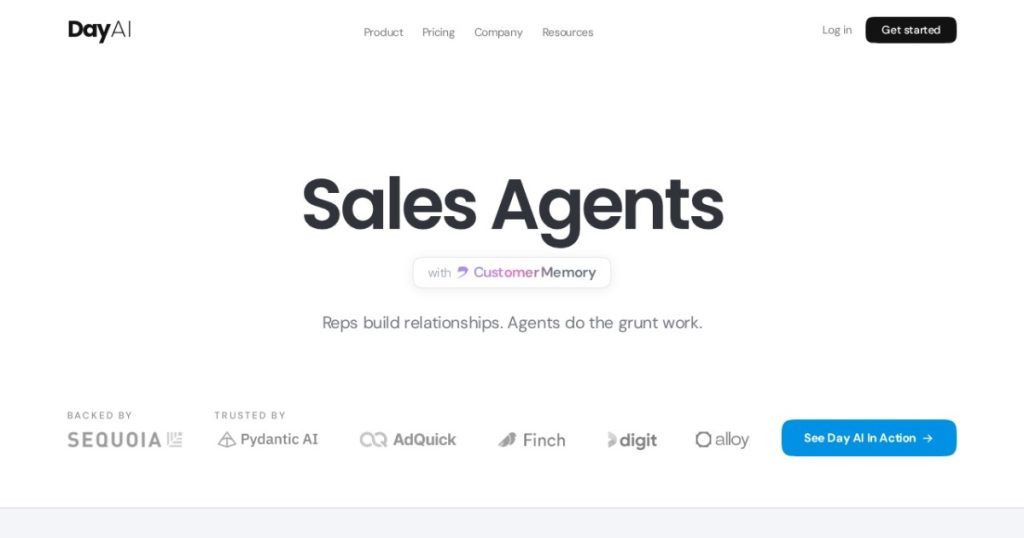
The company was founded in 2023 by Christopher O’Donnell, the former Chief Product Officer at HubSpot, alongside Michael Pici. It raised a $4M seed and then a $20M Series A led by Sequoia Capital in February 2026, taking total funding to roughly $24M. That background matters. O’Donnell spent years watching sales teams quietly refuse to update CRM records, and Day AI is his answer to it: stop asking humans to type, and derive the record from what already happened. Day AI lists Pydantic AI, AdQuick, Finch, Digit and Alloy as customers on its site.
What Are Day AI’s Key Features?
Customer memory from your inbox and calendar
Every plan, including the free one, ingests Gmail and Google Calendar and records meetings. Day AI turns those raw signals into a persistent record per contact, company and deal. When a new rep joins an account, the history is already there: what was promised on the March call, who pushed back on pricing, which competitor came up. This is the part that works best. Most CRMs give you a place to store that context and then rely on someone remembering to write it down. Day AI starts from the assumption that nobody ever will.
Agents with automated skill slots
An agent in Day AI is closer to a virtual colleague than a chatbot. Each one gets a role, and each paid tier gets a fixed number of automated skill slots: 2 on Turbo, 5 on Professional, 10 on Executive. A skill is a job the agent takes on and runs without being asked, triggered by a schedule or an event. Day AI’s own examples include a Business Development Representative, a CRM Data Entry Specialist, a Sales Coach and a RevOps analyst. The slot limit is the real constraint to watch. If you want an agent doing eight different recurring jobs, you are on the $200/mo Executive tier whether you like it or not.
Pipeline and opportunity management
Pipeline is gated to the Professional tier at $60/mo per agent. That tier adds opportunity management, custom properties and custom views, plus the ability to create workspaces. Below that, Day AI behaves more like a very good meeting and relationship assistant than a CRM you would run a sales team on. Be honest with yourself about which one you actually need before you compare prices, because the free and $24 tiers are not competing with HubSpot.
Approvals and audit trails
Agents can either prepare finished work for a human to approve or take action in connected systems within guardrails. Day AI markets itself as “the safe choice for AI go-to-market” and leans on audit trails and multiplayer safety to back that up. In practice this is the feature that decides whether a sales manager will actually let agents touch the pipeline. Being able to review what an agent did, and roll it back, is what separates this from a script that quietly corrupts your deal stages.
How Much Does Day AI Cost?
Day AI starts free, and the free tier is not a trial. It gives you Gmail and Calendar ingestion, meeting recording and notes, contact search and sharing, and workspace context notes, with zero automated skill slots. Paid agents run $24/mo for Turbo, $60/mo for Professional and $200/mo for Executive, all billed per agent rather than per person. Annual billing knocks 20% off. Crucially, any workspace with at least one Professional agent can add free users and low-cost Turbo agents at no per-seat charge.
That is a real departure from how CRM pricing normally works. Attio charges roughly $35 to $86 per seat per month depending on tier and billing, with a free tier for up to three seats. HubSpot Sales Hub runs a free CRM, then about $20 per seat per month on Starter, with Professional around $90 per seat plus a $1,500 onboarding fee. folk has no permanent free plan and charges $30 per user per month on Standard, or $24 on annual billing. Under those models, a ten-person team pays ten times. Under Day AI’s, a ten-person team might pay for two Professional agents and add everyone else free.
The catch is that agent pricing is harder to forecast than seat pricing. Skill slots, not headcount, become your budget lever, and it is not obvious up front how many slots a given workflow eats. A team that wants pipeline management, prospecting and advanced instructions is looking at Executive at $200/mo per agent, and two or three of those adds up fast. Day AI does promise no per-token overages and no usage-based billing, which removes the worst kind of surprise, but you should model a couple of scenarios before committing.
| Plan | Price | Plan Features | Best For |
|---|---|---|---|
| Free | $0/mo | Gmail and Calendar ingestion, meeting recording and notes, contact search and sharing, 0 skill slots | Teammates who only need visibility |
| Turbo | $24/mo per agent | Everything in Free plus task management, email drafts, web search, 2 automated skill slots | Meeting capture and follow-up chasing |
| Professional | $60/mo per agent | Pipeline and opportunity management, custom properties and views, workspace creation, 5 skill slots | Sales teams running a real pipeline |
| Executive | $200/mo per agent | Prospecting, advanced custom instructions, full admin control, 10 automated skill slots | RevOps leads configuring AI company-wide |
Who is Day AI Best For?
Use Day AI if you run founder-led or small-team sales where the CRM is perpetually out of date. If your pipeline lives in someone’s head and a Notion doc because nobody will log activity, this fixes the actual problem rather than adding another field to ignore. It is also a strong fit for teams with a lot of non-sellers who need visibility, because those people cost nothing under the agent model.
- Founders and small revenue teams who want a CRM that fills itself in
- Teams heavily invested in Google Workspace, since Gmail and Calendar are the primary inputs
- Organisations with more viewers than closers, where per-seat pricing is punitive
- Anyone who values meeting capture and follow-up drafting more than heavy reporting
Skip Day AI if you need deep integration coverage. As a newer platform it has fewer connectors than established CRMs, and teams have reported needing extra tools or manual workarounds to link their full stack. Skip it if you rely on structured historical reporting, because Day AI has no native data warehousing and context can be lost when fields update, which limits long-term trend analysis. And skip it if outbound is your engine. The product is strongest on unstructured meeting data and lighter on multi-channel outbound sequencing, so a dedicated sales engagement tool will still be in your stack.
Best Day AI Alternatives
Attio
Attio is the closest thing to a direct competitor and the one most teams will cross-shop. It is a modern, fast, highly customisable CRM with a data model you can bend into almost any shape, and it has a free tier covering up to three seats before paid plans in the roughly $35 to $86 per seat per month range. Attio wins on flexibility and on reporting depth. Day AI wins on automatic capture and on pricing for larger teams, because Attio still charges you per human. Pick Attio if you want to design the CRM yourself, and Day AI if you want it built from your inbox.
HubSpot Sales Hub
HubSpot is the safe, boring, enormous option. The free CRM is genuinely usable, Starter is around $20 per seat per month, and the ecosystem of integrations dwarfs anything a 2023 startup can offer. That breadth is the reason to choose it. The reasons not to are cost and drag: Professional is around $90 per seat annually with a $1,500 onboarding fee, and it is a considerably heavier product to administer. If you already run HubSpot Marketing, staying inside HubSpot is usually the rational call. If you are starting fresh and small, it is overkill.
folk
folk is the lightweight relationship CRM aimed at agencies, consultancies and founders who care more about people than pipeline stages. Standard is $30 per user per month, or $24 on annual billing, with Premium at $60 and no permanent free plan, just a two-week trial. It is simpler and cheaper to get started with than Day AI’s Professional tier, and the contact enrichment is good. What it does not do is run agents on your behalf. folk is a nicer place to store relationships; Day AI is a system that maintains them without you.
Final Verdict: Is Day AI Worth It?
We rate Day AI 8.3/10. The core insight is correct and the execution is unusually confident: CRM data entry is a solved problem if you stop asking people to do it, and pricing by agent rather than by seat is the first pricing model in this category that actually matches how AI software creates value. Free users and free meeting capture across the whole team is a real advantage over Attio and folk, and the audit trail work suggests a team that understands why sales managers distrust automation.
It is not for everyone yet. The integration catalogue is thinner than HubSpot’s, there is no native warehousing for historical analysis, and outbound remains light, so scaling teams will find edges. Skill slot limits also mean the $60 tier can turn into the $200 tier faster than the pricing page implies. But the free plan costs nothing to evaluate, and evaluating it is the right move: connect Gmail, run it alongside your current CRM for two weeks, and see how much of your pipeline it reconstructs on its own. For founder-led sales teams, we think it will win that test.
Day AI Pros & Cons
What We Like
- Free tier includes meeting recording, notes and Gmail plus Calendar ingestion with no seat limit
- Per-agent pricing means extra teammates cost nothing once you have one Professional agent
- Customer memory is built automatically from email and meetings, so records stay current without manual logging
- Approval workflows and audit trails make agent actions reviewable before they touch pipeline
What Could Be Better
- Fewer integrations than established CRMs, so connecting a full stack can need workarounds
- No native data warehousing, and historical context can be lost when fields update
- Automated skill slots are capped per tier, pushing multi-workflow teams to the $200/mo Executive plan
Day AI FAQ
What is Day AI?
Day AI is an AI-native CRM that builds customer records automatically from Gmail, Google Calendar and recorded meetings. Instead of user seats it sells AI agents that run pipeline updates, list building and reporting on their own. It was founded in 2023 by former HubSpot CPO Christopher O'Donnell.
How much does Day AI cost?
Day AI has a free plan at $0/mo. Paid agents cost $24/mo for Turbo, $60/mo for Professional and $200/mo for Executive, billed per agent rather than per user, with 20% off on annual billing. Workspaces with at least one Professional agent can add free users at no extra cost.
Is Day AI worth it?
For founder-led and small sales teams, yes. We rate it 8.3/10 because it fixes the actual CRM problem, which is that nobody updates records, and its agent pricing is cheaper than per-seat rivals once your team grows. Larger teams needing deep integrations or historical reporting should be more cautious.
What are the best Day AI alternatives?
Attio is the flexible modern CRM with a free tier for three seats and paid plans from about $35 per seat. HubSpot Sales Hub is the safe, integration-rich option starting around $20 per seat. folk is the lightweight relationship CRM at $30 per user per month, or $24 annually.
Does Day AI offer a free plan?
Yes. Day AI has a permanent free plan at $0/mo that covers Gmail and Calendar ingestion, meeting recording and notes, contact search and sharing, and workspace context notes. It includes zero automated skill slots, so agents will not run jobs for you until you upgrade.
Who is Day AI best for?
Day AI is best for founders and small revenue teams on Google Workspace whose CRM is chronically out of date, and for companies with more viewers than closers, since extra people cost nothing. It is a weaker fit for outbound-heavy teams or anyone needing deep historical reporting.






