IT-Tools Review (2026): Pricing, Features & Honest Verdict
TLDR
IT-Tools is a self-hosted collection of 70+ developer utilities covering converters, generators, encoders, formatters, and more in a single clean web interface. Best for: developers who want quick access to common utilities without visiting sketchy ad-filled websites. Price: free (open source). Rating: 7.4/10
What is IT-Tools?
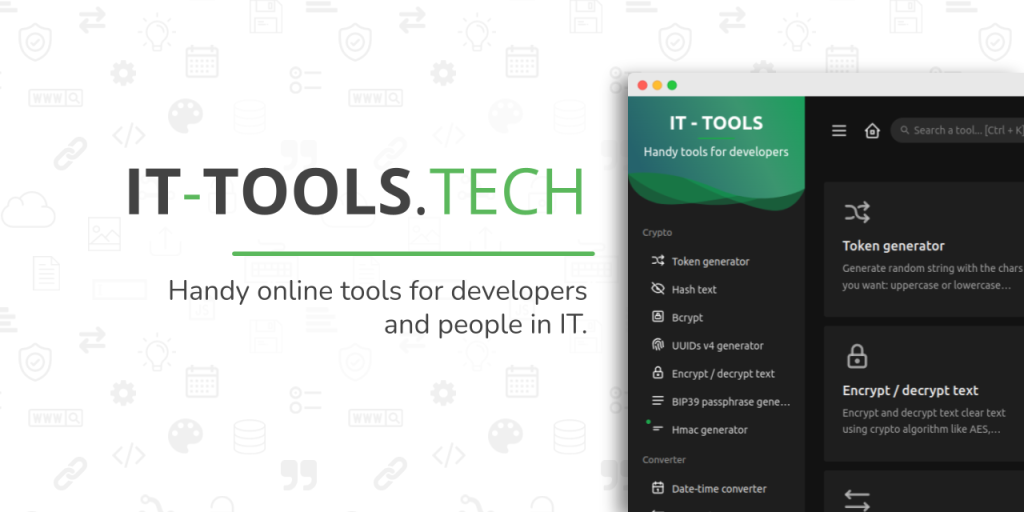
IT-Tools is a self-hosted web application that bundles dozens of everyday developer utilities into one interface. Instead of bookmarking ten different websites for Base64 encoding, JSON formatting, UUID generation, and regex testing, you deploy IT-Tools once and have everything in one place.
The project is open source and designed to be run via Docker. Every tool runs entirely in your browser, meaning your data never leaves your machine. For developers who regularly reach for online utilities during their work, IT-Tools consolidates that workflow while keeping your data private.
Key Features
Converters
Convert between data formats quickly. Base64, hex, binary, URL encoding, YAML to JSON, JSON to CSV, and many more. The converters handle edge cases well and provide clear output. Copy-to-clipboard is always one click away, which sounds minor but matters when you use these tools dozens of times a day.
Generators
Generate UUIDs, hashes (MD5, SHA-1, SHA-256, SHA-512), random strings, passwords, Lorem Ipsum text, QR codes, and more. Each generator offers sensible defaults with options to customize output. The UUID generator, for example, lets you choose between v1 and v4 and generate multiple values at once.
Encoders and Decoders
JWT decoder, HTML entity encoder/decoder, URL encoder, Base64 encoder, and others. The JWT decoder is particularly useful because it shows header, payload, and signature in a readable format without requiring you to paste tokens into third-party websites.
Formatters and Validators
Format JSON, SQL, XML, and HTML with proper indentation. Validate JSON structure, test regex patterns with live matching, and parse cron expressions with human-readable descriptions. The JSON formatter handles large payloads without choking, which is more than some online tools can claim.
Network and Web Tools
IPv4/IPv6 subnet calculator, MAC address lookup, HTTP status code reference, MIME type lookup, and user agent parser. These are the kinds of tools you need just often enough that bookmarking them is worthwhile but not often enough to memorize the details.
Color and Design Utilities
Color converter (HEX, RGB, HSL), color picker, and contrast checker. Useful for frontend developers who need quick color conversions without opening a design tool. The contrast checker helps verify accessibility compliance at a glance.
Pricing
IT-Tools is completely free and open source under the GPL-3.0 license. No paid plans, no premium features, no usage limits. Deploy it on any server you have access to, or run it locally on your development machine.
Pros and Cons
Pros
- 70+ tools covering the most common developer utility needs
- Everything runs in-browser so no data is sent to external servers
- Clean, fast interface with instant search across all tools
- Single Docker command deployment with zero configuration
- Free with no restrictions, premium tiers, or usage limits
Cons
- Some tools are basic compared to dedicated standalone alternatives
- No API for integrating tools into automated workflows
- Cannot save or bookmark frequently used tool configurations
- Development pace has slowed compared to the project early days
- No plugin system to add custom tools without forking the codebase
| Plan | Price | Plan Features | Best For |
|---|---|---|---|
| Self-Hosted | Free | 70+ tools, unlimited usage, all features, client-side processing | Everyone |
Who Should Use IT-Tools?
IT-Tools is made for developers who find themselves constantly opening browser tabs to encode Base64, format JSON, generate UUIDs, or test regex patterns. If you do this multiple times a week, having all these tools in one private, ad-free interface is a genuine productivity boost.
It is less useful for non-developers who would not recognize most of the tool names, or for teams that need shared configurations and collaboration features around their utility usage.
Alternatives
DevToys
DevToys is a native desktop application for Windows and macOS that offers a similar collection of developer utilities. It runs offline without needing Docker or a server. The native experience is smoother than a web app, and it includes some tools that IT-Tools lacks. The tradeoff is that it only works on your local machine and cannot be shared across a team via a URL.
CyberChef
CyberChef, built by GCHQ, specializes in data transformation and analysis with a unique drag-and-drop recipe system. It excels at chaining operations together, which IT-Tools cannot do. For complex encoding/decoding pipelines and security analysis, CyberChef is significantly more powerful, though also more complex to learn.
transform.tools
transform.tools focuses specifically on code and data format transformations. It covers conversions like JSON to TypeScript interfaces, SVG to React components, and CSS to JS objects. The scope is narrower than IT-Tools but the transformation quality for supported formats is excellent. It runs as a web app with no self-hosting option.
FAQ
Does IT-Tools require an internet connection?
No. Once deployed, all tools run entirely in your browser. The Docker container serves the static web app, and all processing happens client-side. No external API calls are made.
Can I add custom tools?
Not through a plugin system. Adding tools requires forking the repository and building new tool components in Vue.js. The codebase is well-structured, so adding a new tool is relatively straightforward for someone comfortable with Vue.
How much server resources does it need?
Very little. IT-Tools is essentially a static web application served by a lightweight container. 256MB of RAM and minimal CPU is sufficient. It has almost no server-side processing since everything runs in the browser.
Is there user authentication?
No built-in authentication. If you want to restrict access, you would need to place it behind a reverse proxy with authentication like Nginx with basic auth, or use a VPN to limit network access.
IT-Tools Pros & Cons
What We Like
- 70+ tools covering the most common developer utility needs
- Everything runs in-browser so no data is sent to external servers
- Clean, fast interface with instant search across all tools
- Single Docker command deployment with zero configuration
- Free with no restrictions, premium tiers, or usage limits
What Could Be Better
- Some tools are basic compared to dedicated standalone alternatives
- No API for integrating tools into automated workflows
- Cannot save or bookmark frequently used tool configurations
- Development pace has slowed compared to the project early days
- No plugin system to add custom tools without forking the codebase
IT-Tools FAQ
Does IT-Tools require an internet connection?
No. All tools run client-side in your browser after deployment.
Can I add custom tools?
Not via plugins. You need to fork the repo and build Vue.js components.
How much server resources does it need?
Very little. 256MB RAM is sufficient since all processing is client-side.
Is there user authentication?
No built-in auth. Use a reverse proxy or VPN to restrict access.
What is IT-Tools?
Self-hosted collection of 70+ developer utilities including converters, generators, encoders, and formatters in one clean, private web interface. Free and open source.
How much does IT-Tools cost?
IT-Tools pricing starts at Free (open source). A free plan is available.






