LiveSession Review (2026): Pricing, Features & Honest Verdict
TLDR
LiveSession is a session replay and product analytics tool that records real user sessions and layers on heatmaps, funnels and product metrics. We found it does the replay-plus-analytics combo well at a fair price. Best for: small-to-mid product and UX teams. Price: Free plan yes, paid from $54/mo. Rating: 7.8/10.
What is LiveSession?
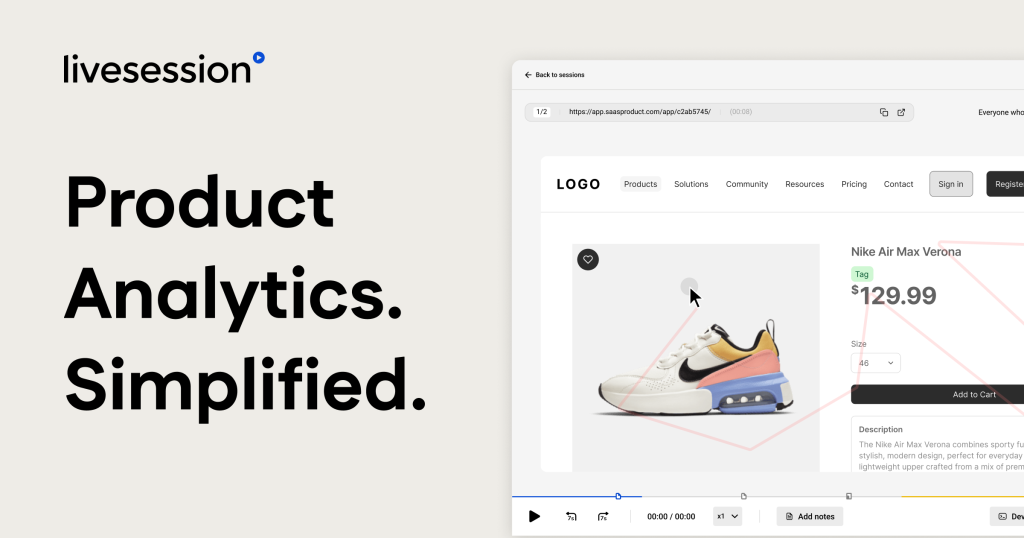
LiveSession is an analytics platform that captures what users actually do on your website or web app. It records full sessions you can replay, generates click and scroll heatmaps, builds conversion funnels, and tracks custom events and product metrics. The pitch is simple: instead of stitching together a replay tool, a heatmap tool and an analytics tool, you get all three in one dashboard.
The company is based in Poland and positions the product as built by product people for product people. We dug into it and the audience is clear: product managers, designers, UX researchers and growth marketers who want to understand behaviour, not just count pageviews. It sits in the same space as Hotjar and FullStory but leans toward teams that want both the qualitative recordings and some quantitative analytics without committing to an enterprise contract. The gap it fills is real. Most analytics tools tell you what happened in aggregate but not why a specific user gave up. Most replay tools show you individual sessions but make it painful to spot trends. LiveSession tries to live in the middle, and for a lot of small product teams that middle is exactly where the useful answers sit.
What Are LiveSession’s Key Features?
Session Replay
The core feature is full session recording. You watch a real user move through your site, click by click, and spot where they hesitate, rage-click or hit errors. Unlike Hotjar’s historical caps, LiveSession does not limit daily recordings, so on the Pro plan you can capture up to 150,000 sessions a month. Filters and segments let you jump straight to the sessions that matter, such as users who hit an error or dropped out of checkout. The platform also flags engagement signals automatically, including rage clicks and error clicks, so you do not have to watch hundreds of recordings to find the broken ones. In practice this is the difference between a tool you open once and one you actually use weekly. You set up a segment for a problem flow, and LiveSession surfaces the sessions that prove or disprove your hunch.
Heatmaps and Funnels
On top of replays you get click maps, scroll maps and conversion funnels. The funnels show where users drop off step by step, which is the fastest way to find a leaky signup or checkout flow. Heatmaps are aggregated across sessions so you can see at a glance which buttons get attention and which get ignored. These are available even on the free plan, which is unusual; most competitors lock funnels behind a paid tier. The clever part is that funnels and replays connect. When a funnel shows a drop-off at step three, you can click straight into the recordings of users who bailed at that step and watch what went wrong. That loop, from aggregate to individual and back, is where LiveSession earns its keep.
Product Analytics and Dashboards
LiveSession tracks custom events, feature adoption and KPIs through dashboards and metrics. This is the quantitative side that turns replays into trends. It is solid for product-level questions, but it is not as deep as a dedicated analytics engine. If you need complex cohort analysis or retention curves, you will feel the ceiling. Dashboards and custom events are gated to the Pro plan and above.
Developer Tools and Integrations
For debugging, LiveSession surfaces console logs, network requests and JavaScript errors alongside the replay, so a developer can see exactly what broke. It integrates with Segment, Mixpanel, Heap, Slack, Shopify, Intercom, Zendesk, Sentry, Google Tag Manager and more. That integration spread makes it easy to slot into an existing stack rather than rip anything out.
How Much Does LiveSession Cost?
LiveSession starts free and the cheapest paid plan is Basic at $54 a month billed annually. The free plan gives you 1,000 sessions a month, 1-month retention, 3 team members and 2 projects, with real access to replay, heatmaps and funnels. Basic raises the cap to 15,000 sessions a month and unlocks unlimited members and projects. Pro is $83 a month for up to 150,000 sessions, 3-month retention, dashboards, developer tools and user identification. Enterprise is custom with up to 12-month retention and priority support.
Against competitors, that pricing is reasonable. Hotjar’s paid plans start around $49 a month but climb fast as sessions grow, and its top tiers run past $200 a month. FullStory does not publish pricing and quotes enterprise contracts, so it sits in a different bracket entirely. Microsoft Clarity is free but offers no analytics depth and no support.
One catch worth flagging: the advertised prices assume annual billing. Pay monthly and you pay more. The short data retention on lower tiers, just 1 month on Basic, also means historical analysis requires the Pro plan or an export workflow. For most small teams the Pro plan at $83 a month is the sweet spot, because that is where dashboards, developer tools and user identification live. If you are below 15,000 sessions a month and only need replays and funnels, Basic is enough, but you will likely outgrow its retention window within a quarter. Plan around the session volume you expect six months out, not today, because jumping tiers mid-year is the usual surprise on the invoice.
| Plan | Price | Plan Features | Best For |
|---|---|---|---|
| Free | $0/mo | 1,000 sessions/mo, 1-month retention, 3 members, 2 projects | Side projects and early-stage teams |
| Basic | $54/mo | Up to 15,000 sessions/mo, unlimited members and projects | Small product teams |
| Pro | $83/mo | Up to 150,000 sessions/mo, 3-month retention, dashboards, dev tools | Growing teams who need analytics |
| Enterprise | Custom | Custom sessions, up to 12-month retention, training, priority support | Larger orgs with compliance needs |
Who is LiveSession Best For?
Use LiveSession if you run a small-to-mid traffic site and want session replay, heatmaps and funnels in one tool without enterprise pricing. It is a strong fit for product teams, UX researchers and growth marketers who want to watch real behaviour and chase down drop-off points. The free plan makes it easy to prove value before you spend a dollar.
Skip LiveSession if your main need is deep quantitative analytics: cohort retention, complex event modelling and data-warehouse integration. In that case Mixpanel, Amplitude or FullStory will serve you better. Also skip it if you are a hobby project that just needs basic traffic counts; a free analytics tool will do.
- Good fit: SaaS and ecommerce product teams chasing conversion and usability wins.
- Good fit: agencies running UX audits for clients across multiple projects.
- Poor fit: data teams who need warehouse-grade analytics and long retention.
Best LiveSession Alternatives
Hotjar
Hotjar is the household name in session replay and heatmaps. It has a free plan up to 20,000 sessions and paid plans from about $49 a month. It is easier to recommend for marketers who want feedback widgets and surveys baked in, but its session caps and pricing climb quickly at scale, and historically it limited daily recordings in ways LiveSession does not.
FullStory
FullStory is the enterprise heavyweight. Its standout feature is retroactive search, meaning you can query data you did not explicitly set up to track, plus data-warehouse integration. Pricing is custom and quoted by sales, so it lands well above LiveSession. Choose FullStory if you are a large team with budget and need that depth; choose LiveSession if you want most of the value for a published price.
Microsoft Clarity
Microsoft Clarity is completely free with unlimited sessions, heatmaps and recordings. It is the budget pick and hard to argue with on price. The trade-off is shallow analytics, no real support, and your data living in Microsoft’s ecosystem. It is a fine starting point, but teams that outgrow it usually move to a paid tool like LiveSession for funnels, dashboards and integrations.
Final Verdict: Is LiveSession Worth It?
LiveSession earns a 7.8 because it does the hard part well: it combines session replay, heatmaps and funnels in one tool at a price most product teams can justify. The free plan is genuinely useful rather than a teaser, and Pro at $83 a month undercuts the enterprise replay tools while keeping the features that matter. The integration list means it drops into an existing stack cleanly.
It loses points for shallow product analytics compared with Mixpanel or Amplitude, short data retention on lower tiers, and annual-billing-only pricing. None of those are dealbreakers for the team it is built for, but they are the reasons it sits at 7.8 rather than higher. If your work is watching real users and fixing conversion and usability problems, LiveSession is an easy recommendation, and the free plan means you can validate that for yourself before paying. If you need warehouse-grade analytics, retroactive search or 12-month-plus retention as standard, look at FullStory or a dedicated analytics platform instead. For the broad middle of product and UX teams, though, LiveSession is one of the better-value tools in the session-replay category right now.
LiveSession Pros & Cons
What We Like
- Free plan includes 1,000 sessions a month with real features, not a crippled trial
- Combines session replay, heatmaps and funnels in one tool instead of three
- Does not cap daily recordings the way Hotjar historically did
- Wide integration list including Segment, Mixpanel, Slack, Shopify and Sentry
What Could Be Better
- Product analytics is shallower than dedicated tools like Mixpanel or Amplitude
- Data retention is short, only 1 month on Basic and 3 months on Pro
- Annual billing is required to hit the advertised plan prices
LiveSession FAQ
What is LiveSession?
LiveSession is a session replay and product analytics platform. It records real user sessions, builds heatmaps and conversion funnels, and tracks product metrics so teams can see how people actually use their site or app.
How much does LiveSession cost?
There is a free plan with 1,000 sessions a month. Paid plans are Basic at $54/month for up to 15,000 sessions and Pro at $83/month for up to 150,000 sessions, both billed annually. Enterprise pricing is custom.
Is LiveSession worth it?
For product and UX teams that want recordings, heatmaps and funnels in one place, yes. The free tier lets you prove value before paying, and Pro at $83/month undercuts most enterprise replay tools. It is less worth it if you need deep cohort analytics.
What are the best LiveSession alternatives?
Hotjar is the mainstream choice with a generous free tier, FullStory is the enterprise option with retroactive search, and Microsoft Clarity is a free no-cost alternative for budget-conscious teams.
Does LiveSession offer a free plan?
Yes. The free plan includes 1,000 sessions a month, 1-month data retention, 3 team members and 2 projects, with access to session replay, heatmaps and funnels. No credit card is required.
Who is LiveSession best for?
It is best for product managers, designers and UX researchers on small-to-mid traffic sites who want qualitative recordings alongside funnels and basic analytics without paying enterprise prices.






