Lunacy Review (2026): Pricing, Features & Honest Verdict
TLDR
Lunacy is a completely free design tool by Icons8 that rivals Figma and Sketch. Best for: freelancers and small agencies who want full design capability without any subscription. Price: 100% free. Rating: 8.1/10
What is Lunacy?
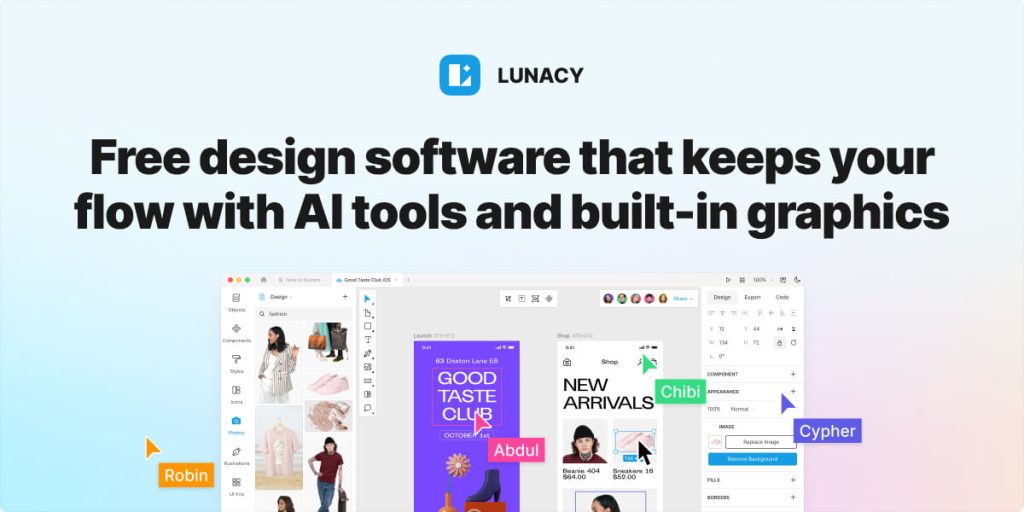
Lunacy is a free graphic design application developed by Icons8. It started as a way to open Sketch files on Windows but has grown into a full-featured design tool for UI/UX design, illustrations, and prototyping. It runs natively on Windows, Mac, and Linux, works offline, and includes a massive library of built-in assets from Icons8: icons, photos, and illustrations you can use directly in your designs.
What sets Lunacy apart from other free tools is the built-in asset library. You get access to millions of icons, stock photos, and vector illustrations without leaving the app. Combined with AI-powered features like background removal, image upscaling, and text generation, Lunacy packs features that competitors charge for.
Key Features
Built-in Asset Library: Access millions of Icons8 icons, photos, and illustrations directly from the asset panel. Drag and drop into your designs without visiting external stock sites. Low-resolution versions are free; high-res requires an Icons8 subscription.
AI-Powered Tools: Background removal, image upscaling, text generation, and avatar creation powered by AI. These features are built into the app and work without any additional setup or API keys.
Cross-Platform Native App: Unlike Figma which runs in a browser, Lunacy is a native application for Windows, Mac, and Linux. This means better performance with large files and full offline capability.
Sketch File Compatibility: Open, edit, and save Sketch files natively. This was Lunacy’s original purpose and it remains one of the best ways to work with Sketch files outside of macOS.
Real-Time Collaboration: Work with team members on the same file simultaneously. Changes sync in real-time with conflict resolution, similar to Figma’s collaboration model.
Prototyping and Handoff: Create interactive prototypes with transitions and share them with developers. The inspect mode provides CSS, Swift, and XML code snippets for implementation.
Pricing
Lunacy itself is completely free with no premium tier, no feature gates, and no user limits. The catch is that high-resolution built-in assets require an Icons8 subscription ($14.99/mo for icons, $29/mo for full suite). But the design tool, collaboration, prototyping, and all core features are genuinely free forever. Icons8 monetizes through the asset library, not the design tool.
Pros and Cons
Pros
- 100% free with no premium tier or feature limits
- Built-in icons, photos, and illustrations save time sourcing assets
- Native app performance beats browser-based tools on large files
- Cross-platform (Windows, Mac, Linux) unlike Sketch which is Mac-only
- AI tools for background removal and upscaling included at no cost
Cons
- Smaller community and plugin ecosystem than Figma
- High-resolution built-in assets require paid Icons8 subscription
- Collaboration features are newer and less mature than Figma
- Learning curve if coming from Figma due to different UI patterns
| Plan | Price | Plan Features | Best For |
|---|---|---|---|
| Free | $0 | All design features, collaboration, prototyping, low-res built-in assets | Everyone |
| Icons8 Suite (optional) | $29/mo | High-res icons, photos, illustrations, music | Teams needing premium stock assets |
Who Should Use Lunacy?
Freelance designers who want professional design tools without any subscription cost. Small agencies that need cross-platform compatibility (especially Windows and Linux teams). Designers who frequently need stock assets integrated into their workflow. Students learning UI/UX design who need a capable free tool. Teams currently using Sketch who want a free cross-platform alternative.
Alternatives
Figma
Figma is the industry standard for collaborative design. It runs in the browser, has the largest plugin ecosystem, and its collaboration features are unmatched. The free tier is generous but limits projects to 3. Professional plans start at $15/user/mo. Choose Figma if collaboration is your top priority and you do not mind paying for team features.
Penpot
Penpot is an open-source design tool that runs in the browser. It is free, self-hostable, and uses open standards (SVG). It lacks the polish and feature depth of Figma or Lunacy but is improving rapidly. Choose Penpot if you care about open source, data ownership, and self-hosting.
Sketch
Sketch is the Mac-only design tool that pioneered modern UI design workflows. It costs $12/editor/mo with a web-based collaboration layer. Sketch has a mature plugin ecosystem and is deeply integrated into many agency workflows. Choose Sketch if your team is Mac-only and you prefer a native desktop experience with strong community resources.
FAQ
Is Lunacy really free forever?
Yes. Icons8 has committed to keeping Lunacy free as a way to drive adoption of their asset library. The design tool itself has no paid features or limits.
Can I use Lunacy for commercial projects?
Yes. Designs created in Lunacy can be used commercially. Built-in low-res assets are free for commercial use with attribution; high-res assets require an Icons8 subscription.
How does Lunacy compare to Figma?
Lunacy is a native app (better offline and performance), includes built-in assets, and is completely free. Figma has stronger collaboration, a larger plugin ecosystem, and wider industry adoption. For solo and small team work, Lunacy is excellent. For large team collaboration, Figma pulls ahead.
Can Lunacy open Figma files?
Lunacy does not directly open Figma files. You can export from Figma as SVG or PNG and import into Lunacy. It natively opens Sketch files though.
Lunacy Pros & Cons
What We Like
- 100% free with no premium tier or feature limits
- Built-in icons, photos, and illustrations save time
- Native app performance beats browser-based tools
- Cross-platform: Windows, Mac, and Linux
- AI tools for background removal and upscaling included
What Could Be Better
- Smaller community and plugin ecosystem than Figma
- High-res built-in assets require paid Icons8 subscription
- Collaboration features less mature than Figma
- Learning curve if coming from Figma
Lunacy FAQ
Is Lunacy really free forever?
Yes. Icons8 keeps Lunacy free to drive adoption of their asset library. No paid features or limits.
Can I use Lunacy for commercial projects?
Yes. Designs are free for commercial use. Low-res built-in assets are free with attribution; high-res need Icons8 subscription.
How does Lunacy compare to Figma?
Lunacy: native app, built-in assets, completely free. Figma: stronger collaboration, larger plugin ecosystem, wider adoption.
Can Lunacy open Figma files?
Not directly. Export from Figma as SVG/PNG and import. Lunacy natively opens Sketch files.
What is Lunacy?
Free cross-platform design tool with built-in icons, photos, and AI features. Figma/Sketch alternative by Icons8.
How much does Lunacy cost?
Lunacy pricing starts at Free. A free plan is available.






