Pumble Review (2026): Pricing, Features & Honest Verdict
TLDR
Pumble is a free team messaging app with unlimited users and message history on the free plan, which is rare in this space. Best for: teams of any size wanting Slack-like features without paying anything. Price: Free (unlimited), $2.49/user/mo Pro. Rating: 7.4/10
What is Pumble?
Pumble is a team communication platform built by CAKE.com, the same company behind the popular time tracker Clockify. It offers channels, threads, direct messages, voice/video calls, and screen sharing. The headline feature is its free plan: unlimited users and unlimited message history with no expiration. In a market where Slack charges for history access and most competitors cap free users, Pumble stands out by giving away what others charge for.
Launched in 2021, Pumble has grown quickly by targeting the gap Slack left when it restricted its free plan. The platform is available on web, desktop (Windows, Mac, Linux), and mobile (iOS, Android). It does not try to reinvent team messaging. Instead, it replicates the Slack experience at a fraction of the cost.
Key Features
Unlimited Free Plan
This is the reason most teams consider Pumble. The free tier includes unlimited users, unlimited message history, 10GB total storage, one-on-one video calls, and screen sharing. There are no hidden limits on searchable messages or time-based restrictions. For many small and medium businesses, the free plan covers everything they actually need.
Channels and Threads
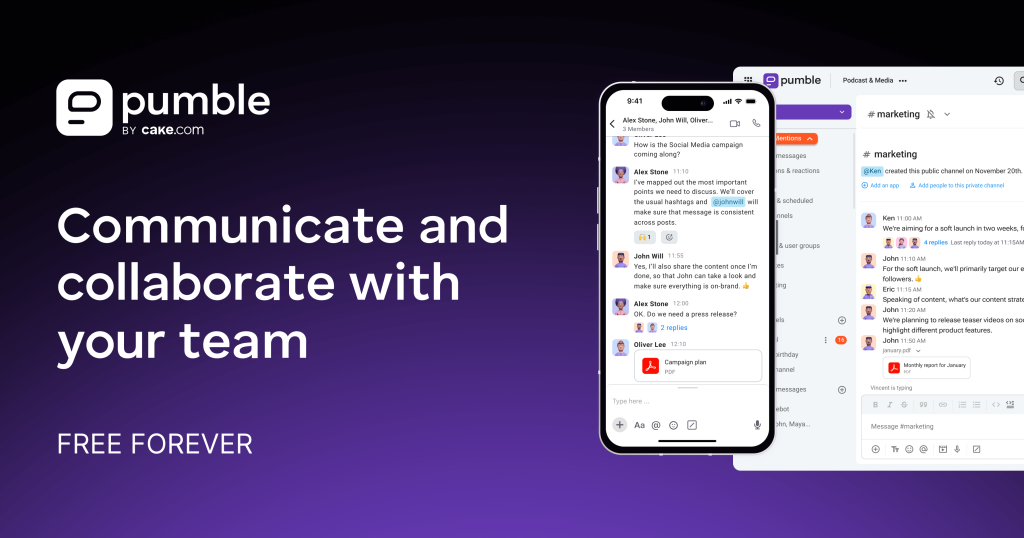
Pumble organizes conversations into public and private channels with threaded replies. The experience mirrors Slack closely: you create channels for topics or projects, use threads to keep discussions focused, and pin important messages. Channel management is straightforward with options to archive, mute, or set notifications per channel.
Voice and Video Calls
One-on-one voice and video calls are available on the free plan. Group calls with screen sharing unlock on the Pro plan ($2.49/user/mo). Call quality is reliable for small to medium meetings. You can start calls directly from any channel or DM, keeping the experience seamless.
Guest Access
Pumble allows you to invite external collaborators as guests with limited access to specific channels. This is useful for agencies working with clients or teams collaborating with contractors. Guests do not count against any user limits, and you can control exactly which channels they can see.
File Sharing and Search
Drag-and-drop file sharing works across all conversations. The search function covers messages, files, and channels. Filters let you narrow results by sender, channel, or date range. On the free plan, you get 10GB of total team storage, which bumps up to 10GB per user on Pro.
Integrations
Pumble integrates with several popular tools including Google Drive, Jira, GitHub, and Clockify (naturally, given the shared parent company). The integration library is growing but still smaller than established players. Webhooks support custom integrations for teams with specific workflow needs.
Pricing
The free plan is genuinely unlimited for users and message history. Pro costs $2.49/user/month and adds group video calls, screen sharing in calls, 10GB per-user storage, and custom sections. The Business plan at $3.99/user/month adds admin and security features like custom roles, data export, and guest management.
At $2.49/user/month for Pro, Pumble is the cheapest paid team messaging option available. Even the Business plan at $3.99 undercuts Slack Pro ($8.75) by more than half. The pricing strategy clearly follows the Clockify playbook: offer a generous free tier and charge modest prices for upgrades.
Pros and Cons
Pros
- Truly free unlimited users and message history
- Cheapest paid plans in the team messaging category
- Familiar Slack-like interface requires minimal onboarding
- Guest access for external collaborators
- Cross-platform with desktop, web, and mobile apps
Cons
- Fewer integrations than Slack, Teams, or even Flock
- Group video calls require the paid plan
- No built-in task management or productivity tools
- Younger platform with a smaller community
- 10GB total storage on free plan fills up fast with file sharing
| Plan | Price | Plan Features | Best For |
|---|---|---|---|
| Free | $0 | Unlimited users, unlimited history, 10GB total storage, 1-on-1 video calls | Any team wanting free Slack-like messaging |
| Pro | $2.49/user/mo | Group video calls, screen sharing, 10GB per-user storage, custom sections | Teams needing video meetings and more storage |
| Business | $3.99/user/mo | Admin roles, data export, guest management, custom permissions | Growing teams needing admin controls |
Who Should Use Pumble?
Pumble is ideal for teams that want Slack-style messaging without paying for it. Startups, agencies, and growing teams benefit most from the unlimited free plan, especially those with 10-100 members where per-user pricing on other platforms adds up quickly. The guest access feature makes it particularly useful for agencies managing client communication.
Teams that need built-in project management, extensive integrations, or enterprise compliance features will find Pumble too basic. It does one thing well (team messaging) but does not try to be an all-in-one workspace. If you need task boards, polls, or wiki-style documentation alongside chat, consider Chanty or Slack.
Alternatives
Slack
The industry standard for team messaging with the best integration ecosystem and most polished interface. The free plan now limits message history, making Pumble a compelling alternative for budget teams. Best for organizations that need deep integrations and can afford premium pricing.
Flock
An affordable alternative with built-in to-dos, polls, and notes. More productivity features than Pumble but with a more restrictive free plan (10 users). Best for small teams wanting chat and lightweight project management in one tool.
Discord
Originally built for gaming communities, Discord has become popular with developer teams and startups. Free with unlimited users and history, plus excellent voice channels. Best for tech-forward teams comfortable with a less corporate interface.
FAQ
Is Pumble really free for unlimited users?
Yes. Pumble’s free plan has no cap on the number of users or message history. You can have 500 people on the free plan with full access to all past messages. The main limitations are 10GB total storage and no group video calls.
How does Pumble compare to Slack?
Pumble replicates the core Slack experience (channels, threads, DMs, search) at a dramatically lower price. Slack has a much larger integration library and more advanced features for enterprise teams. Pumble wins on price and free tier generosity.
Who makes Pumble?
Pumble is built by CAKE.com, the same company behind Clockify (time tracking), Plaky (project management), and other productivity tools. The company has a track record of offering generous free tiers across its product line.
Can Pumble replace Slack for my team?
For basic team communication (messaging, file sharing, calls), yes. If your team relies heavily on Slack’s app directory, custom workflows, or enterprise features like Slack Connect, the transition will be harder. Most small to mid-size teams find Pumble covers 80-90% of what they used Slack for.
Pumble Pros & Cons
What We Like
- Truly free unlimited users and message history
- Cheapest paid plans in team messaging category
- Familiar Slack-like interface requires minimal onboarding
- Guest access for external collaborators
What Could Be Better
- Fewer integrations than Slack, Teams, or Flock
- Group video calls require the paid plan
- No built-in task management or productivity tools
- 10GB total storage on free plan fills up fast
Pumble FAQ
Is Pumble really free for unlimited users?
Yes. No cap on users or message history. The main free plan limitations are 10GB total storage and no group video calls.
How does Pumble compare to Slack?
Pumble replicates core Slack features at a much lower price. Slack wins on integrations and enterprise features. Pumble wins on price and free tier generosity.
Who makes Pumble?
CAKE.com, the company behind Clockify (time tracking) and Plaky (project management). They have a track record of generous free tiers.
Can Pumble replace Slack for my team?
For basic messaging, file sharing, and calls, yes. Teams relying on Slack's extensive app directory or enterprise features may find Pumble too limited.
What is Pumble?
Free team messaging with unlimited users and message history. Slack-like channels and threads at a fraction of the cost, by the Clockify team.
How much does Pumble cost?
Pumble pricing starts at $2.49/user/mo. A free plan is available.






