StreamYard Review (2026): Pricing, Features & Honest Verdict
TLDR
StreamYard is a browser-based live streaming studio that makes going live to YouTube, LinkedIn, Facebook, and Twitch dead simple. Best for: content creators and community builders who want multistreaming without downloads. Price: Free (20hr/mo with branding) to $99/mo. Rating: 7.6/10
What is StreamYard?
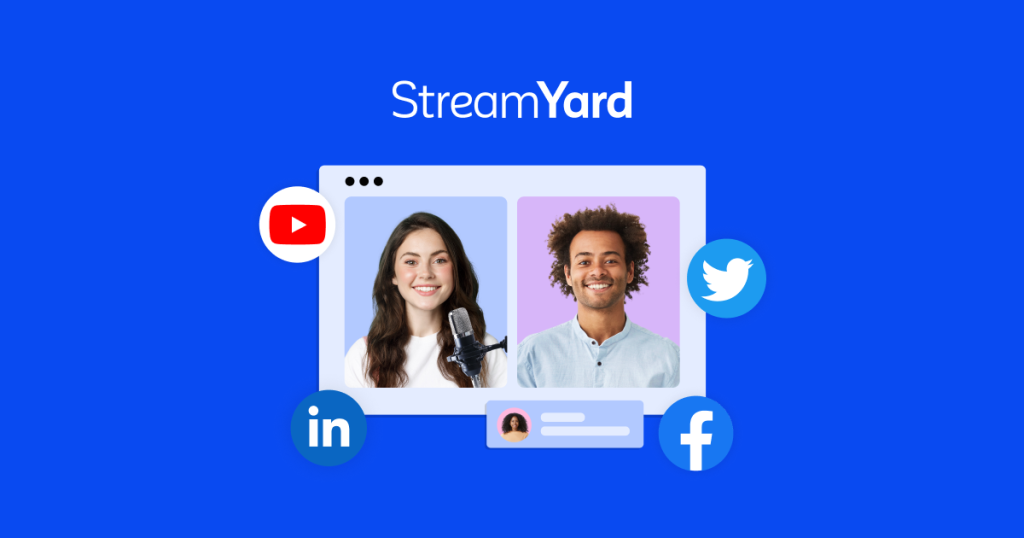
StreamYard is a live streaming platform that runs entirely in your browser. No software downloads, no complicated setups. You open a link, invite guests, customize your stream with overlays and banners, and go live to multiple platforms at once. It launched in 2018 and was acquired by Hopin in 2021 before being spun back out. The product has stayed focused on one thing: making live streaming accessible to people who are not video production experts.
The core idea is that live streaming should not require OBS knowledge, encoding settings, or dedicated hardware. StreamYard handles the technical complexity so creators can focus on content. It works particularly well for podcasts, webinars, interviews, and community events where you want guests to join via a simple link.
Key Features
Multistreaming
Go live to YouTube, LinkedIn, Facebook, Twitch, and custom RTMP destinations simultaneously. The free plan limits you to one destination. Paid plans unlock multiple simultaneous destinations, which is the main reason to upgrade. The stream quality adapts per platform automatically.
Guest Management
Invite up to 10 guests (on Premium) via a shareable link. No account needed for guests. They click the link, test their camera and mic in a green room, and you bring them on screen when ready. The layout adjusts automatically based on how many people are on screen.
Custom Branding
Add logos, overlays, lower thirds, banners, and custom backgrounds. The banner system lets you create text banners that you toggle on and off during the stream. Backgrounds can be images or videos. On paid plans, you remove the StreamYard watermark that appears on free streams.
Screen Sharing and Media
Share your screen, specific windows, or browser tabs. Play pre-recorded videos directly in the stream. Display comments from your connected platforms on screen to engage your audience. The comment display feature is genuinely useful for building viewer interaction during live sessions.
Recording and Clips
Record your streams even if you are not going live. Recordings are stored in the cloud and available for download. The Professional and Premium plans include higher quality recordings (up to 1080p). Clips let you extract highlights for social media repurposing.
Pricing
StreamYard has four tiers. The free plan gives you 20 hours per month of streaming with StreamYard branding. It is genuinely usable for casual streamers. The paid plans remove branding and unlock multistreaming, higher quality, and more features.
- Free – 20hr/mo, 1 destination, StreamYard branding, 6 on-screen participants
- Basic ($20/mo) – Unlimited streaming, 3 destinations, no branding, 6 participants
- Professional ($39/mo) – 8 destinations, 10 participants, Full HD 1080p, backstage
- Premium ($99/mo) – 10 destinations, 10 participants, priority support, all features
Annual billing drops Basic to $16/mo and Professional to $33/mo. The jump from Basic to Professional is worth it if you need 1080p or more than 3 destinations. Premium is hard to justify unless you are a production company running events daily.
Pros and Cons
Pros
- Zero download required, works in any modern browser with minimal setup time
- Guest experience is excellent, just click a link and join with no account needed
- Multistreaming to multiple platforms simultaneously saves significant time
- Custom branding tools (overlays, banners, backgrounds) are intuitive and flexible
- Free plan is genuinely usable with 20 hours per month of streaming
Cons
- Maximum 1080p resolution, no 4K support even on Premium plan
- Limited audio mixing capabilities compared to dedicated software like OBS
- Free plan watermark is prominent and visible throughout the entire stream
- No native scheduling for recurring streams across platforms
- Recording storage requires download, no long-term cloud hosting included
| Plan | Price | Plan Features | Best For |
|---|---|---|---|
| Free | $0 | 20hr/mo, 1 destination, StreamYard branding, 6 participants | Casual streamers testing live content |
| Basic | $20/mo | Unlimited streaming, 3 destinations, no branding, 6 participants | Regular creators multistreaming weekly |
| Professional | $39/mo | 8 destinations, 10 participants, 1080p, backstage | Teams running webinars and interview shows |
| Premium | $99/mo | 10 destinations, 10 participants, priority support, all features | Production companies with daily live events |
Who Should Use StreamYard?
StreamYard works best for content creators, podcasters, and community managers who want to go live regularly without dealing with technical complexity. If you are doing weekly interview shows, community AMAs, or webinars, the guest link feature alone makes it worth considering. Solo creators who want to multistream to YouTube and LinkedIn simultaneously will find the Basic plan covers most needs.
It is less ideal for gamers who need 4K streaming, production teams who need advanced audio routing, or anyone who already has a comfortable OBS setup. StreamYard trades advanced control for ease of use, and that tradeoff works well for its target audience.
Alternatives
Restream
Restream focuses more heavily on the multistreaming angle, supporting 30+ platforms compared to StreamYard’s handful. It also has a browser-based studio, but StreamYard’s studio experience is more polished. Restream wins on platform breadth and chat aggregation. StreamYard wins on ease of use and guest experience.
OBS Studio
OBS is free, open-source, and infinitely more powerful. It supports 4K, has full audio mixing, plugin ecosystems, and scene transitions that StreamYard cannot match. The tradeoff is complexity. OBS has a steep learning curve, requires local hardware, and does not natively support multistreaming without plugins or services like Restream.
Ecamm
Ecamm Live is Mac-only but offers a middle ground between StreamYard’s simplicity and OBS’s power. It has better production features than StreamYard (virtual camera, interview mode, picture-in-picture) while being more approachable than OBS. The limitation is platform lock-in to macOS.
FAQ
Is StreamYard free?
Yes. The free plan includes 20 hours per month of streaming to one platform. It adds a StreamYard watermark to your stream but is otherwise fully functional for basic use cases.
Can StreamYard stream to multiple platforms?
Yes, on paid plans. Basic supports 3 simultaneous destinations, Professional supports 8, and Premium supports 10. The free plan is limited to 1 destination.
Does StreamYard work on mobile?
StreamYard works in mobile browsers but the experience is limited. Guests can join from mobile, which works well. Running a full stream from mobile is possible but not ideal for anything beyond basic talking-head content.
What is the maximum video quality?
1080p on Professional and Premium plans. Basic and Free plans stream at 720p. There is no 4K support on any plan.
Verdict
StreamYard delivers on its core promise: making live streaming accessible without sacrificing too much quality. The browser-based approach eliminates the biggest barrier to going live, and the guest experience is the best in the category. At $20/mo for the Basic plan, it is a reasonable investment for anyone who streams weekly. The free plan is generous enough to test whether live streaming works for your content strategy before committing. It is not the tool for professional broadcasters who need pixel-level control, but for the vast majority of creators and businesses going live, StreamYard does the job well.
StreamYard Pros & Cons
What We Like
- Zero download required, works in any modern browser
- Excellent guest experience via shareable link
- Multistreaming to multiple platforms simultaneously
- Intuitive custom branding tools
- Generous free plan with 20 hours per month
What Could Be Better
- Maximum 1080p, no 4K support
- Limited audio mixing capabilities
- Prominent watermark on free plan
- No native recurring stream scheduling
- No long-term cloud recording storage
StreamYard FAQ
Is StreamYard free?
Yes. The free plan includes 20 hours per month of streaming to one platform with a StreamYard watermark.
Can StreamYard stream to multiple platforms?
Yes, on paid plans. Basic supports 3 destinations, Professional 8, and Premium 10.
Does StreamYard work on mobile?
StreamYard works in mobile browsers but the experience is limited. Guests can join from mobile effectively.
What is the maximum video quality?
1080p on Professional and Premium plans. Basic and Free plans stream at 720p. No 4K support.
How much does StreamYard cost?
StreamYard pricing starts at $20/mo. A free plan is available.
Is StreamYard worth it?
StreamYard makes live streaming genuinely accessible through a browser-based studio with excellent guest management. The free plan is generous and the Basic plan covers most creator needs. Limited by 1080p max quality and basic audio mixing. We rate it 7.6/10.






