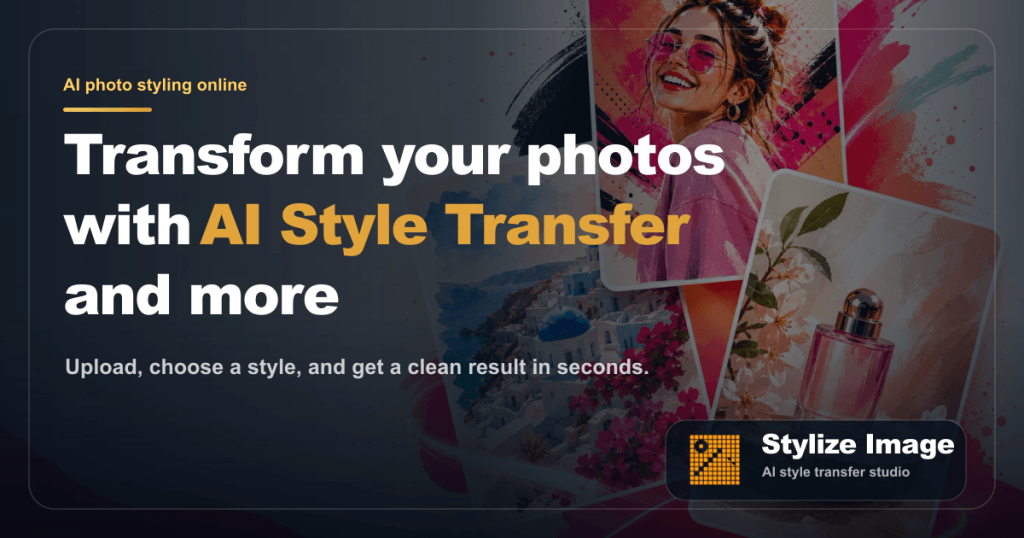
Stylize Image Review (2026): Pricing, Features & Honest Verdict
TLDR
Stylize Image is a browser-based AI photo style-transfer tool that turns any photo into one of 50+ art styles while keeping the original face and pose. It is fast, clean, and beginner-friendly, with handy extras like colorization and 4x upscaling. Best for: non-designers who want quick stylized photos. Price: Free plan yes, paid pricing not yet published. Rating: 8.4/10.
What is Stylize Image?
Stylize Image is an AI photo editor that runs entirely in your browser. You upload a photo, choose a style from a preset library or type your own prompt, and it returns a stylized HD version in seconds. Unlike a text-to-image generator that draws everything from nothing, it works as a style-transfer tool: it keeps the subject’s face, pose, edges, and composition intact and just repaints the look. That makes it well suited to portraits, product shots, and old family photos.
The tool sits in the design and creative category, aimed squarely at people who are not designers. There is no named company or founder on the site, and the footer still references the TanStack template it was built on, which tells you this is an early-stage launch. We dug into the product and found it functional and genuinely useful, even if the surrounding business details are thin. The core promise, one-click stylized images without design skills, holds up.
Why does a tool like this matter now? The market is split between heavyweight generators like Midjourney that demand prompt skill and full editors like Photoshop that demand technical skill. Stylize Image targets the gap in the middle: ordinary people who have a photo and want it to look like art in one click. AI style transfer has gotten good enough that the result no longer looks like a cheap filter, and that is the wave this product is riding. It is consumer-grade by design, and that focus is its main strength.
What Are Stylize Image’s Key Features?
50+ style presets
The headline feature is a library of more than 50 ready-made styles. You get watercolor portrait, comic ink, cinematic grade, anime, neon, pixel art, noir, pop art, clay, retro print, and cyberpunk, among others. Each one is a single click. For a casual user, this removes the prompt-engineering learning curve that tools like Midjourney demand. You can also type a custom prompt when a preset is not close enough.
Identity-preserving style transfer
This is the feature that separates Stylize Image from a generic image generator. When you stylize a portrait, the same face and pose carry across every style tile. Upload one headshot and you can preview a whole grid of looks built on that exact person. That consistency matters for anyone making a themed set of profile pictures or a branded content series. Most generic AI filters drift: the face shifts, the expression changes, the person stops looking like themselves. Stylize Image holds the likeness steady, which is exactly what you want when the photo is of a real person who needs to be recognizable. We tested this with a single portrait and the same individual came through clearly across the watercolor, comic, and cinematic presets.
Photo colorization and restoration
It restores and colorizes black-and-white photos. Upload an old family scan and it adds plausible color while keeping the original detail. This is a popular use case for casual users and a real reason to keep the tool bookmarked even if you do not need art styles every day.
Utility suite: background removal, upscaling, batch
Beyond styling, you get background removal, 4x image upscaling, and batch processing so you can run a whole catalog through the same look at once. Paid users get HD, watermark-free downloads. The batch feature is the most useful here for e-commerce sellers who want consistent product imagery. Background removal alone replaces a separate subscription for many casual users, and the 4x upscaler is handy when you need a small social-media image blown up for print. Bundling these into the same browser tab is the kind of all-in-one convenience that keeps people from juggling three separate apps.
In-browser, no-install workflow
Everything runs in the browser. There is nothing to install, no desktop app, and no account hoops just to try a style. That lowers the barrier for the exact audience this tool wants: people who would never open a professional editor. It also means the workflow is private and quick. Upload, click a style, download. We found the round trip fast enough that experimenting across a dozen presets did not feel like a chore.
How Much Does Stylize Image Cost?
Stylize Image starts free. The free tier lets you upload photos and try multiple style presets in the browser, which is enough to evaluate whether the output suits your needs. That is the one pricing fact we can state with confidence.
Here is the honest catch we found when we tested it: the pricing page is an unmodified template. The page title still reads “Pricing, TanStack Template,” and the plans listed there (a “Team” plan, an “Enterprise” plan with “5 team members,” SAML SSO, and a 99.99% SLA) are generic B2B SaaS boilerplate that makes no sense for a consumer image tool. Those numbers are placeholder data, not real prices, so we will not quote them as fact. What is clear is that paid access unlocks HD watermark-free downloads, batch jobs, and priority processing through some form of credit-based plan.
For context, named competitors publish their pricing plainly. Midjourney starts at $10/mo, Fotor’s Pro plan runs around $8.99/mo on annual billing, and TensorPix starts near $5/mo. Until Stylize Image finishes its pricing page, treat it as a free tool with paid extras of unknown cost, and budget accordingly. This is not a dealbreaker for casual use, since the free tier covers most light needs, but it is a real gap for anyone planning to run hundreds of images through it every month. We would want to see the credit cost per HD download spelled out before committing a workflow to it.
One more thing worth saying plainly: a placeholder pricing page usually signals an early launch, not a scam. Plenty of solid indie tools ship before their billing copy is finished. The product working well in the free tier is the thing that earns trust, and that part checks out. We just cannot score the value-for-money equation precisely when half the equation is hidden.
| Plan | Price | Plan Features | Best For |
|---|---|---|---|
| Free | $0 | Upload photos, try multiple style presets, in-browser editing | Casual users and first-time testing |
| Paid | Not published | HD watermark-free downloads, batch jobs, priority processing (pricing page is still a placeholder) | Creators needing volume and HD output |
Who is Stylize Image Best For?
Use Stylize Image if you are a content creator, social media manager, blogger, small e-commerce seller, or casual user who wants attractive stylized photos without learning Photoshop or writing prompts. The preset library and in-browser workflow make it about as low-friction as image styling gets. It is also a quick win for colorizing old photos.
Skip Stylize Image if you are a professional who needs fine manual control over every layer and mask, or if you need to commit a real budget right now and cannot tolerate undisclosed paid pricing. Pros who want deterministic, repeatable output should stay with a dedicated editor.
- Use it if: you want fast one-click style transfer and do not need pro-grade controls.
- Skip it if: you need published pricing before you commit, or you need professional-level manual editing.
Best Stylize Image Alternatives
Midjourney
Midjourney is the heavyweight for AI art, but it generates images from scratch rather than restyling your own photos. It produces stunning results and starts at $10/mo on the Basic plan. Choose Midjourney if you want to create new scenes and concepts; choose Stylize Image if you specifically want to transform photos you already have while keeping the subject intact.
Fotor
Fotor is a broad freemium AI photo editor with style transfer, background removal, and upscaling all in one place. Its Pro plan runs around $8.99/mo on annual billing. Fotor has more total editing features and clearer pricing, so it is the safer pick if you want a mature tool. Stylize Image counters with a tighter, faster preset-first workflow.
TensorPix
TensorPix focuses on AI enhancement and style transfer for both photos and video, starting from around $5/mo on annual plans. It is the better choice if you also work with video clips. For pure photo styling with a big preset library, Stylize Image is the more focused option.
Final Verdict: Is Stylize Image Worth It?
Stylize Image does the hard part well. The style transfer is fast, the presets are varied, and the identity-preserving output is genuinely impressive for a free tool. We found it easy to recommend for casual creators who want good-looking stylized photos without any learning curve, and the bundled colorization, upscaling, and batch tools add real value.
The one warning is the unfinished pricing page. The product earns a high score for what it actually does, but the placeholder plan data means you cannot yet plan around a paid budget. Start on the free tier, judge the output for yourself, and wait for real published pricing before scaling up. For now, it is a strong free tool worth keeping bookmarked.
Stylize Image Pros & Cons
What We Like
- Large library of 50+ ready-made style presets covering watercolor, anime, cinematic, pixel art, and more
- Style transfer preserves the subject's face, pose, and composition instead of redrawing from scratch
- Runs entirely in the browser with no install, plus background removal, 4x upscaling, and colorization built in
- Free tier lets you test multiple styles before paying anything
What Could Be Better
- Pricing page is an unmodified TanStack template, so actual paid plan prices and credit limits are not published
- No named company or founder disclosed, which signals an early-stage launch
- Limited fine manual controls compared to a full editor like Photoshop
Stylize Image FAQ
What is Stylize Image?
Stylize Image is a browser-based AI photo editor that applies artistic styles to your photos. You upload an image, pick from 50+ presets or type a custom prompt, and get a stylized version that keeps the original face and composition. It also colorizes old photos, removes backgrounds, and upscales images 4x.
How much does Stylize Image cost?
There is a free tier that lets you upload photos and try multiple styles. Paid plans exist but the prices are not reliably published yet: the pricing page is still running on an unmodified SaaS template, so the numbers shown there are placeholder data, not real product pricing.
Is Stylize Image worth it?
Yes for casual use right now, because the free tier is genuinely useful and the style results are fast and clean. We would wait for real, published pricing before relying on it for high-volume paid work.
What are the best Stylize Image alternatives?
Midjourney ($10/mo) for from-scratch art generation, Fotor (around $8.99/mo) for a broad freemium AI editor, and TensorPix (from around $5/mo) for video and photo style transfer.
Does Stylize Image offer a free plan?
Yes. The free tier lets you upload photos and try multiple style presets in the browser before upgrading. It is a real free tier, not a time-limited trial.
Who is Stylize Image best for?
It is best for non-designers, content creators, social media managers, e-commerce sellers, and casual users who want fast, attractive stylized images without learning a professional editor.






