Trickle Review (2026): Pricing, Features & Honest Verdict
TLDR
Trickle is an agentic visual canvas for building web apps with AI. Drop images, sketches, or prompts onto a 2D workspace and the AI generates functional, deployed applications with built-in database and hosting. Best for: non-technical founders who think visually. Price: Free (70 daily credits), Pro at $17/month. Rating: 6.6/10
What is Trickle?
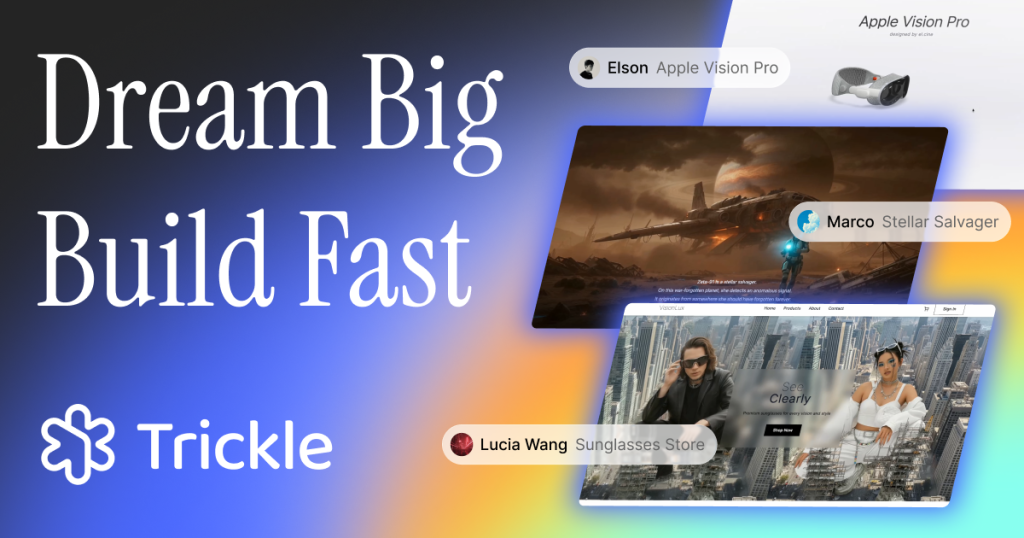
We found Trickle through Product Hunt where it earned #1 Product of the Day on July 23, 2025 with its Magic Canvas launch. Built by a team in Edinburgh (founded 2017, $2.5M funded), Trickle differentiates from other AI app builders by using a visual canvas instead of a chat-only interface. You work on a 2D workspace where you can drag images, sketches, and data sources, and the AI interprets the visual context to build multi-page applications.
Key Features
Agentic Visual Canvas
A 2D workspace where you and the AI collaborate visually. Drag a screenshot of a competitor’s pricing page onto the canvas and tell the AI to build something similar. Import a Figma screenshot or Excalidraw sketch and convert it to a working app. Clone an existing website by pasting its URL. The spatial layout gives the AI more context than a text-only conversation.
Multi-Page Parallel Preview
Preview multiple pages side-by-side on the same canvas. Any page can fork into a new version while all states are tracked visually. This enables fast iteration and easy rollback without losing previous versions. For prototyping, this is significantly faster than linear chat-based builders.
All-in-One Infrastructure
Built-in database (no Supabase needed), hosting with custom domain support, AI models, image and video generation, and design templates. No external services required. Compare this to Lovable, which needs Supabase for database and GitHub for hosting. Trickle handles everything internally.
Agent-Orchestrated Tool Use
The AI autonomously selects and uses internal tools (layout engines, image generators, code editors) based on task requirements, with automatic continuation and error recovery. It decides which tools to invoke rather than following a fixed pipeline.
Pricing
- Free: $0/month. 70 daily credits (up to 350/month), 3 projects, 100 database rows.
- Pro: $17/month (annual billing saves 2 months). 1,500 + 350 free credits/month, unlimited projects, 1,000 database rows, 3 trickle.host domains, 1 custom domain.
- Premium: $42/month. 3,750 + 350 free credits/month, 10,000 database rows, 10 domains, 3 custom domains.
Credit add-ons: +750 for $10, +1,500 for $20. The free tier is genuinely usable with 70 daily credits, which is more generous than most competitors. The $17/month Pro price undercuts Lovable and Bolt.new significantly.
| Plan | Price | Plan Features | Best For |
|---|---|---|---|
| Free | $0 | 70 daily credits, 3 projects, 100 DB rows | Trying the concept |
| Pro | $17/month | 1,850 credits/month, unlimited projects, 1K DB rows | Solo builders |
| Premium | $42/month | 4,100 credits/month, 10K DB rows, 3 custom domains | Active builders and agencies |
Who is Trickle Best For?
Non-technical founders and entrepreneurs who think visually and want to build apps by showing rather than describing. Freelance developers looking for rapid prototyping. Small business owners needing websites quickly. Product managers going from concept to working prototype. Beginners with no coding experience.
Pros
- Visual canvas approach gives AI more context than chat-only builders
- All-in-one infrastructure (database, hosting, AI) with no external services needed
- Generous free tier with 70 daily credits
- Pro at $17/month significantly undercuts Lovable and Bolt.new
Cons
- Output quality trails more established competitors like Lovable for complex apps
- Canvas interface can feel overwhelming for users who prefer linear chat workflows
- Built-in database is limited (100 rows free, 1,000 on Pro) compared to full Supabase
- Smaller community and ecosystem than major competitors
Alternatives
Lovable
Generates production-ready full-stack code with GitHub integration and Supabase for databases. More code-export oriented with cleaner default UI. Requires external services (Supabase, GitHub) but gives more developer control. Better for teams that want to own and customize their code. Trickle is better for complete non-technical users who want everything in one place.
Bolt.new
Tightly integrated with the Next.js and Vercel ecosystem. More developer-focused with strong web app scaffolding. Better for developers who want AI assistance alongside real coding. Trickle is more visual and autonomous, better for people who do not want to touch code at all.
Emergent
The highest-traction vibe coding platform ($50M ARR, 5M+ users). Multi-agent architecture and mobile app support. More established and battle-tested. Trickle’s visual canvas is more innovative but Emergent’s scale and reliability are harder to match.
FAQ
Can I export the code from Trickle?
Trickle focuses on its all-in-one hosting. Code export is limited compared to Lovable or Bolt.new. If owning and deploying your code independently is important, consider those alternatives.
How does the visual canvas compare to chatting with AI?
The canvas lets you show the AI what you want (screenshots, sketches, reference sites) rather than only describing it. This produces more accurate results for visual design but can feel complex for simple text-based requests where a chat would be faster.
Is the built-in database good enough for production?
For simple apps with limited data (1,000-10,000 rows on paid plans), yes. For apps needing complex queries, relationships, or large-scale data, you will outgrow it. There is no migration path to an external database.
Verdict
Trickle’s visual canvas approach is the most innovative concept in the vibe coding space. Showing the AI what you want via screenshots and sketches is more intuitive than typing descriptions for visually-oriented users. The all-in-one infrastructure and competitive pricing ($17/month Pro) are strong differentiators. But the output quality does not yet match more established tools like Lovable, the built-in database has real limitations, and the canvas interface adds complexity that some users will not need. Worth trying if the visual approach resonates with how you think, but set expectations that complex apps may require a more mature platform.
Trickle Pros & Cons
What We Like
- Visual canvas gives AI more context than chat-only builders
- All-in-one infrastructure with no external services needed
- Generous free tier with 70 daily credits
- $17/month Pro significantly undercuts Lovable and Bolt.new
What Could Be Better
- Output quality trails more established competitors for complex apps
- Canvas interface can feel overwhelming for simple requests
- Built-in database has real row limits compared to Supabase
- Smaller community and ecosystem than major competitors
Trickle FAQ
Can I export the code from Trickle?
Code export is limited. Trickle focuses on all-in-one hosting. If code ownership matters, consider Lovable or Bolt.new.
How does the visual canvas compare to chat?
The canvas lets you show what you want via screenshots and sketches. More accurate for design but can feel complex for simple text requests.
Is the built-in database production-ready?
For simple apps with 1K-10K rows, yes. Complex queries and large data need an external database with no migration path.
What is Trickle?
Agentic visual canvas for building web apps with AI. Drop images, sketches, or prompts onto a 2D workspace and the AI builds functional apps with built-in database and hosting.
How much does Trickle cost?
Trickle pricing starts at $17/month. A free plan is available.
Is Trickle worth it?
Trickle visual canvas is the most innovative concept in vibe coding. Showing AI what you want via screenshots is intuitive. All-in-one infra and $17/month pricing are strong. But output quality and database limitations hold it back from replacing more established tools. We rate it 6.6/10.






