Vivago AI Review (2026): Pricing, Features & Honest Verdict
TLDR
Vivago AI is an all-in-one AI image and video generation platform that bundles top models like Sora 2, Veo 3.1, Kling and Seedream under one subscription, plus a community feed and AI agents. Best for: creators who want many models without juggling subscriptions. Price: From $7.9/mo (free plan: yes). Rating: 7.6/10
What is Vivago AI?
Vivago AI is a text-to-image and text-to-video generation platform that acts as an aggregator for the best commercial AI models on the market. Instead of paying separately for OpenAI’s Sora 2, Google’s Veo 3.1, Kling, Seedream and Nano Banana, you access all of them from a single credit-based account. You can generate images, animate stills into video, upscale to 4K, and lean on an intelligent router that auto-picks the right model for your prompt. There is also a public feed where community creations are showcased, remixed and used as templates.
The product is built by Sparking Innovations Limited, with roots in HiDream.ai, a Beijing-based AI research company. Vivago hit a meaningful stride with its 2.0 release in June 2025, adding its AI Agent workflow and expanding the roster of supported models. It matters because the AI video space fragmented fast in 2025 and 2026 — every studio ships its own model with its own quirks, and Vivago’s pitch is to be the single front door to all of them rather than yet another walled garden.
What Are Vivago AI’s Key Features?
Multi-model aggregation
This is the headline. One subscription gets you Sora 2, Veo 3 and 3.1, Kling v2.6 Pro, Seedream v4 and Nano Banana Pro. You pick the model per generation, so you can reach for Veo when you want photoreal footage, Kling when a character must stay consistent across shots, and Seedance or Sora for stylized motion — all without separate logins or billing.
AI Agents and intelligent routing
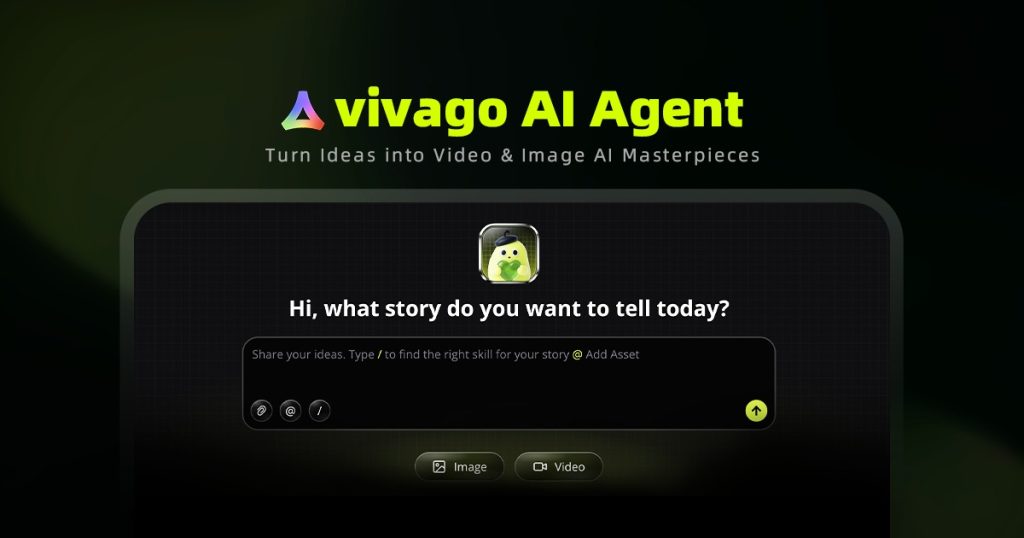
Vivago ships conversational AI Agents that turn a plain-language brief into a finished image or video, auto-selecting the most suitable model behind the scenes. You refine with follow-up messages rather than re-writing prompts from scratch, which lowers the barrier for people who don’t know which model is best for a given task.
Image-to-video and editing tools
Upload any still and Vivago animates it with motion and depth. Alongside generation it bundles a studio with 4K upscaling, enhancement and editing tools, plus lip sync on higher tiers — enough to take a clip from prompt to polished export without leaving the app.
Community feed and templates
The platform surfaces 300+ viral templates and a live feed of real community outputs across models and styles. You can remix what others made, which shortcuts the trial-and-error of prompt engineering and doubles as inspiration.
How Much Does Vivago AI Cost?
Vivago AI runs on a credit-based model with a genuinely usable free tier: daily-reset credits, up to two images per generation, and short 5-second videos, though downloads carry a watermark and content rights are restricted. Paid plans start at $7.9/mo (Basic, billed annually) for 1,000 credits, watermark-free downloads and 8-second videos. Plus is roughly $19.9/mo annually for about 3,800 credits, Lip Sync, 4K upscaling and commercial rights, and Pro is around $59.9/mo for 12,000 credits and 8 concurrent tasks. Month-to-month rates are a touch higher (Basic $6, Plus $20, Pro $60).
Compared to buying models a la carte, this is aggressive value. A standalone Runway plan starts around $15/mo and only gives you Runway’s own models; paying for Sora, Veo and Kling separately would run well past $50/mo combined. Vivago’s whole argument is that $7.9-$20/mo for the same model roster undercuts that math.
| Plan | Price | Plan Features | Best For |
|---|---|---|---|
| Free | $0 | Daily-reset credits, up to 2 images/generation, 5-second videos, watermarked downloads | Testing the platform |
| Basic | $7.9/mo | 1,000 credits, watermark-free, 8-second videos, personal use only | Hobbyists and light users |
| Plus | $19.9/mo | ~3,800 credits, Lip Sync, 4K upscaling, commercial rights | Creators doing paid work |
| Pro | $59.9/mo | 12,000 credits, 8 concurrent tasks, commercial rights | Heavy users and small teams |
Who Is Vivago AI Best For?
Vivago AI is aimed at solo creators, marketers and small teams who want to experiment across multiple AI video and image models without committing to any single vendor’s subscription. It’s especially handy for founders and content marketers producing social clips, ads and product visuals on a budget.
Use Vivago AI if you want access to Sora, Veo and Kling under one bill, you value a free tier to test before paying, or you don’t want to learn the quirks of five separate tools.
Skip Vivago AI if you need deep, professional-grade control over one specific model, enterprise SLAs and support, or guaranteed clean commercial rights on the cheapest tier — Basic is personal-use only, so you’d need Plus or Pro for paid work.
Best Vivago AI Alternatives
Vivago sits in a crowded field. Here are three alternatives worth weighing depending on whether you want an aggregator or a single best-in-class model.
Higgsfield
Higgsfield is another multi-model aggregator giving you Sora, Kling, Veo and Seedance in one place, with a strong focus on cinematic camera controls and motion presets. It’s a close head-to-head with Vivago; pick it if camera direction matters more than a community feed. Pricing starts in a similar $9-$17/mo range.
Runway
Runway is the pro-creator standard, built around its own Gen-series models with mature editing, motion brush and video-to-video tooling. It’s more polished for serious production but locks you to Runway’s models. Plans start around $15/mo.
OpenArt
OpenArt is a free-leaning creative platform that also stitches together Kling, Seedance and Veo for image and video, with heavy emphasis on character consistency and storytelling. A good pick if you want a generous free tier and a large template library. Paid plans start around $10/mo.
Final Verdict: Is Vivago AI Worth It?
Vivago AI nails a real pain point: model fragmentation. If you’ve been tempted by Sora 2, Veo 3.1 and Kling but balked at three separate subscriptions, Vivago’s $7.9-$20/mo bundle is a genuinely smart way to get all of them, plus a free tier that’s good enough to trial the workflow before you spend a cent. The AI Agent and intelligent routing lower the learning curve, and the community feed is a legitimately useful source of templates.
The caveats are the usual aggregator ones: you’re at the mercy of credit consumption (video burns through credits fast), commercial rights require at least the Plus tier, and you won’t get the deepest per-model controls that a dedicated tool like Runway offers. But for creators, marketers and indie founders who want breadth and value over specialist depth, Vivago is an easy recommendation and one of the better-priced ways to touch every major AI video model at once.
Vivago AI Pros & Cons
What We Like
- One subscription unlocks Sora 2, Veo 3.1, Kling, Seedream and Nano Banana
- Genuinely usable free tier with daily credits to test before paying
- AI Agents and intelligent model routing lower the learning curve
- Aggressive pricing that undercuts buying each model separately
- Community feed with 300+ templates you can remix
What Could Be Better
- Video generation burns through credits quickly
- Commercial rights require the Plus tier or higher (Basic is personal-use only)
- Less per-model depth and control than a dedicated tool like Runway
Vivago AI FAQ
What is Vivago AI?
Vivago AI is an all-in-one AI image and video generation platform that aggregates top models like Sora 2, Veo 3.1, Kling and Seedream under a single credit-based subscription, alongside AI agents, editing tools and a community feed.
How much does Vivago AI cost?
Vivago has a free plan with daily-reset credits. Paid plans start at $7.9/mo (Basic, annual) for 1,000 credits, with Plus around $19.9/mo and Pro around $59.9/mo. Month-to-month rates are $6, $20 and $60 respectively.
Is Vivago AI worth it?
Yes, if you want access to multiple premium AI video models without paying for each separately. Its $7.9-$20/mo bundle undercuts buying Sora, Veo and Kling individually, though video burns credits fast and commercial rights need the Plus tier.
What are the best Vivago AI alternatives?
The strongest alternatives are Higgsfield (another multi-model aggregator with cinematic camera controls), Runway (pro-grade single-vendor editing from ~$15/mo), and OpenArt (free-leaning multi-model creative platform from ~$10/mo).
Does Vivago AI offer a free plan?
Yes. The free tier gives daily-reset credits, up to two images per generation and 5-second videos, but downloads are watermarked and content ownership rights are restricted.
Who is Vivago AI best for?
Vivago AI is best for solo creators, marketers and small teams who want to experiment across many AI image and video models without committing to any single vendor's subscription.






