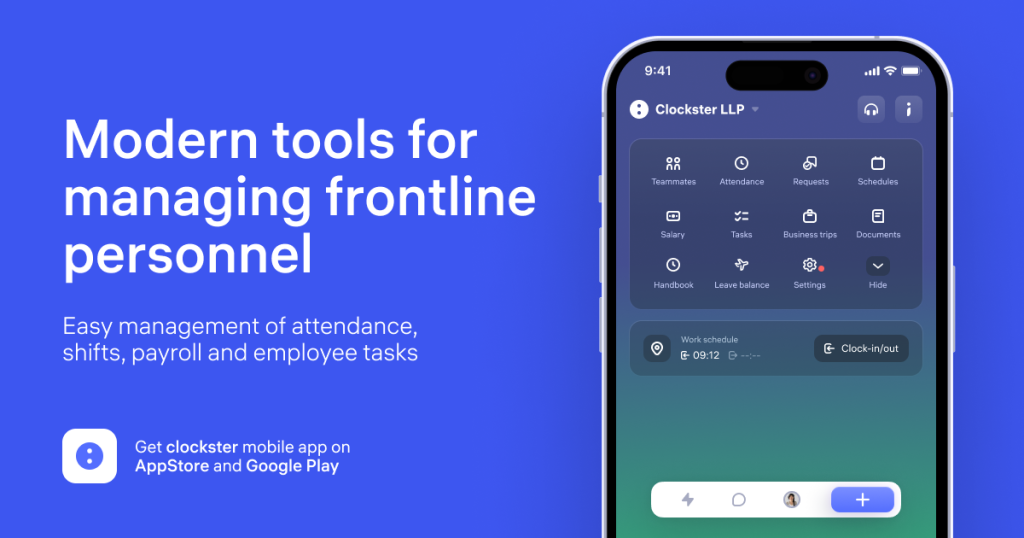
Clockster Review (2026): Pricing, Features & Honest Verdict
TLDR
Clockster is an all-in-one staff management app for restaurants and retail, covering scheduling, attendance, payroll, and team chat in a single platform. It shines for multi-location frontline teams but hides its pricing behind a demo. Best for: F&B and retail chains with hourly staff. Price: Custom (demo required), no free plan. Rating: 7.9/10.
What is Clockster?
Clockster is a workforce management platform built for the messy reality of frontline work: shifts that change daily, staff who clock in from the floor rather than a desk, and payroll that has to account for night hours, overtime, and tips. Instead of bolting a time clock onto a generic HR tool, Clockster consolidates scheduling, attendance, payroll, task checklists, and internal communication into one mobile-first app aimed at food and beverage and retail businesses.
The company, Clockster PTE LTD, has operated since 2018 and is a member of the Astana Hub IT-startup technopark in Central Asia. We dug into its positioning and found it leans into a region that bigger Western tools often ignore, with integrations into 1C and iiko, two systems common in those markets. Clockster reports 1,300+ companies and around 150,000 employees managed through the platform, which tells you it is built to handle large headcounts across many locations rather than a single storefront.
What Are Clockster’s Key Features?
Attendance with anti-fraud controls
Clockster handles clock-ins through the mobile app with geofencing, letting you set a check-in radius anywhere from 50 to 700 meters around a location. For businesses that want a harder stop on buddy-punching, it also integrates with biometric hardware. This combination is the core reason F&B operators pick it over a basic timesheet app: it makes attendance fraud genuinely difficult on a distributed shift-based team.
Shift scheduling and requests
The scheduling tools cover bulk shift management, reusable templates, and employee-submitted shift requests. Managers build rosters across multiple locations, and staff can request swaps or time off from their phones. With over 30 request types, the system tries to capture the full range of frontline asks, from sick leave to schedule changes, without falling back on group chats and spreadsheets.
Payroll automation
Clockster automates payroll calculations including taxes, overtime, and night-hour premiums, then generates payslips. Because attendance and scheduling feed directly into payroll, hours worked flow through without manual re-entry, which is where a lot of restaurant payroll errors come from. The API also pushes data into accounting systems like 1C for downstream processing.
Tasks, checklists, and communication
Beyond time and pay, Clockster adds operational tooling: step-by-step task lists with photo documentation and approval workflows, plus built-in chat, announcements, and polls. For a retail or restaurant manager, this means opening and closing checklists, compliance photos, and team messaging live in the same app the staff already use to clock in. The photo-proof requirement matters in food service, where you need a record that the walk-in was cleaned or the prep was done, not just a checkbox someone tapped from home.
Reporting and integrations
Clockster ships customizable reports plus an API for pushing data into third-party systems. The headline integrations are 1C, the accounting and ERP standard across much of its home region, and iiko, a widely used restaurant management system. That pairing is telling: Clockster is not trying to be a generic global time clock. It is built to slot into the back-office stack that F&B operators in its core markets already run, so payroll and labor data flow into accounting without manual exports. Role-based permissions and a full employee database round out the admin side, giving managers control over who sees what.
How Much Does Clockster Cost?
Clockster does not publish pricing. The site has no pricing page, only a “Request a demo” button that routes to a contact form, so the cost is custom and quoted after a sales conversation based on your headcount and number of locations. That is normal for tools targeting larger frontline teams, but it does mean you cannot self-serve or compare a sticker price before talking to someone.
For context, the named alternatives are transparent. Homebase starts free for a single location and runs to roughly $20 per location per month for paid tiers. Deputy starts around $4.50 per user per month for scheduling. 7shifts, the closest restaurant-focused competitor, starts at $34.99 per location per month. Clockster’s all-in-one bundle (scheduling plus payroll plus chat) could justify a higher per-location number than a scheduling-only tool, but without published rates you are buying on trust until the demo.
If predictable, public pricing matters to you, that is a real friction point. If you are a mid-size or large operator already used to negotiated SaaS contracts, the demo model will feel familiar. One practical upside of custom quotes: an all-in-one tool that replaces three or four separate subscriptions can come out cheaper in total than the sum of its parts, even if the single line item looks bigger. The only way to confirm that for your headcount is to run the numbers against what you currently pay for a scheduling app, a time clock, and a payroll add-on.
| Plan | Price | Plan Features | Best For |
|---|---|---|---|
| Custom | Contact sales | Scheduling, attendance, payroll, chat, tasks for unlimited locations | Restaurants and retail chains |
Who is Clockster Best For?
Use Clockster if you run a restaurant group, cafe chain, or multi-store retail operation with hourly frontline staff and you are tired of paying for separate scheduling, time-clock, and payroll tools. The geofencing and biometric attendance controls, the F&B-specific payroll logic, and the 1C and iiko integrations make it a natural fit for that profile, especially in markets where those systems are standard.
Skip Clockster if you are a single small location that just needs a free time clock, or if public, self-serve pricing is a dealbreaker. A solo cafe will find the feature set heavier than necessary, and a team that wants to sign up and start today without a sales call will be frustrated by the demo gate. It is also worth checking integration coverage before you commit: Clockster’s strength is the 1C and iiko ecosystem, so if your back office runs on a different accounting or POS stack, confirm during the demo that the data flows you need are actually supported rather than assuming parity with a global tool.
The sweet spot is a growing chain in the 50 to several-thousand employee range that has outgrown spreadsheets and group chats but does not want to assemble a stack from three separate vendors. That is exactly the profile Clockster’s numbers (1,300+ companies, 150,000 employees) suggest it serves well.
Best Clockster Alternatives
Homebase
Homebase is the obvious starting point for small US-based teams because it is free for a single location, covering scheduling, time tracking, and basic team messaging. Paid plans run to about $20 per location per month and add hiring tools and HR features. It is less specialized in payroll automation than Clockster but far easier to try, with no demo required and transparent pricing from day one.
Deputy
Deputy is the more enterprise-grade scheduling and attendance platform, starting around $4.50 per user per month for scheduling and scaling up with time-and-attendance add-ons. It has a deeper integration ecosystem and a global footprint, making it a strong pick for larger or more complex operations. It is stronger on scheduling polish but does not bundle payroll as tightly as Clockster does.
7shifts
7shifts is the restaurant specialist, with a free tier for one location and paid plans from $34.99 per location per month. It is laser-focused on restaurant scheduling, labor cost forecasting, and tip management. If your business is purely restaurants and you want the most restaurant-native tool with public pricing, 7shifts is the closest competitor to Clockster’s core use case.
Final Verdict: Is Clockster Worth It?
Clockster earns a 7.9 because it does the hard thing well: it folds scheduling, attendance, payroll, tasks, and communication into one app that frontline staff actually use, with anti-fraud attendance controls and F&B-specific payroll that generic tools miss. For a multi-location restaurant or retail operator, that consolidation is genuinely valuable, and the 1C and iiko integrations make it especially compelling in its home markets.
The drag on the score is the hidden pricing and thinner English-language presence. You cannot compare cost without a demo, and there are fewer independent reviews than for Homebase or Deputy, which makes due diligence harder if you are outside its core markets. The product itself is strong; the buying experience is the part that asks for patience.
If you fit the multi-location frontline profile, book the demo and let the all-in-one bundle make its case, then weigh the quote against the combined cost of the separate tools it would replace. If you are a single small shop or you refuse to buy software without a public price, start with Homebase or 7shifts instead, both of which let you sign up and start scheduling the same day. For everyone in between, Clockster is a credible, feature-rich option worth shortlisting.
Clockster Pros & Cons
What We Like
- Combines scheduling, attendance, payroll, and communication in a single app, so you replace several point tools
- Geofencing (50 to 700 meter radius) plus biometric hardware support cuts buddy-punching and attendance fraud
- Built specifically for F&B and retail, with integrations into 1C and iiko that generic time clocks lack
- Scales to large multi-location teams; the company reports 1,300+ companies and 150,000 employees managed
What Could Be Better
- No public pricing at all; you must request a demo before you can compare cost against alternatives
- Regional roots in Central Asia mean fewer English-language reviews and a thinner support footprint outside its home markets
- Feature breadth can feel heavy for a single cafe or small shop that only needs a basic time clock
Clockster FAQ
What is Clockster?
Clockster is an all-in-one staff management app for food and beverage and retail businesses. It handles shift scheduling, attendance tracking, payroll automation, task checklists, and team communication in one platform.
How much does Clockster cost?
Clockster does not publish pricing. You request a demo through the contact form and the team quotes a custom price based on your headcount and locations. Expect a tier scaled to mid-size and large frontline teams.
Is Clockster worth it?
If you run multiple restaurant or retail locations and currently juggle separate tools for scheduling, attendance, and payroll, Clockster is worth a demo. A single cafe will find it heavier than it needs.
What are the best Clockster alternatives?
Homebase is the free-to-start scheduling and time clock leader, Deputy is the enterprise-grade scheduling platform from $4.50 per user per month, and 7shifts is the restaurant-specialist from $34.99 per location per month.
Does Clockster offer a free plan?
No verified free plan is advertised. Clockster works on a demo-and-quote model, so there is no public free tier or self-serve trial listed on the site.
Who is Clockster best for?
Clockster is best for F&B and retail operators running hourly frontline staff across several locations who want scheduling, attendance, payroll, and chat in one app rather than stitched together from separate tools.






