Deno Review (2026): Pricing, Features & Honest Verdict
TLDR
Deno is a secure, modern JavaScript and TypeScript runtime created by Node.js founder Ryan Dahl. It ships with a built-in formatter, linter, test runner, and Deno Deploy for serverless hosting. Best for: developers who value security and modern web standards. Price: free (open source), Deploy free up to 100K requests/day. Rating: 7.9/10
What is Deno?
Deno is a JavaScript and TypeScript runtime built by Ryan Dahl, the creator of Node.js, as a response to design decisions he regretted in Node. Announced in 2018 and reaching 1.0 in 2020, Deno takes a fundamentally different approach: security by default, TypeScript as a first-class citizen, and alignment with web platform standards rather than inventing new APIs.
Where Node.js gives scripts unrestricted access to your filesystem, network, and environment variables, Deno sandboxes everything. A script cannot read files, make network requests, or access environment variables unless you explicitly grant permission. This is a meaningful security improvement for running third-party code or building tools that handle sensitive data.
Since Deno 2.0 (released in late 2024), the project has embraced npm compatibility. You can now import npm packages directly, use package.json, and work with node_modules. This resolved the biggest adoption barrier. Deno also offers Deno Deploy, a serverless edge hosting platform with generous free tier, and the Fresh web framework for building server-rendered applications.
Key Features
Security-First Permissions
Every capability in Deno requires an explicit permission flag. Want to read files? Pass –allow-read. Need network access? Use –allow-net. This granular permission model means a malicious dependency cannot silently exfiltrate data or modify your filesystem. You can even scope permissions to specific paths or domains, giving you fine-grained control over what code can do.
TypeScript Without Configuration
Deno runs TypeScript natively. There is no tsconfig.json to set up, no compilation step, and no separate tooling. You write .ts files and run them. The type checker is built into the runtime, so you get the safety of TypeScript with zero configuration overhead. This makes Deno one of the simplest ways to write and run TypeScript code.
Built-in Developer Tools
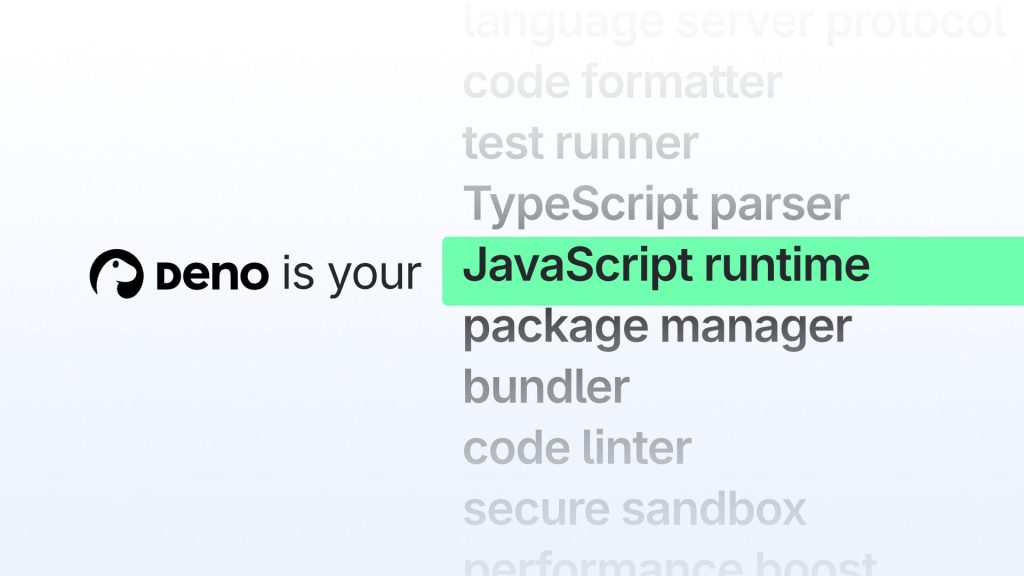
Deno includes a formatter (deno fmt), a linter (deno lint), a test runner (deno test), a documentation generator (deno doc), and a dependency inspector (deno info). These tools follow consistent conventions and work without any third-party packages. For teams that want a standardized toolchain, Deno provides it out of the box.
Web Standard APIs
Instead of inventing custom APIs, Deno implements web platform standards wherever possible. It supports fetch, Request, Response, Web Streams, Web Workers, URL, TextEncoder/TextDecoder, and many other browser APIs. Code written for Deno is often portable to browsers and edge runtimes like Cloudflare Workers without modification.
npm Compatibility (Deno 2.0+)
Since Deno 2.0, you can use npm packages directly with npm: specifiers or through a standard package.json. This means the entire npm ecosystem is available without sacrificing Deno’s other benefits. The transition removed the biggest objection to Deno adoption. You no longer have to choose between Deno’s features and npm’s ecosystem.
Deno Deploy
Deno Deploy is a serverless edge hosting platform optimized for Deno applications. It runs your code on the edge across 35+ regions with near-instant deployments from GitHub. The free tier includes 100,000 requests per day, which is generous for side projects, APIs, and early-stage products. It pairs naturally with the Fresh framework for full-stack web applications.
Pricing
The Deno runtime is free and open source under the MIT license. Deno Deploy offers a free tier with 100,000 requests per day and 100 GiB bandwidth per month. The Pro plan costs $20/month and includes 5 million requests and 100 GiB bandwidth. For higher volume, custom Enterprise pricing is available.
Pros
- Security-first permissions model prevents supply chain attacks
- Native TypeScript execution with zero configuration
- Comprehensive built-in toolchain (formatter, linter, test runner)
- Web standard APIs make code portable across platforms
- npm compatibility since 2.0 eliminates the ecosystem gap
- Deno Deploy free tier is generous for small projects
- Created by the Node.js founder with lessons learned
Cons
- Smaller community and fewer tutorials compared to Node.js
- Some npm packages with native addons may not work perfectly
- Fresh framework is less mature than Next.js or Remix
- Deno Deploy has fewer features than AWS Lambda or Cloudflare Workers
- Permission flags can be verbose for complex applications
| Plan | Price | Plan Features | Best For |
|---|---|---|---|
| Open Source Runtime | Free | Full runtime, formatter, linter, test runner. MIT license. | All developers |
| Deploy Free | Free | 100K requests/day, 100 GiB bandwidth/month | Side projects and prototypes |
| Deploy Pro | $20/mo | 5M requests/month, 100 GiB bandwidth | Production applications |
Who is Deno Best For?
Deno is ideal for developers who care about security, simplicity, and modern JavaScript standards. If you are building APIs, serverless functions, or CLI tools and want a runtime that does not require configuring a dozen separate tools, Deno delivers a clean developer experience. Solo developers and small teams benefit most from the integrated toolchain since it eliminates the configuration overhead that larger teams absorb more easily.
Security-conscious teams working with sensitive data or running untrusted code should seriously consider Deno. The permissions model is not just a nice feature. It is a genuine security improvement that no other major JavaScript runtime offers. Projects targeting edge deployment pair well with Deno Deploy.
Deno vs Node.js
Node.js has a vastly larger ecosystem, more battle-tested production patterns, and universal hosting support. Deno offers better security defaults, a more integrated toolchain, and native TypeScript. Since Deno 2.0 added npm compatibility, the ecosystem gap has narrowed significantly. For new projects where security and developer experience matter more than ecosystem breadth, Deno is a strong choice. For large existing codebases, Node.js is still the pragmatic default.
Alternatives
Node.js
The most widely used JavaScript runtime with the largest ecosystem and universal deployment support. Node.js requires assembling your own toolchain from separate packages, but its maturity, stability, and community resources are unmatched. The default choice for most JavaScript server-side development.
Bun
An all-in-one JavaScript runtime focused on raw speed. Bun replaces Node.js, npm, webpack, and Jest with a single binary built in Zig. It is dramatically faster than both Node and Deno for package installs, startup time, and bundling. Choose Bun when performance is the top priority.
Cloudflare Workers
A serverless edge runtime that runs JavaScript and TypeScript at Cloudflare’s global network edge. Workers offer zero cold starts, a generous free tier, and tight integration with Cloudflare’s CDN, KV storage, and R2 object storage. Best for edge-first applications and API proxies.
Verdict
Deno has matured into a genuinely compelling runtime. The security model is unique and meaningful, the built-in tooling eliminates setup friction, and Deno 2.0’s npm compatibility removed the biggest adoption barrier. It is not trying to be the fastest runtime (Bun takes that crown) but rather the most thoughtful one.
The main limitation is momentum. Node.js has an enormous head start in documentation, tutorials, hosting support, and community knowledge. Deno’s ecosystem is growing but still smaller. If you are starting a new project and value security, clean design, and an integrated toolchain, Deno at 7.9/10 is an excellent choice that keeps getting better with each release.
FAQ
Can Deno run npm packages?
Yes, since Deno 2.0. You can use npm: specifiers in import statements or use a standard package.json with node_modules. Most npm packages work without modification, though packages with native C++ addons may have compatibility issues.
Is Deno faster than Node.js?
It depends on the workload. Deno and Node.js perform similarly for most tasks since both use optimized JavaScript engines. Deno’s startup time is slightly faster for simple scripts. For raw throughput, benchmarks vary. Bun is generally the fastest of the three for most operations.
What is Fresh framework?
Fresh is Deno’s official web framework for building server-rendered applications. It uses islands architecture (similar to Astro) where most content is server-rendered and only interactive components ship JavaScript to the client. It deploys natively on Deno Deploy.
Deno Pros & Cons
What We Like
- Security-first permissions model prevents supply chain attacks
- Native TypeScript execution with zero configuration
- Comprehensive built-in toolchain
- Web standard APIs for portable code
- npm compatibility since 2.0
- Generous Deno Deploy free tier
- Created by Node.js founder with lessons learned
What Could Be Better
- Smaller community and fewer tutorials than Node.js
- Some npm packages with native addons may not work
- Fresh framework less mature than Next.js or Remix
- Deno Deploy has fewer features than AWS Lambda
- Permission flags can be verbose for complex apps
Deno FAQ
Can Deno run npm packages?
Yes, since Deno 2.0. You can use npm: specifiers or a standard package.json. Most npm packages work without modification.
Is Deno faster than Node.js?
Performance is similar for most workloads. Deno has slightly faster startup for simple scripts. Bun is generally the fastest of the three.
What is Fresh framework?
Fresh is Deno's official web framework using islands architecture for server-rendered apps. It deploys natively on Deno Deploy.
How much does Deno cost?
Deno pricing starts at Free (open source). A free plan is available.
Is Deno worth it?
Deno delivers a security-first, thoughtfully designed runtime with an integrated toolchain. npm compatibility since 2.0 closes the ecosystem gap, making it a genuine Node.js alternative. We rate it 7.9/10.
What are the best Deno alternatives?
The top Deno alternatives are Node.js, Bun and Cloudflare Workers. Each is compared in the alternatives section of this review.






