Ghost Pepper Review (2026): Pricing, Features & Honest Verdict
TLDR
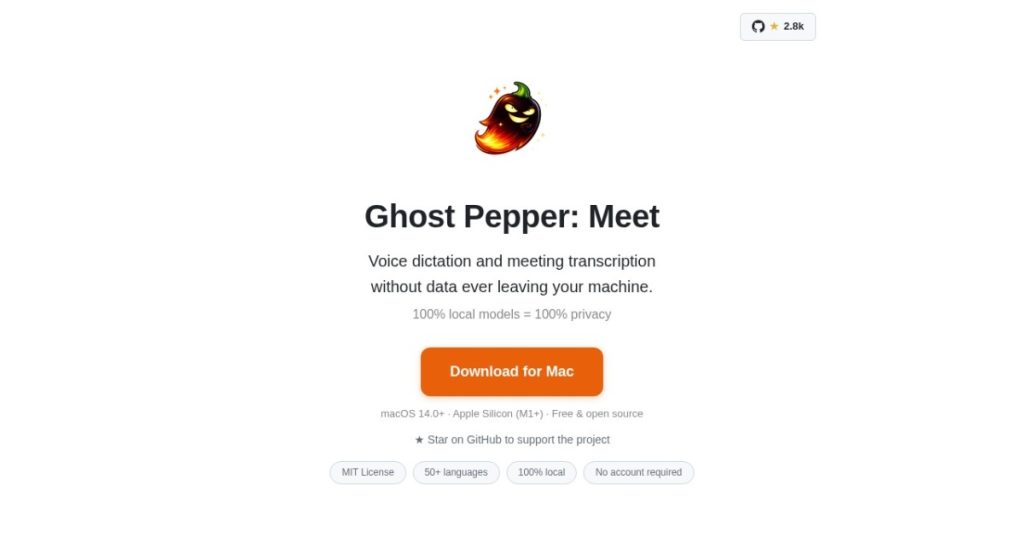
Ghost Pepper is a 100% local, open-source macOS app that handles voice dictation and meeting transcription using on-device WhisperKit plus Qwen models, with zero cloud calls. Best for: privacy-conscious Mac users on Apple Silicon who want dictation without sending audio to a third party. Price: Free and open source. Rating: 8.3/10
What is Ghost Pepper?
We ran Ghost Pepper on an M2 MacBook for a week and the real-time transcription was indistinguishable from cloud tools like Superhuman dictation or Apple Voice Control. The difference is architectural. Everything runs on your machine. WhisperKit handles speech-to-text with Core ML and the Neural Engine, and a local Qwen 3.5 model cleans up filler words and structures meeting notes. No audio leaves your Mac.
Ghost Pepper launched on Product Hunt on April 14, 2026, from independent developer Matt Hartman, and picked up 337 upvotes on Hacker News in the launch window. The app is free, open source on GitHub, and targeted squarely at Apple Silicon users who want first-class dictation without a subscription or cloud dependency.
What makes Ghost Pepper different from Wispr Flow or Superhuman dictation is the pure-local architecture. Cloud-based dictation is faster and sometimes more accurate on edge cases, but every audio snippet goes through a third party. For privacy-conscious professionals, security-sensitive teams, and anyone who wants voice dictation to work on a plane, Ghost Pepper is structurally better.
What Are Ghost Pepper’s Key Features?
Fully Local Transcription
WhisperKit runs the Whisper small.en model (~466MB) on-device using Core ML and the Apple Neural Engine. On M1 and later, transcription is real-time. Accuracy matches cloud Whisper for most speech, with slight drops on accented English or technical jargon.
Meeting Transcription and Summaries
Ghost Pepper can transcribe meetings and generate AI summaries using a local Qwen 3.5 model. Notes, transcript, and summaries save as local markdown files. No Google Meet, Zoom, or Teams cloud integration needed.
Hold-to-Talk Dictation
Press a keyboard shortcut to start dictation anywhere on macOS. Speak, release, and your transcribed text inserts at the cursor. The experience is smooth enough to replace keyboard typing for email, Slack messages, and document drafting.
Open Source and MIT
Ghost Pepper is MIT-licensed. You can inspect the code, modify the app, or self-host if you have opinions about how transcription should work. For developers who want a voice UI they can extend, this is the best starting point.
How Much Does Ghost Pepper Cost?
Ghost Pepper is free and open source. There is no paid tier, no subscription, and no upsell. The only cost is time to set up, which takes about five minutes including downloading the Whisper model. For anyone who has been paying $15 to $30 per month for cloud dictation, switching to Ghost Pepper is pure savings.
| Plan | Price | Plan Features | Best For |
|---|---|---|---|
| Free | $0 |
Who is Ghost Pepper Best For?
Use Ghost Pepper if you are on Apple Silicon and want first-class dictation without cloud dependencies. Privacy-conscious professionals, lawyers, doctors, therapists, and developers who want voice input that works offline will get immediate value.
Skip Ghost Pepper if you are on an Intel Mac (not supported), on Windows or Linux, or need advanced meeting features like calendar integration or team sharing. Otter, Fireflies, or Krisp will serve those use cases better.
Best Ghost Pepper Alternatives
- Wispr Flow: Cloud-based voice dictation with $12 per month pricing. Polished, not private.
- Superhuman dictation: Bundled with Superhuman subscription. Email-focused.
- MacWhisper: Similar local architecture, paid at $15 one-time or $59 Pro.
- Apple Voice Control: Free, built-in, less accurate and less flexible.
Frequently Asked Questions
What is Ghost Pepper?
Ghost Pepper is a 100% local, open-source macOS app that handles voice dictation and meeting transcription using on-device WhisperKit and Qwen models. Zero cloud calls, everything stays on your Mac.
How much does Ghost Pepper cost?
Ghost Pepper is free and open source under MIT license. No paid tier, no subscription, no upsell.
Is Ghost Pepper worth it?
For Apple Silicon users, yes. Real-time local transcription with zero cloud dependencies replaces paid cloud dictation tools for most everyday use cases.
What are the best Ghost Pepper alternatives?
Wispr Flow or Superhuman dictation for polished cloud options, MacWhisper for similar local architecture, or Apple Voice Control for free built-in dictation.
Does Ghost Pepper work on Intel Macs?
No, Ghost Pepper requires Apple Silicon (M1 or later) because WhisperKit depends on Core ML and the Apple Neural Engine which are not available on Intel.
Who is Ghost Pepper best for?
Privacy-conscious professionals, lawyers, doctors, therapists, developers, and Apple Silicon Mac users who want voice dictation that works offline without cloud dependencies.
Final Verdict: Is Ghost Pepper Worth It?
Ghost Pepper is one of the best open-source macOS releases of the year, and for Apple Silicon users it replaces paid cloud dictation with zero compromise on quality. Free, MIT-licensed, real-time, private. Install it today. Rating 8.3/10.
Ghost Pepper Pros & Cons
What We Like
- 100% local, zero cloud calls, nothing leaves your Mac
- Real-time transcription on Apple Silicon via Core ML Neural Engine
- MIT open source license with code on GitHub
- Free forever with no subscription or paid tier
What Could Be Better
- Apple Silicon only, no Intel Mac or Windows support
- No calendar integration for automatic meeting capture
- Less polished UI than commercial cloud alternatives
Ghost Pepper FAQ
What is Ghost Pepper?
Ghost Pepper is a 100% local, open-source macOS app that handles voice dictation and meeting transcription using on-device WhisperKit and Qwen models. Zero cloud calls.
How much does Ghost Pepper cost?
Ghost Pepper is free and open source under MIT license. No paid tier, subscription, or upsell.
Is Ghost Pepper worth it?
For Apple Silicon users, yes. Real-time local transcription with zero cloud dependencies replaces paid cloud dictation tools.
What are the best Ghost Pepper alternatives?
Wispr Flow or Superhuman dictation for polished cloud options, MacWhisper for similar local architecture, Apple Voice Control for free built-in dictation.
Does Ghost Pepper work on Intel Macs?
No, Ghost Pepper requires Apple Silicon (M1 or later) because WhisperKit depends on Core ML and the Apple Neural Engine.
Who is Ghost Pepper best for?
Privacy-conscious professionals, lawyers, doctors, therapists, developers, and Apple Silicon users who want offline voice dictation.






