Instruct Review (2026): Pricing, Features & Honest Verdict
TLDR
Instruct replaces rigid workflow builders with AI agents that automate tasks from natural language prompts. Watch agents work in real-time and fix problems on the spot. Best for: non-technical teams wanting smarter automation. Price: free plan available, paid pricing not public. Rating: 7.4/10
What is Instruct?
We spotted Instruct when it hit #1 on Product Hunt in October 2025 with 746 upvotes. Built by Matt Falconer (former Automation Anywhere sales engineer) and Alfie Ranstead (who won hackathons at both Anthropic and Meta), Instruct takes a fundamentally different approach to automation.
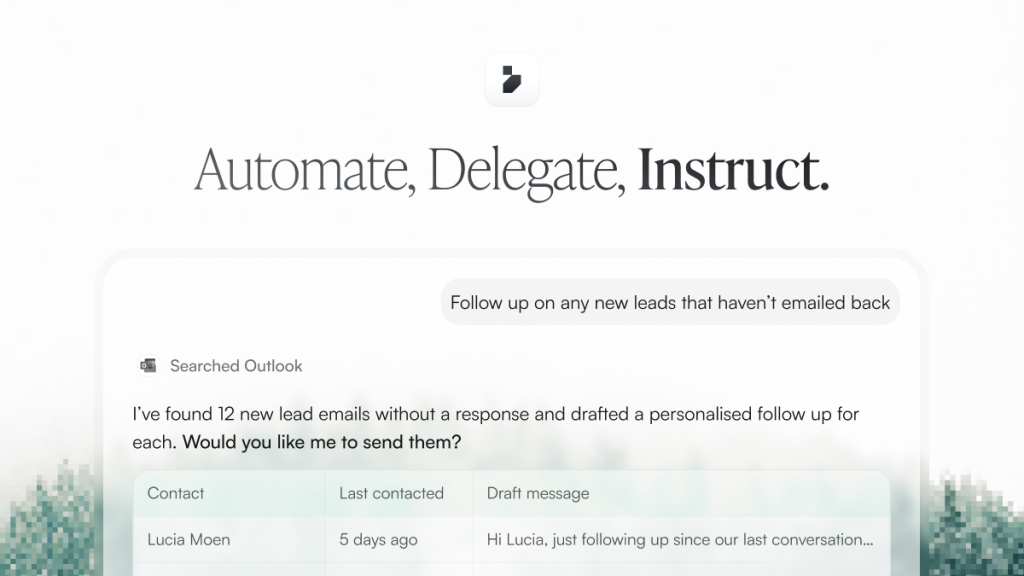
Instead of building workflows with triggers, conditions, and actions like Zapier or Make, you tell Instruct what you want in plain English. “Send a follow-up email to everyone who attended yesterday meeting” or “Research these 50 companies and add the results to my spreadsheet.” AI agents handle the execution.
The London-based company raised $3.4M from Lakestar and Creandum in 2024. Both founders were under 25 at the time.
| Plan | Price | Plan Features | Best For |
|---|---|---|---|
| Free | $0 | Basic automations, limited usage | Testing and personal use |
| Paid | Not public | Higher usage, priority processing | Teams with regular automation needs |
| Enterprise | Custom | Custom integrations, compliance, SLA | Large organizations |
What Instruct Gets Right
Automation Without the Building
The core promise is compelling. Traditional automation tools require you to understand triggers, conditions, data mapping, and API connections. Instruct removes all of that. Type what you want, and the agent figures out which apps to connect, what data to pull, and how to complete the task. For non-technical teams, this eliminates the biggest barrier to automation.
Real-Time Observability Is Smart
Version 2.5 introduced the ability to watch agents work step by step. You see what the agent is doing, why it made a decision, and can intervene if it goes off track. This solves the trust problem that plagues AI automation. Instead of submitting a task and hoping for the best, you can course-correct in real time and save successful patterns as reusable workflows.
Multi-Modal Output
Instruct does not just move data between apps. It generates content: videos, audio files, images, slide decks, and documents. A single prompt like “Create a weekly report from my sales data and email it to the team” can produce the document, format it, and send it. This goes beyond what traditional automation tools offer.
The Free Plan Lets You Actually Test It
Unlike tools that gate everything behind a trial, Instruct has a permanent free plan. You can build and run automations to understand the experience before committing to paid. Given how different the AI agent approach feels from traditional workflow builders, this is important.
Where Instruct Falls Short
Hidden Pricing Is a Red Flag
Paid plan pricing is not on the website. You need to log in or contact sales. For a product positioning itself as accessible to everyone, hiding the cost creates unnecessary friction. Competitors like Zapier, Make, and n8n all publish pricing openly. If you cannot tell a potential customer what it costs before they sign up, something is off.
Limited Integration Library
Instruct connects to Gmail, Google Calendar, LinkedIn, HubSpot, and a handful of other apps. Zapier has 8,000+ integrations. Make has 1,500+. If your workflow involves niche tools or specific CRM systems, Instruct might not support them yet.
AI Agents Are Not Always Reliable
The flexibility that makes AI agents powerful also makes them unpredictable. An agent might interpret your prompt differently than intended, use the wrong data source, or take an inefficient path. The real-time observability helps, but it also means you are babysitting automations that traditional tools would handle reliably every time.
Very Early Stage
Founded in 2022 with $3.4M in funding and 11-50 employees. The product works, but long-term reliability, uptime guarantees, and feature completeness are still being established. Building critical business processes on a seed-stage startup carries risk.
Instruct Pricing Breakdown
The free plan exists and allows basic automations. Beyond that, pricing is not publicly available. The website directs users to contact their team for custom solutions. This suggests a sales-led model for paid tiers, which typically means pricing adapts based on usage volume and team size.
For budget planning purposes, similar AI automation tools charge $20-100/month for individual plans and $200-500+ for team plans. But without confirmed numbers from Instruct, this is speculation.
Who Should Use Instruct
Non-technical teams that struggle with traditional workflow builders will find the most value here. If building a Zapier workflow feels intimidating, Instruct removes that complexity entirely. Sales teams, recruiters, and operations managers who want to automate repetitive tasks without learning automation concepts are the ideal users.
If you need reliable, predictable automations with specific triggers and conditions, stick with Zapier or Make. Their deterministic approach is better for critical business processes.
Alternatives
Zapier
The market leader in workflow automation with 8,000+ integrations. Zapier uses traditional trigger-action logic that is predictable and reliable. Less intelligent than Instruct but far more mature, with transparent pricing starting at $19.99/month. Best for teams that need proven reliability over AI flexibility.
Make
Visual workflow builder with 1,500+ integrations and powerful data transformation capabilities. More complex than Zapier but more flexible. Pricing starts at $9/month. Best for technical users who want granular control over their automations.
n8n
Open-source workflow automation that you can self-host for free. Growing AI capabilities with 400+ integrations. Best for developer teams that want full control over their automation infrastructure without vendor lock-in.
The Bottom Line
Instruct represents the future direction of automation: AI agents that understand goals rather than following rigid rules. The real-time observability and natural language interface are genuinely innovative. But hidden pricing, limited integrations, and the inherent unpredictability of AI agents hold it back. Worth trying on the free plan to see if the agent approach fits your workflow, but do not abandon your existing automation tools just yet.
Instruct Pros & Cons
What We Like
- True natural language automation: describe what you want and agents figure out how
- Real-time agent observability lets you watch, intervene, and refine tasks as they run
- Multi-modal output including video, audio, images, and document generation
- Free plan available to test the core experience
What Could Be Better
- Paid pricing is completely hidden behind login, making budget planning impossible
- Limited integrations compared to Zapier (8,000+) or Make (1,500+)
- Very early stage company (founded 2022, 11-50 employees)
- AI agents can be unpredictable, requiring manual intervention on complex tasks
Instruct FAQ
How is Instruct different from Zapier?
Zapier uses rigid if/then logic where you build step-by-step workflows manually. Instruct uses AI agents that understand natural language, reason about goals, and adapt to changes. You describe what you want done, and the agent figures out how. The trade-off is that agents can be less predictable than fixed workflows.
Does Instruct have a free plan?
Yes. Instruct offers a free plan for basic automations. However, paid plan pricing is not publicly listed. You need to contact their team or log in to see pricing details.
What apps does Instruct integrate with?
Instruct connects to Gmail, Outlook, Google Calendar, LinkedIn, HubSpot, Ashby, Google Drive, Google Sheets, and web search. The integration list is growing but significantly smaller than established tools like Zapier or Make.
What is Instruct?
AI agent platform that turns natural language instructions into automated workflows. No-code automation with human-in-the-loop controls.
How much does Instruct cost?
Instruct pricing starts at $0 (paid plans not public). A free plan is available.
Is Instruct worth it?
Instruct uses AI agents instead of rigid if/then workflows to automate tasks from natural language prompts. Watch agents work in real-time and iterate on the spot. Free plan available but paid pricing is not public. Backed by Lakestar and Creandum with $3.4M raised. Promising but too early to fully evaluate without transparent pricing. We rate it 7.4/10.






