Loom Review (2026): Pricing, Features & Honest Verdict
TLDR
Loom is the async video messaging platform that replaces unnecessary meetings with quick, shareable screen recordings. Acquired by Atlassian for $975M, it integrates deeply with Jira, Confluence, and the Atlassian ecosystem. Best for: remote teams replacing meetings with video messages. Price: free for 25 videos, from $18/user/month. Rating: 7.6/10
What is Loom?
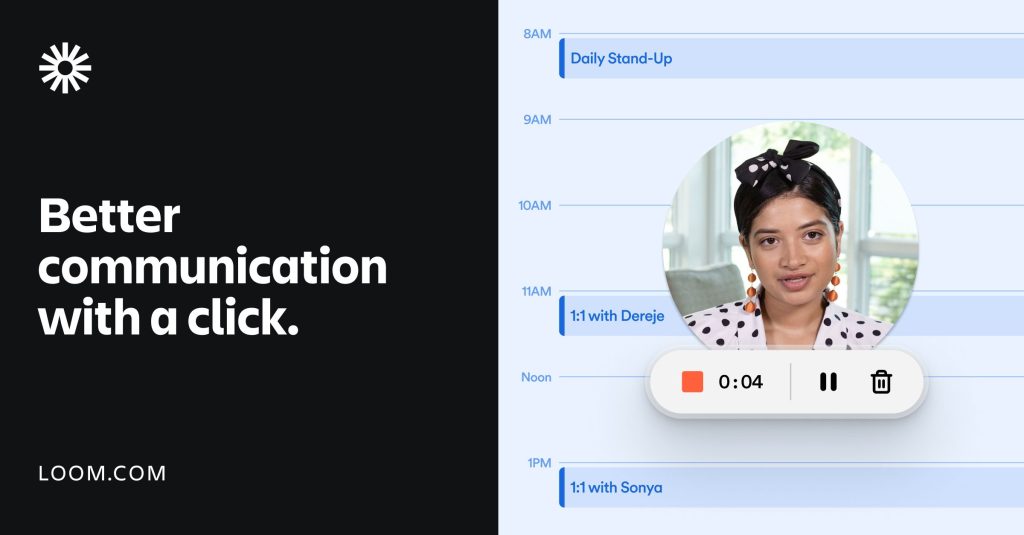
We found Loom while evaluating tools for reducing meeting overload in remote teams. Loom lets you record your screen, camera, or both, then instantly share a link. Recipients watch on their own schedule and respond with comments, reactions, or their own video. Atlassian acquired Loom for $975 million in October 2023, and the product now integrates deeply with Jira, Confluence, and the broader Atlassian suite.
Loom is not a video editor or a production tool. It is a communication tool. The value is in the speed: record in 2 minutes, share a link, and skip a 30-minute meeting. For product updates, bug reports, onboarding walkthroughs, and design reviews, Loom is faster and more expressive than written messages.
Key Features
Instant Recording and Sharing
Click record, capture your screen and camera, click stop, get a shareable link. That is the core loop, and Loom executes it perfectly. The browser extension, desktop app, and mobile app all work smoothly. Recordings are hosted on Loom’s servers with viewer analytics showing who watched, how much, and when. The simplicity is the product’s greatest strength.
AI Features
Available on the Business + AI plan ($24/user/month). Loom AI auto-generates titles, summaries, and chapter markers from transcripts. It removes filler words (ums, ahs) and silences automatically. AI Workflows convert videos into Jira tickets, Linear issues, emails, pull request descriptions, and SOPs. Auto-generated CTAs can be embedded in videos. These features save 5-10 minutes of post-recording cleanup per video.
Viewer Engagement Analytics
Loom tracks who watched your video, how much they watched, and when. You can see exactly where viewers dropped off, which is useful for improving tutorials and sales content. This data turns video messages into a measurable communication channel rather than a black box.
Transcription and Accessibility
Automatic transcription in 50+ languages makes every Loom video searchable and accessible. Viewers can read instead of watch, search for specific content, and reference exact moments. The transcription quality is solid for English and major European languages, with accuracy varying for less common languages.
Pricing
Loom has four plans. Starter (free) allows up to 50 members, 25 videos per person, 5-minute recording limit, and 720p quality. Business at $18/user/month removes all limits: unlimited videos, unlimited recording length, 4K quality, custom branding, and upload/download. Business + AI at $24/user/month adds all AI features. Enterprise has custom pricing with SSO, SCIM, and dedicated support. Education is free for verified students and teachers.
For a team of 10 on Business + AI, expect $240/month. The $6/user premium for AI features is worth it if your team records frequently. The free plan’s 5-minute limit is restrictive for anything beyond quick updates, pushing most active users to paid plans quickly.
| Plan | Price | Plan Features | Best For |
|---|---|---|---|
| Starter | $0 | 25 videos/person, 5-min limit, 720p, 50 members | Trying async video communication |
| Business | $18/user/month | Unlimited videos, 4K, custom branding, upload/download | Teams replacing meetings with video |
| Business + AI | $24/user/month | AI summaries, filler removal, Jira ticket creation, auto CTAs | Teams wanting AI-powered video workflows |
| Enterprise | Custom | SSO, SCIM, custom retention, 99.95% SLA | Large organizations with security needs |
Who Should Use Loom
Loom works best for remote and hybrid teams that suffer from meeting overload. Product managers sharing updates, engineers documenting bugs, designers reviewing mockups, and sales teams sending personalized outreach all benefit. If your team has more than 5 people and communicates across time zones, Loom saves hours of meeting time per week. It is less useful for teams that work synchronously in the same office.
Where Loom Falls Short
The free plan’s 5-minute recording limit is too restrictive for most use cases. No offline recording capability. Video editing is minimal: you can trim the start and end, but there is no mid-video cutting or multi-clip editing. The Atlassian acquisition has shifted development priorities toward enterprise features, and some indie-friendly features have been deprioritized. Storage is unlimited, but the lack of folder organization makes managing hundreds of videos messy.
Alternatives
Screen Studio
For polished product demos with cinematic effects. Screen Studio focuses on output quality rather than communication speed. Better for marketing content, worse for quick team messages. From $9/month.
Vidyard
Video platform for sales teams with CRM integrations, video analytics, and personalization features. Better for outbound sales, less useful for internal team communication. Free plan available, Pro from $29/month.
Vimeo Record
Screen recording within the Vimeo ecosystem. Good for teams already using Vimeo for video hosting. Simpler than Loom but with fewer AI features. Included with Vimeo plans from $12/month.
FAQ
Is Loom free?
Yes. The Starter plan allows 25 videos per person with a 5-minute recording limit and 720p quality. It is usable for quick updates but too limited for regular use.
Is Loom worth paying for?
If your team records 5+ videos per week, yes. The unlimited recording length and AI features on paid plans save significant time. The break-even point is roughly one avoided meeting per month per user.
How does Loom compare to Slack video messages?
Loom offers better viewer analytics, AI features, transcription, and searchability. Slack video messages are simpler but lack organization and tracking. Loom is a dedicated platform; Slack clips are a feature within a messaging tool.
Does Loom integrate with Jira?
Yes. Since the Atlassian acquisition, Loom integrates deeply with Jira, Confluence, and other Atlassian products. AI Workflows can automatically create Jira tickets from Loom recordings.
Loom Pros & Cons
What We Like
- Fastest path from idea to shared video message in the industry
- AI features auto-generate summaries, remove filler words, and create Jira tickets
- Viewer engagement analytics show who watched and how much
- Free education plan for students and teachers
What Could Be Better
- Free plan 5-minute recording limit is too restrictive for most use cases
- Minimal video editing, no mid-video cutting or multi-clip support
- No offline recording capability
- Managing hundreds of videos is messy without proper folder organization
Loom FAQ
Is Loom free?
Yes. Starter allows 25 videos/person with 5-minute limit and 720p. Usable for quick updates but too limited for regular use.
Is Loom worth paying for?
If your team records 5+ videos per week, yes. The break-even point is roughly one avoided meeting per month per user.
How does Loom compare to Slack video messages?
Loom offers better analytics, AI features, and searchability. Slack clips are simpler but lack tracking and organization.
Does Loom integrate with Jira?
Yes. Deep Atlassian integration since the acquisition. AI Workflows can create Jira tickets from recordings automatically.
What is Loom?
Async video messaging platform for replacing meetings with shareable screen recordings. AI features, viewer analytics, and deep Atlassian integration.
How much does Loom cost?
Loom pricing starts at $18/user/month. A free plan is available.






