Merzing Review (2026): Pricing, Features & Honest Verdict
TLDR
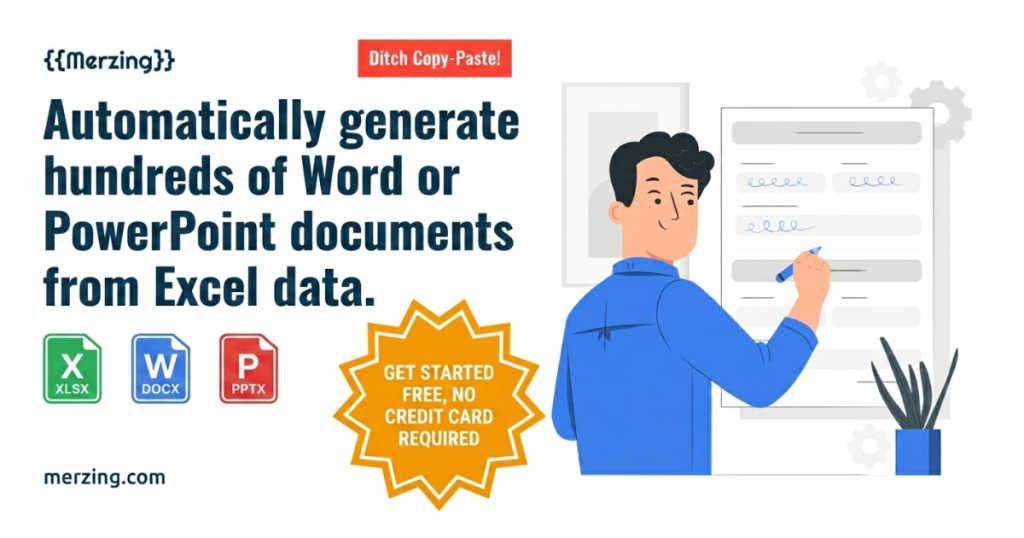
Merzing is a browser-based bulk document generator that turns one template and an Excel sheet into hundreds of personalized Word, PowerPoint or Hangul files. It does one job well, with rare HWP support and privacy-first in-browser processing. Best for: HR, legal and admin teams. Price: 14-day free trial, paid tiers on site. Rating: 8.3/10.
What is Merzing?
Merzing is a document automation tool that solves a very specific, very common headache: generating the same document over and over with different names, numbers and details. You build a template in Word, PowerPoint or Hangul with placeholders like {Name} or {ContractAmount}, upload an Excel file where each row is one record, and Merzing maps the columns to the placeholders and spits out one finished document per row. It is mail merge, but built for scale and for formats Microsoft Word’s own merge struggles with.
The tool comes from TEKLIFY Co., Ltd., a company based in Seoul, South Korea. Its support for Hangul (HWP), the dominant word-processing format in Korean government and enterprise, signals where it was born, but the use cases are universal: HR teams pumping out offer letters, schools printing certificates, insurers generating policy documents, and agencies producing client contracts. It is a young, niche product with little press, but the core workflow is solid and clearly built by people who do this kind of work.
The reason this category matters now is that the alternatives are all worse in some way. Word’s built-in mail merge is clumsy with anything beyond plain letters, breaks on complex tables, and cannot touch PowerPoint or HWP. Writing a script to do it yourself takes a developer and a maintenance burden. Cloud document APIs work but send your data off to someone else’s servers. Merzing’s bet is that a focused web tool that keeps processing local hits the sweet spot for non-technical teams who care about both convenience and privacy, and on that narrow bet it delivers.
What Are Merzing’s Key Features?
Bulk generation from Excel
This is the heart of the product. One spreadsheet row becomes one output document, and Merzing can churn out hundreds in a single run. Instead of copy-pasting names into a template fifty times, you point it at a sheet and let it work. For anyone who currently does this by hand, the time savings are immediate and obvious. A task that might eat an afternoon, generating fifty contracts or two hundred certificates, collapses into a few minutes, and the output is consistent because every document comes from the same template rather than from someone editing by hand and missing a field.
Automatic variable mapping
Merzing scans your template for placeholder variables and matches them to the columns in your Excel file automatically. You are not writing formulas or wiring fields one by one. It also handles automatic filename generation, so each output is named sensibly rather than dumped as document1, document2 and so on.
In-browser, local processing
This is the feature that earns Merzing its higher rating. The Excel data is processed locally in your browser and never uploaded to external servers. For HR, legal and insurance teams handling salaries, ID numbers or private contracts, that privacy posture removes a real compliance worry that cloud-based generators introduce.
Multi-format templates including Hangul
Merzing supports Word, PowerPoint and Hangul (HWP) templates, plus complex tables and data filtering. The HWP support is genuinely rare; almost no Western document tool can produce it, which makes Merzing close to essential for Korean organizations and a useful edge for anyone working across both formats. The PowerPoint support is also more useful than it sounds: generating personalized decks, certificates or one-pagers at scale is a real need that most document tools ignore entirely in favor of letters and invoices.
Data filtering and smart filenames
Beyond raw generation, Merzing lets you filter your Excel data before a run, so you can generate documents for only the rows that match a condition rather than the whole sheet. Combined with automatic filename generation, this keeps large batches organized: instead of a folder of generic file names, each output is named from the data itself, which matters enormously when you are producing hundreds of files that someone later has to find and send.
How Much Does Merzing Cost?
Merzing starts with a 14-day free trial that requires no credit card. After that, it runs on seat-based paid plans named Free, Basic, Pro, Team, Business and Enterprise, billed in USD and charged in your local currency at checkout. Each plan lets you use up to its maximum number of users at no extra per-seat cost.
The honest caveat: the exact monthly and annual prices are not shown on the public pricing page, which renders its numbers through JavaScript and is not indexed anywhere we could verify. We will not invent figures we cannot confirm. You will need to open the pricing page or contact TEKLIFY to see current numbers before you commit, and that opacity is a fair mark against the product.
For comparison, named rivals are transparent. Documint starts at $30/mo, Carbone at roughly 29 euros/mo, and both publish their tiers openly. If Merzing’s eventual price lands near those, it is competitive, especially given the in-browser privacy and Hangul support. But buyers should know going in that they cannot price-shop Merzing from the outside the way they can its competitors.
| Plan | Price | Plan Features | Best For |
|---|---|---|---|
| Free | $0 | 14-day full trial, no card; limited ongoing use | Trying the bulk workflow |
| Basic | Paid (check site) | Seat-based, single user, core formats | Solo users and freelancers |
| Pro / Team | Paid (check site) | Seat-based, multiple users, higher volume | Small teams |
| Business / Enterprise | Custom pricing | Maximum users, organization-wide use | Larger orgs and regulated industries |
Who is Merzing Best For?
Use Merzing if your team regularly produces the same document type at volume from spreadsheet data: HR generating offer letters and certificates, legal and insurance teams drafting contracts and policies, schools issuing transcripts, or agencies producing client deliverables. Use it especially if you need Hangul output or if data privacy rules out uploading sensitive spreadsheets to a cloud service.
Skip Merzing if you only generate a handful of documents a month, where plain Word mail merge will do the job for free. Also think twice if you need an API to wire document generation into a larger app, since Merzing is positioned as a hands-on web tool rather than a developer platform. And if transparent, comparable pricing is a hard requirement for your procurement process, the hidden numbers may be a dealbreaker.
One more group should pause: teams that need deep collaboration or version history around their templates. Merzing is built for the generation step, not for managing a library of documents over time with approvals and audit trails. If your workflow is mostly about who edited which template when, a document management system serves you better. But if the bottleneck is purely the mechanical act of producing many files fast, Merzing removes it cleanly, and the 14-day trial costs nothing to confirm the fit.
Best Merzing Alternatives
Documint
Documint is an API-first document generation platform starting at $30/mo for 200-plus documents, with Gold at $80/mo and Platinum at $150/mo. It is the better choice if you want to automate document creation inside your own software via API rather than through a web UI. It does not match Merzing’s in-browser privacy model or Hangul support, but its pricing is fully transparent.
Carbone
Carbone is a report and document generator that starts at about 29 euros/mo for 1,000 documents and 500 templates on a single seat, scaling up through several tiers. It is developer-focused and strong on templated reports and invoices. Compared to Merzing it is more technical to set up but gives you a clear, published price ladder and a generous template allowance.
Plumsail Documents
Plumsail Documents lives inside the Microsoft 365 and SharePoint ecosystem and merges Word, Excel and PowerPoint from list data. If your organization already runs on Microsoft and wants document automation tied to SharePoint workflows, it is the natural fit. It lacks Hangul support and the browser-only processing model, but it integrates more deeply with Microsoft tooling than Merzing does.
Final Verdict: Is Merzing Worth It?
Merzing earns an 8.3 because it does one valuable thing extremely well. Turning a spreadsheet into hundreds of personalized, correctly formatted documents is a chore that wastes hours across HR, legal and admin teams, and Merzing automates it cleanly. The in-browser processing is a smart, genuine privacy advantage, and the Hangul support makes it close to irreplaceable for Korean organizations.
The rating would be even higher if the pricing were public and there were independent reviews to lean on. Those are real gaps, not dealbreakers, and they say more about how new the product is than about its quality. If your team produces documents at volume from Excel and you can stomach checking the price on the site rather than upfront, Merzing is one of the most focused, useful tools in its category. The combination of in-browser privacy and Hangul output is something none of its better-known rivals offer together, which is exactly the kind of edge that justifies a high score for a tool that knows precisely what it is. Try the 14-day trial before you decide, and confirm the plan limits fit your run sizes.
Merzing Pros & Cons
What We Like
- Turns one template plus an Excel sheet into hundreds of personalized documents in one run
- Processes data in the browser, so Excel files never touch external servers
- Supports Word, PowerPoint and Hangul (HWP), which almost no rival handles
- 14-day full free trial with no credit card required
What Could Be Better
- Exact prices are not shown publicly, which makes budgeting harder before signup
- Almost no independent reviews or track record yet
- Strong Korean-market focus may mean thinner English documentation
Merzing FAQ
What is Merzing?
Merzing is a browser-based bulk document generator from Korean company TEKLIFY. You build a Word, PowerPoint or Hangul template with placeholders, upload an Excel sheet, and it produces one personalized document per row, hundreds at a time.
How much does Merzing cost?
Merzing offers a 14-day free trial with no card, plus seat-based paid tiers named Free, Basic, Pro, Team, Business and Enterprise. Exact monthly prices are not published on the public pricing page, so you need to check the site or contact the company for current numbers.
Is Merzing worth it?
If you regularly generate certificates, contracts or offer letters from a spreadsheet, yes. The in-browser privacy model and Hangul support are genuine differentiators. The main downside is that you cannot see exact pricing before signing up.
What are the best Merzing alternatives?
Documint starts at $30/mo for API-driven document generation, Carbone from about 29 euros/mo for templated reports, and Plumsail Documents for Microsoft 365 teams that want Word and PowerPoint merges.
Does Merzing offer a free plan?
Merzing offers a 14-day free trial with no credit card required, and a tier labeled Free. Whether the Free tier allows meaningful ongoing use beyond the trial is not clearly stated, so confirm the limits before relying on it.
Who is Merzing best for?
HR, legal, insurance, real estate and education teams that mass-produce documents from spreadsheet data. It is especially strong for Korean organizations that need Hangul (HWP) output, which most Western tools cannot produce.






