Napkin AI Review (2026): Pricing, Features & Honest Verdict
TLDR
Napkin AI turns plain text into clean visual diagrams using AI. Paste your notes, get flowcharts, mind maps, and process diagrams in seconds. Surprisingly good output quality. Best for: content creators and teams who need quick visuals. Price: free basic / $15/mo Pro. Rating: 7.7/10
What is Napkin AI?
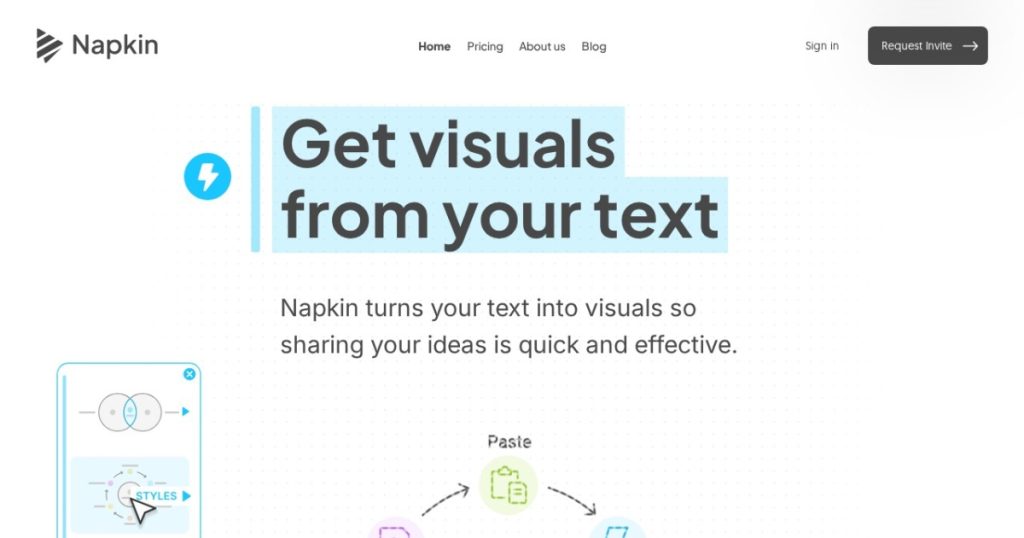
Napkin AI is a web-based tool that converts text into visual diagrams automatically. You write or paste text describing a process, concept, or structure, and the AI generates a diagram. Flowcharts, mind maps, org charts, process maps, timelines, and comparison diagrams are all supported.
The tool sits at the intersection of AI and visual communication. Instead of spending 30 minutes in Figma or Miro arranging boxes and arrows, you describe what you want in plain language and get a publishable diagram in seconds. The output quality is genuinely impressive for an AI tool. Diagrams look clean, well-spaced, and professional enough for blog posts, presentations, and documentation.
Key Features
Text-to-Diagram Generation
The core feature works exactly as advertised. Paste a paragraph describing a user onboarding flow, and you get a flowchart. Describe your team structure, get an org chart. List the pros and cons of two approaches, get a comparison diagram. The AI understands context well enough to pick appropriate diagram types automatically, though you can override the selection.
Multiple Diagram Types
Napkin AI generates flowcharts, mind maps, process diagrams, timelines, hierarchies, comparison charts, and cycle diagrams. Each type has multiple visual styles. You can switch between types after generation to see which one best represents your content. The variety is broad enough for most business and content needs.
Visual Style Customization
After generating a diagram, you can adjust colors, fonts, layouts, and spacing. Pre-built themes make it easy to match your brand or presentation style. The customization is not as deep as Figma or Whimsical, but it covers the common needs. You can change individual node colors, add icons, and adjust connection line styles.
Export Options
Diagrams export as PNG, SVG, and PDF. The SVG export is particularly useful for embedding in websites or further editing in vector tools. Resolution options let you generate high-DPI images for print. You can also share diagrams via link for collaboration.
Collaboration
Teams can share diagrams, comment on them, and iterate together. The collaboration features are basic compared to Miro or FigJam, but sufficient for review-and-approve workflows. Real-time co-editing is available on the Pro plan.
Pricing
The free plan gives you limited diagram generations per month with watermarked exports. Pro at $15/month removes watermarks, adds unlimited generations, premium templates, SVG export, and collaboration features. The pricing is straightforward and competitive for what you get.
Pros and Cons
Pros
- Genuinely impressive AI diagram generation from plain text
- Output quality is clean and professional enough for real use
- Free tier available for casual use
- Multiple diagram types and visual styles
- SVG export for lossless scaling and web embedding
Cons
- Complex diagrams sometimes need manual adjustment
- Limited customization compared to dedicated diagramming tools
- Collaboration features are basic
- AI can misinterpret ambiguous text structures
- No offline mode, requires internet connection
| Plan | Price | Plan Features | Best For |
|---|---|---|---|
| Free | $0 | Limited generations, watermarked exports | Casual users testing the tool |
| Pro | $15/mo | Unlimited generations, SVG export, no watermarks, collaboration | Regular content creators and teams |
Who Should Use Napkin AI?
Napkin AI is ideal for content creators who need visuals for blog posts and social media, SaaS teams creating documentation, and consultants building presentations. If you regularly need diagrams but do not want to learn or pay for full diagramming tools, Napkin AI saves significant time. Solo creators and small teams get the most value from the speed-to-quality ratio.
Dedicated diagramming professionals, engineering teams with complex architecture diagrams, and anyone needing pixel-perfect control should stick with Whimsical, Miro, or Figma. Napkin AI trades control for speed, and that trade-off does not work for every use case.
Alternatives
Mermaid
Mermaid is a free, open-source text-to-diagram tool used heavily in developer documentation. It uses a specific syntax rather than natural language. More precise control but steeper learning curve. Mermaid is better for technical teams already comfortable with code-like syntax. Napkin AI is better for non-technical users who want natural language input.
Whimsical
Whimsical is a polished collaborative diagramming tool with AI features. It offers more control over layout and design than Napkin AI. The free tier is generous. Whimsical is better when you need ongoing diagram editing and collaboration. Napkin AI is better for quick, one-off visual generation from text.
Excalidraw
Excalidraw is a free, open-source whiteboard tool with a hand-drawn aesthetic. It is great for sketching and brainstorming. No AI generation, so you build diagrams manually. Excalidraw is better for freeform visual thinking. Napkin AI is better when you have structured text and want a polished output fast.
FAQ
How accurate is Napkin AI’s diagram generation?
For well-structured text with clear relationships, accuracy is high. For ambiguous or poorly formatted text, the AI may misinterpret the intended structure. Writing clear, concise input produces the best results.
Can I edit diagrams after they are generated?
Yes. You can move nodes, change colors, edit text, adjust connections, and switch diagram types after generation. The editor is not as powerful as Figma but handles common adjustments well.
Does Napkin AI store my data?
Your diagrams are stored in the cloud on your account. You can delete them at any time. Check their privacy policy for specifics on data retention and processing.
Verdict
Napkin AI delivers on its promise of turning text into visuals with minimal effort. The output quality surprised me. Diagrams look genuinely professional, not like rough AI drafts. The free tier makes it easy to test, and the $15/mo Pro plan is reasonable for regular users. It will not replace dedicated diagramming tools for complex work, but for quick, clean visuals from text, it is one of the best options available right now. Rating: 7.7/10.
Napkin AI Pros & Cons
What We Like
- Genuinely impressive AI diagram generation from plain text
- Output quality is clean and professional enough for real use
- Free tier available for casual use
- Multiple diagram types and visual styles
- SVG export for lossless scaling and web embedding
What Could Be Better
- Complex diagrams sometimes need manual adjustment
- Limited customization compared to dedicated diagramming tools
- Collaboration features are basic
- AI can misinterpret ambiguous text structures
- No offline mode, requires internet connection
Napkin AI FAQ
How accurate is Napkin AI's diagram generation?
For well-structured text with clear relationships, accuracy is high. Ambiguous text may produce unexpected results.
Can I edit diagrams after they are generated?
Yes. You can move nodes, change colors, edit text, adjust connections, and switch diagram types after generation.
Does Napkin AI store my data?
Your diagrams are stored in the cloud on your account. You can delete them at any time.
What is Napkin AI?
AI-powered tool that turns plain text into clean visual diagrams. Flowcharts, mind maps, process diagrams, and more in seconds.
How much does Napkin AI cost?
Napkin AI pricing starts at Free / $15/mo Pro. A free plan is available.
Is Napkin AI worth it?
Napkin AI delivers surprisingly professional diagrams from plain text. Free tier is generous, Pro at $15/mo is reasonable. Not a replacement for full diagramming tools, but excellent for quick visuals. We rate it 7.7/10.






