ReceiptGenie Review (2026): Pricing, Features & Honest Verdict
TLDR
ReceiptGenie is an AI iPhone app that scans receipts, reads the line items and tax, and exports clean CSV or PDF for expense tracking. The line-item OCR is genuinely good and the price is the lowest we found. Best for: solo iPhone users. Price: Free; Premium from $6.99/mo. Rating: 8.3/10.
What is ReceiptGenie?
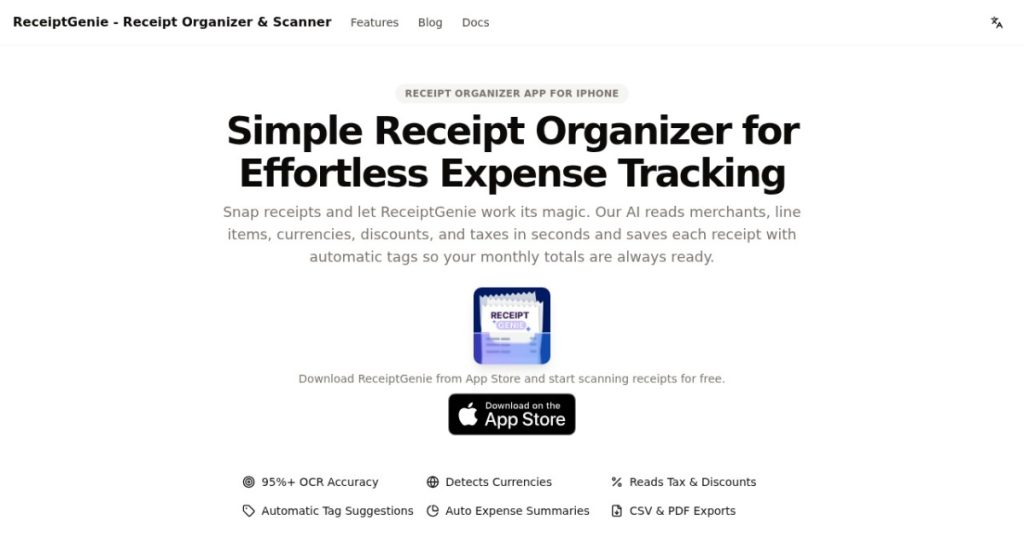
ReceiptGenie is a receipt-scanning app for iPhone. You photograph a paper or digital receipt, and the app’s AI reads the merchant, the individual line items, the currency, any discounts or tips, and the tax, then files it for you. The point is to turn a shoebox of paper into searchable, exportable expense data without manual typing. It auto-tags receipts into categories and gives you a timeline that separates personal spending from business spending.
It is built by Botisan AI Pte. Ltd., a Singapore-registered company, and it is a newer, mobile-only product with a 2026 launch feel. There is no web app and no Android version. We found a live App Store listing rated 4.5 stars from a small review base, which tells you this is an indie tool rather than an established suite. That matters because the bold accuracy claims are self-reported, but it also means the pricing is consumer-friendly in a way the big business tools are not. The target user is clear from the moment you open it: someone who keeps shoving receipts into a wallet or an email folder and dreads sorting them at tax time.
What Are ReceiptGenie’s Key Features?
Line-item OCR
This is the part that sets it apart. Most cheap scanners grab the total and the date and call it done. ReceiptGenie reads the full receipt: each line item, the tax, the tip, and any discount, with a claimed 95%+ accuracy. For anyone who needs to itemize expenses for a client or a tax return, capturing the breakdown instead of just the total saves real work. It also means you can later split a single shopping trip into business and personal lines, which is exactly the kind of detail an accountant asks for and a total-only scanner cannot give you. The accuracy claim is the company’s own, so treat it as a guide rather than a guarantee, but in practice the structured extraction is the main reason to choose this over a generic photo-to-text app.
Automatic currency and tax detection
The app detects currency and tax formats across regions, so receipts from different countries get parsed correctly rather than mangled. If you travel or buy from international vendors, this avoids the usual mess of currency symbols and VAT lines confusing the parser. A receipt in euros with a 20% VAT line and a receipt in dollars with state sales tax both come out cleanly categorized, which saves you from manually fixing every foreign purchase. For freelancers who bill international clients or buy software in another currency, this is more useful than it first sounds.
Auto-tagging and timeline view
Scanned receipts get auto-tagged into categories you can customize for projects or clients. A timeline view then splits personal and business purchases and supports search, so you can pull every receipt for one client or one month quickly. It is a lightweight organizer rather than full accounting, but it is enough for solo bookkeeping. The search matters more than it sounds: when an accountant or a tax authority asks for proof of one specific expense from eight months ago, finding it in seconds rather than scrolling a camera roll is the difference between a calm afternoon and a stressful one. Tagging by client also makes it trivial to total up reimbursable costs before you invoice.
CSV and PDF export
You can export a month, a quarter, or a custom date range to CSV or PDF, formatted with currency and tax codes. That is the handoff to your accountant or your accounting software. The CSV drops cleanly into a spreadsheet or imports into most bookkeeping tools, and the PDF gives you a tidy paper trail for audits. It is export-based rather than a live sync, which is the main limitation for anyone who lives in QuickBooks or Xero and expects transactions to appear automatically. For solo users who reconcile in batches, exporting once a month is perfectly workable, but a team that wants continuous sync will feel the gap.
How Much Does ReceiptGenie Cost?
ReceiptGenie starts free, with a limited number of scans per month and full CSV and PDF export. Paid Premium is $6.99 a month, or $29.99 a year, which works out to roughly $2.50 a month. There is also a $3.99 weekly option aimed at short bursts of heavy use like a business trip.
Put that next to the business tools and the gap is huge. Shoeboxed starts at $23 a month, Dext runs around $20 a month, and Expensify, while free for individuals, jumps to about $5 per user per month for the team features. ReceiptGenie at $29.99 for a whole year undercuts all of them dramatically. The catch is that those tools offer accountant integrations, multi-user policies and desktop access that ReceiptGenie does not.
One thing to watch: the weekly plan at $3.99 adds up to over $200 a year if you forget to switch to the annual plan. That weekly option is a common App Store pricing pattern that quietly overcharges anyone who does not notice the cheap annual tier sitting right next to it. The yearly plan is the obvious choice for anyone using it regularly, so set it and forget it. If you genuinely only need it for one busy month, the monthly plan at $6.99 is the safer pick than the weekly one.
| Plan | Price | Plan Features | Best For |
|---|---|---|---|
| Free | $0 | Download free, limited monthly scans, CSV/PDF export | Casual users testing the app |
| Monthly Premium | $6.99/mo | Unlimited scans, all export formats, auto-tagging | Regular monthly users |
| Yearly Premium | $29.99/yr | Everything in Premium at roughly $2.50/mo | Committed users wanting best value |
| Weekly Premium | $3.99/wk | Full Premium access, short-term | One-off heavy use, e.g. a trip |
Who is ReceiptGenie Best For?
Use ReceiptGenie if you are a freelancer, contractor, gig worker or solo business owner on iPhone who wants to stop typing receipts into a spreadsheet. At $29.99 a year with proper line-item OCR, it is one of the best value expense tools we have looked at for an individual. It is also a good fit for someone who already does their own bookkeeping and just needs a faster, cleaner way to capture and export the source documents, rather than a full accounting platform. If your workflow is photograph receipt, export at month end, hand to accountant, this covers it neatly.
Skip ReceiptGenie if you need Android or desktop access, if you want receipts to sync straight into QuickBooks or Xero, or if you run a team that needs approval workflows and per-user controls. In those cases Dext or Expensify earn their higher price. Also note the privacy messaging: scanning requires a cloud connection despite the on-device framing, so if strict offline privacy is a hard requirement, look elsewhere.
Best ReceiptGenie Alternatives
Expensify
Expensify is the obvious step up for teams. It is free for individuals and around $5 per user per month for team plans, and it adds reimbursement workflows, card feeds and accounting integrations ReceiptGenie lacks. It is more powerful and more complex. For a solo iPhone user who just wants clean exports, ReceiptGenie is simpler and cheaper.
Shoeboxed
Shoeboxed starts at $23 a month and its standout feature is mail-in scanning: you post physical receipts and they digitize them for you. That is great if you are drowning in paper and hate scanning. It is far pricier than ReceiptGenie and overkill for anyone happy to photograph receipts themselves.
Dext
Dext, formerly Receipt Bank, starts around $20 a month and is built for accountants and bookkeepers, with deep extraction and direct sync into accounting software like Xero and QuickBooks. If your bookkeeper asks for it, get it, because it slots into a professional workflow ReceiptGenie does not touch. For personal expense tracking, though, it is more tool and more cost than most solo users need, and the live sync is wasted if you are just exporting a CSV once a month anyway.
Final Verdict: Is ReceiptGenie Worth It?
ReceiptGenie does one thing and does it well: it turns iPhone photos of receipts into structured, exportable expense data, including the line items most cheap scanners miss. At $29.99 a year it is the best-value AI receipt scanner we found for an individual, which is why it earns a strong 8.3. The OCR quality and the price genuinely punch above the indie origins, and for a solo user the value proposition is almost embarrassingly good next to the $20-plus monthly business tools. You are getting line-item extraction that some far pricier apps still do not handle as cleanly.
The honest caveats are real but narrow: iOS-only, export instead of live accounting sync, a small track record, and cloud-dependent scanning that clashes with the privacy copy. If you are a solo iPhone user who wants cheap, fast receipt capture for taxes, install it. If you need cross-platform access, team controls or accountant integrations, spend more on Dext or Expensify instead.
ReceiptGenie Pros & Cons
What We Like
- Line-item OCR captures merchant, items, tax, tips and discounts, not just totals
- Yearly plan at $29.99 massively undercuts business tools like Shoeboxed and Dext
- Auto-tagging plus a timeline that separates personal and business spend
- Exports to CSV and PDF formatted with currency and tax codes
What Could Be Better
- iOS-only, no Android or web app and no accountant-side sync
- Scanning needs a cloud connection despite the on-device privacy messaging
- Small track record, so the 95% accuracy claim is self-reported
ReceiptGenie FAQ
What is ReceiptGenie?
ReceiptGenie is an iPhone app that uses AI OCR to scan paper and digital receipts, extract line items, tax and totals, and export the data as CSV or PDF for expense and tax tracking.
How much does ReceiptGenie cost?
It is free to download with limited scans. Premium is $6.99/month, $29.99/year (about $2.50/month), or $3.99/week for short-term heavy use.
Is ReceiptGenie worth it?
Yes for solo iPhone users. At $29.99 a year it costs a fraction of business receipt tools and the line-item OCR is genuinely useful. It is not worth it if you need Android, web access or accountant sync.
What are the best ReceiptGenie alternatives?
Expensify (free for individuals, ~$5/user/mo for teams), Shoeboxed ($23/mo with mail-in scanning), and Dext (~$20/mo for accountant-grade extraction).
Does ReceiptGenie offer a free plan?
Yes. You can download it free and scan a limited number of receipts each month with full CSV and PDF export. Paid plans unlock unlimited scanning.
Who is ReceiptGenie best for?
Solo freelancers, contractors and small business owners on iPhone who want cheap, fast AI receipt capture for tax and expense tracking without team or accountant features.






