TapGoods Review (2026): Pricing, Features & Honest Verdict
TLDR
TapGoods is all-in-one rental management software for party, event, and equipment rental companies. It is a capable system let down by costs that climb fast once you add users and integrations. Best for: growing event rental businesses. Price: from $19/mo, no free plan. Rating: 6.9/10.
What is TapGoods?
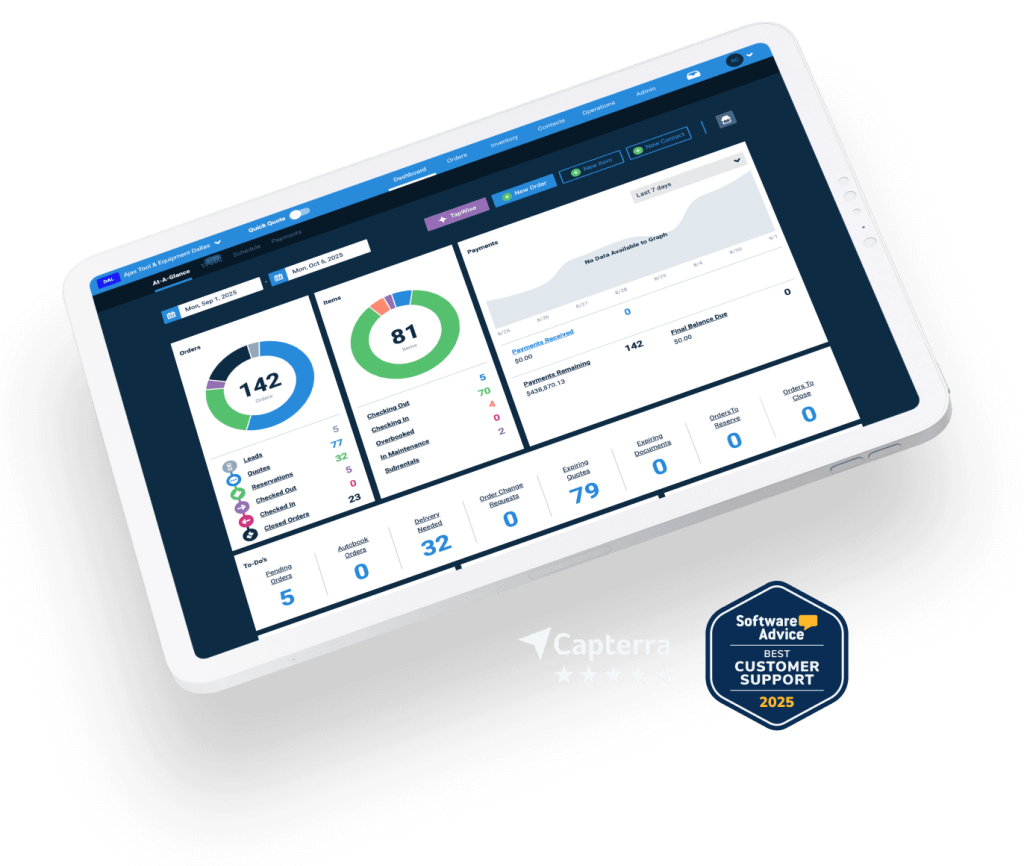
TapGoods is rental management software built to run a rental business end to end. It tracks inventory in real time, turns quotes into signed contracts, dispatches orders, and collects payments, all from one platform. The headline product is TapGoods PRO, and it serves party and event rental companies alongside tool, tent, restroom trailer, DJ, and equipment rental operators. The pitch is simple: stop juggling spreadsheets, email threads, and a separate payment processor, and run the whole rental cycle in one place.
The standout piece is the customer-facing online cart. Clients browse your catalog, pick their items, check availability, sign the contract, and pay a deposit without a single phone call. For a rental shop that historically lived in email and PDF quotes, that is a real shift. TapGoods has been building this out for years and keeps shipping updates, which is why its review scores on sites like Capterra sit high, around 4.8 out of 5 from dozens of verified reviewers. We dug into the platform to see whether the polish holds up once the bills arrive.
It helps to understand who TapGoods is fighting for. Rental is a fiddly business: the same item gets booked, delivered, returned, cleaned, and rebooked, sometimes across multiple trucks and warehouses. Generic invoicing tools and spreadsheets fall apart at that scale because they cannot track real-time availability or stop you from double-booking a tent. TapGoods is purpose-built for that problem, and that focus is its biggest advantage over trying to bend a general tool to fit.
What Are TapGoods’s Key Features?
Online Cart and Customer Portal
This is the feature users praise most. Your customers get a storefront where they browse inventory, see live availability, build an order, sign the rental contract, and pay a deposit. It removes the back-and-forth that eats a rental coordinator’s day. The catch is that the deeper storefront experience comes through the Storefront+ add-on, which runs anywhere from $19 to $299 per month on top of your base plan depending on tier.
Inventory and Order Management
TapGoods tracks inventory across locations, including barcoded and serialized items, and ties it to the quote-to-contract-to-dispatch flow. The Essentials plan caps you at 30 inventory items and 100 barcoded items, which is tight. From the Standard plan up, inventory and orders are unlimited. Higher tiers add picklist managers, multi-truck assignment, and multilocation inventory, so a shop with several warehouses can see real-time stock everywhere.
Payments and Autobilling
Payment collection is built in. You take deposits and final payments through the platform, and the Select tier adds autobilling for recurring or scheduled charges. Processing fees are 1.9% plus $0.25 per credit card transaction, or 1.0% plus $0.15 per eCheck, with rates that vary by tier. That is competitive, but it is worth budgeting because those fees stack on top of your monthly subscription.
Reporting, QuickBooks, and AI Insights
Reporting scales with the plan. Basic reports come early, custom reports and QuickBooks integration arrive at the Select tier ($99/month), and the top Premier tier adds advanced Power BI reports plus an AI Insights feature called TapWise. If accounting sync matters to you, note that QuickBooks is gated behind the $99 plan, not the cheaper ones, which is a common upgrade trigger for shops that start cheap and outgrow it.
Dispatch and Warehouse Tools
Once an order is confirmed, TapGoods helps you actually deliver it. The Select tier and up bring picklist managers and multi-truck assignment so your warehouse crew knows what loads onto which vehicle. Premier layers on maintenance scheduling, so you can flag items for cleaning or repair and keep them out of the available pool. For a high-volume rental operation, this is where the software earns its keep, because a missed item or a wrong truck is a ruined event.
How Much Does TapGoods Cost?
TapGoods PRO starts at $19 per month for the Essentials plan, then jumps to $59 for Standard, $99 for Select, and $139+ for Premier. There is no permanent free plan. The cheap headline price is real, but Essentials is a starter tier: one user, 30 inventory items, and 100 barcoded items. Most working rental businesses will land on Standard or Select to get unlimited inventory and the integrations they actually need.
The number that catches people out is the extras. Each plan includes a set number of full users (1 on Essentials and Standard, 3 on Select, 10 on Premier), and partial users cost $15 to $19 each per month beyond that. Add Storefront+ at $19 to $299 per month, plus payment processing fees, and a shop on the $99 Select plan can realistically pay $150 to $250 monthly all in.
For context, Booqable starts at $29 per month, while both Rentman and Goodshuffle Pro start at $39 per month. TapGoods looks cheaper at the door with its $19 tier, but once you match feature for feature, the gap closes and can reverse. The construction equipment version of TapGoods is priced very differently at $6,000 per year per location, so confirm which product you are quoted before you compare numbers.
Our advice on cost: ignore the entry price and build out the plan you would actually run. Count your users, decide whether you need Storefront+, and add the processing fees against your monthly rental volume. Do that math for TapGoods and for at least one competitor, because the cheapest sticker rarely wins once you load in the features a working rental business needs day to day.
| Plan | Price | Plan Features | Best For |
|---|---|---|---|
| Essentials | $19/mo | 1 full user, up to 30 inventory items, 100 barcoded items, core orders and payments | New or very small rental shops |
| Standard | $59/mo | 1 full user, unlimited inventory and orders, custom proposals, Google Calendar sync | Growing single-location rental businesses |
| Select | $99/mo | 3 full users, QuickBooks integration, autobilling, custom reports, picklists | Established event rental companies |
| Premier | $139+/mo | 10 full users, multilocation inventory, maintenance scheduling, AI Insights, Power BI | Multi-location rental enterprises |
Who is TapGoods Best For?
Use TapGoods if you run a party, event, or equipment rental company and want one system for quotes, inventory, online booking, contracts, and payments. It shines for shops doing enough volume that the online cart and order automation pay for themselves, and it scales cleanly up to multilocation operations with the Premier tier.
Skip TapGoods if you are a solo operator on a strict budget, since the entry plan is too limited and the useful tiers get pricey once users and add-ons stack up. Skip it too if your team works mostly from phones in the field. Multiple users flag that it is browser-only with no dedicated mobile app, and you cannot stay signed in on several devices at once.
- Good fit: event and party rental companies, equipment rental shops, multilocation operators.
- Poor fit: budget solo operators, mobile-first field teams, shops that mostly sell rather than rent.
Best TapGoods Alternatives
Booqable
Booqable starts at $29 per month and is the easiest all-rounder in the category. It is friendlier to small and online-first rental businesses, with a clean storefront and embeddable booking widgets. It does not go as deep on multilocation warehouse logistics as TapGoods Premier, but for a lean shop that wants simple online rentals fast, Booqable is usually the cheaper, simpler pick.
Rentman
Rentman starts at $39 per month and is built around AV, production, and equipment rental. Its strength is crew scheduling and resource planning alongside inventory, which matters if you rent gear plus the people to run it. It is more specialized than TapGoods and less focused on the party-rental online cart, so choose it when logistics and labor planning are your real headache.
Goodshuffle Pro
Goodshuffle Pro starts at $39 per month and is the polished event-rental specialist, with strong proposals and a slick client experience. It competes head to head with TapGoods for party and event companies. Adding users and features can get expensive, so price out your full setup, but if your business is purely event rentals and you want a design-forward proposal flow, it is the closest rival.
Final Verdict: Is TapGoods Worth It?
TapGoods earns a 6.9 because the core product is solid and the online cart genuinely saves rental teams time, but it is held back by pricing that creeps and a browser-only experience that frustrates field crews. The high user-review scores are real, yet the honest complaints (clumsy mobile use, awkward merchandise tracking, costs that stack with add-ons) are the reason it lands in good-not-great territory.
If you run a busy party or event rental company and you are ready to commit to the Standard or Select tier, TapGoods is worth a serious look and will likely replace several tools you currently bolt together. If you are a solo operator watching every dollar, or your team lives on mobile, price out Booqable first and demo Goodshuffle Pro before signing. Match the full monthly cost, users and add-ons included, not just the $19 sticker, and you will know quickly whether TapGoods is the right home for your rental business.
TapGoods Pros & Cons
What We Like
- Online cart lets customers pick items, sign contracts, and pay deposits without back-and-forth emails
- Covers the full rental workflow from quote to dispatch to payment in one system
- Scales from a 30-item starter plan up to multilocation inventory and AI insights
- Strong, frequently praised customer support and steady feature updates
What Could Be Better
- No free plan, and real cost climbs fast once you add users, Storefront+, or QuickBooks
- Web browser only with no dedicated mobile app, which users call clumsy in the field
- Tracking merchandise sales alongside rentals is awkward for shops that do both
TapGoods FAQ
What is TapGoods?
TapGoods is all-in-one rental management software for party, event, and equipment rental businesses. It handles inventory tracking, online quotes, contracts, dispatch, and payment collection in a single platform, with an online cart customers can use to book and pay.
How much does TapGoods cost?
TapGoods PRO starts at $19/month for the Essentials plan, with Standard at $59/month, Select at $99/month, and Premier at $139+/month. Extra users, the Storefront+ add-on ($19 to $299/month), and payment processing fees (1.9% + $0.25 per card transaction) cost more.
Is TapGoods worth it?
For a busy event or party rental company that needs one system for quotes, inventory, and payments, yes. The online cart and order workflow save real time. It is less worth it for solo operators on a tight budget, since costs add up quickly past the entry tier.
What are the best TapGoods alternatives?
Booqable ($29/month) is the cheaper, easier all-rounder; Rentman ($39/month) suits AV and equipment rental with crew scheduling; Goodshuffle Pro ($39/month) is the polished event-rental specialist.
Does TapGoods offer a free plan?
No. TapGoods has no permanent free plan. It offers a trial and a 30-day cancellation window, but you pay from the Essentials tier at $19/month onward.
Who is TapGoods best for?
TapGoods is best for party, event, and equipment rental companies, from single-location shops up to multilocation operators, that want inventory, online booking, contracts, and payments handled in one platform rather than juggling spreadsheets and separate tools.






