Termly Review (2026): Pricing, Features & Honest Verdict
TLDR
Termly is a privacy compliance platform that generates legal policies and runs a cookie consent banner from one dashboard. It is the fastest way to get a single site compliant, but per-website pricing punishes anyone running a portfolio. Best for: small teams with one or two websites. Price: Free plan: yes, paid from $14/mo per site. Rating: 7.4/10.
What is Termly?
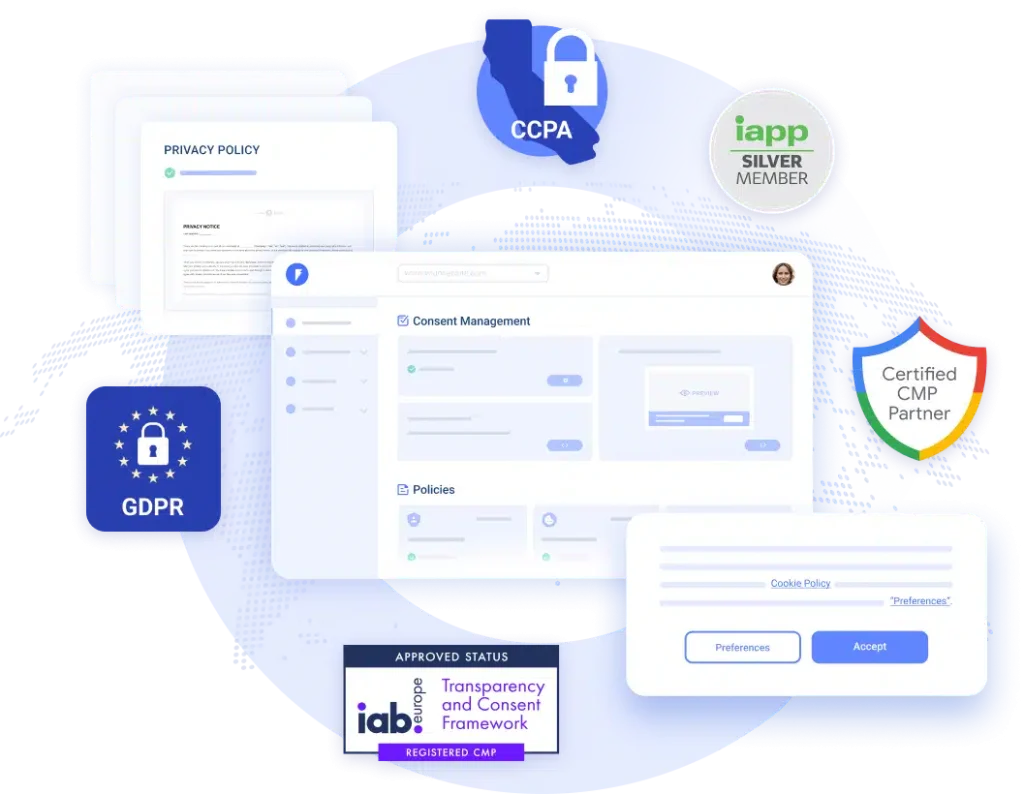
Termly is a data privacy compliance tool for websites and apps. It does two jobs. First, it generates the legal documents most sites are legally required to publish: privacy policy, terms and conditions, cookie policy, disclaimer, EULA, return policy. Second, it runs a consent management platform, which is the cookie banner your visitors click, plus the scanner that works out which cookies your site actually drops and the auto blocker that stops non-essential scripts until someone opts in.
The company was founded in 2017 in Spokane, Washington, and was acquired by the Swedish web services group group.one in January 2024. Termly says it has served more than 2 million businesses across 150-plus countries. The reason a tool like this matters more now than it did five years ago is simple: the number of privacy laws you can trip over has multiplied. GDPR was the start. Now there is a stack of US state laws, and Google requires Consent Mode v2 signals if you want conversion data from EEA traffic. Termly covers 25-plus regulations, which is the pitch.
What Are Termly’s Key Features?
Policy Generator
You answer a questionnaire about your business, and Termly assembles the policy from attorney-drafted clauses. You then embed it as HTML or link to a hosted version. The free plan gives you one basic policy. Starter gives you two policies and 10 edits. Pro+ removes the caps entirely. The catch worth knowing: on lower tiers the policies do not auto-update when a regulation changes, which is exactly the feature you are paying a compliance tool for. Auto-updated policies sit on Pro+. In practice the questionnaire takes about ten minutes per document and the output reads like a normal policy rather than a wall of boilerplate. If you have a lawyer, they will still want to review it. If you do not, this is a far better starting point than copying a competitor’s policy and swapping the name, which is what most small sites actually do.
Cookie Consent Banner
The banner is metered by monthly views, not by traffic. Free gives you 10,000 banner views a month, Starter 50,000, Pro+ unlimited. Pro+ also unlocks the parts most people actually need in production: removing the Termly logo, Google Consent Mode v2, IAB TCF 2.3 support, custom banner styling, multi-language text, and regional consent rules so EU visitors get an opt-in banner while US visitors get an opt-out link. Regional rules matter more than they sound. Showing a hard opt-in wall to US traffic costs you analytics coverage for no legal benefit, and showing a US-style opt-out notice to EU traffic is the kind of thing that gets you a complaint. Termly handles the geo split for you on Pro+, and does not on the tiers below.
Cookie Scanner and Auto Blocker
Termly crawls your site, finds the cookies and trackers, and classifies them into categories so the banner can block them properly until consent. Scan frequency is tiered: quarterly on free, monthly on Starter, weekly on Pro+. Quarterly is not enough for a site that ships changes regularly. Users report the scanner occasionally misses a cookie and needs a manual entry, so treat the output as a strong first pass rather than a legal guarantee.
Consent Records and DSAR Handling
Termly logs consent so you have proof of who agreed to what, stores EU consent data in the EU, and gives you a form and workflow for data subject access requests. This is the boring infrastructure that only matters when a regulator or an angry customer asks, and it is genuinely useful to have it bundled rather than bolted on. Termly also monitors regulations and flags when something changes that affects your documents. On Starter and Pro+ you get that monitoring, which is arguably the real product: the value is not the policy you generate today, it is the policy still being correct in eighteen months when a new state law lands.
How Much Does Termly Cost?
Termly starts at $0. The free plan is real and permanent, not a trial: one basic policy, 10,000 monthly banner views, quarterly cookie scans, the banner, and the auto blocker. Starter is $14 per month per website, or $10 per month per website billed annually. Pro+ is $20 per month per website, or $15 per month per website billed annually. There is also an Agency tier with custom pricing for people managing many domains, and a 30-day money-back guarantee on paid plans.
Everything is priced per website. That is the number that decides whether Termly is cheap or expensive for you. One site on Pro+ at $15 per month billed annually is good value against CookieYes, which charges $10 per month for Basic and $25 per month for Pro per domain, and against iubenda, whose Essentials tier starts around 4.99 euros per site per month billed yearly but climbs to 19.99 euros for Advanced. Enzuzo undercuts on multi-site: its Growth plan at $29 per month covers four domains and Pro at $59 per month covers ten.
Run five client sites and Termly Pro+ costs $75 per month at annual pricing before you have talked to anyone about the Agency tier. That is the point where the maths flips against it. We found the entry price genuinely fair for a single site and the scaling story much weaker. Worth noting on timing: Termly runs promo codes fairly often, so the sticker price is frequently not what you pay in month one. Check for an active discount before you subscribe, and be aware that the discount usually applies to the first term only.
| Plan | Price | Plan Features | Best For |
|---|---|---|---|
| Free | $0 | 1 basic legal policy, 10,000 monthly banner views, quarterly cookie scans, auto blocker | Side projects and brand new sites |
| Starter | $14/mo per site | 2 legal policies, 10 policy edits, 50,000 banner views, monthly scans | A single small site with light traffic |
| Pro+ | $20/mo per site | Unlimited policies, edits and banner views, weekly scans, logo removal, Consent Mode v2, IAB TCF 2.3 | Businesses running real traffic and ads |
| Agency | Contact sales | Everything in Pro+ plus multi-domain management, bulk discounts, onboarding | Agencies and resellers with many client sites |
Who is Termly Best For?
Use Termly if you run one or two websites, you have no lawyer on retainer, and you want the policies and the cookie banner from the same place so they stay consistent. It is aimed squarely at small businesses, ecommerce stores, and solo founders who need to be defensibly compliant without spending a week on it. Setup is copy-paste and the free tier lets you get a compliant banner live today at zero cost.
Skip Termly if you are an agency with a dozen client domains, because the per-site licensing will cost you more than a flat multi-domain competitor. Skip it if you need heavy visual customisation of the banner, since customisation options are limited and support turnaround on those requests is a common complaint. And skip it if your compliance needs are enterprise-grade, with data mapping, vendor risk, and a privacy team behind it. Termly is an SMB tool and does not pretend otherwise.
One more scenario worth calling out. If you are on the free plan and later downgrade from a paid tier, some users have reported the banner behaving oddly afterwards, and content not rendering correctly for visitors who decline cookies. Test both consent paths on a staging URL before you push any plan change to a live site. That is five minutes of work that saves you a broken checkout page.
Best Termly Alternatives
iubenda
The closest competitor on legal document depth. iubenda’s policies are lawyer-drafted and available in a large set of languages, which makes it the better pick if you operate across several European markets. It has a free tier for sites under 1,000 monthly pageviews, Essentials from about 4.99 euros per site per month billed yearly, Advanced from 19.99 euros, and Ultimate around 79.99 euros. Like Termly it is priced per site, and it adds pageview caps with overages on top, so read the limits before you commit.
CookieYes
Narrower and cheaper. CookieYes is primarily a consent management platform rather than an all-in-one compliance suite, and it shows: the banner and scanner are solid, the legal document side is thinner. Free covers up to 5,000 pageviews a month on one domain. Basic is $10 per month, Pro $25, Ultimate $55, all per domain, with overage charges on the lower tiers. Pick it if the cookie banner is the only thing you need.
Enzuzo
The one to look at if you have more than one site. Enzuzo starts free for a single domain, then $9 per month for Starter, $29 per month for Growth covering four domains, and $59 per month for Pro covering ten. It bundles DSAR workflows and US state law geo-targeting, and it has a native Shopify integration that ecommerce operators will appreciate. Less polished document library than Termly, better multi-domain economics. Annual billing saves roughly 20 to 25 percent, and the free single-domain tier means you can trial the whole workflow against a real site before paying anything.
Final Verdict: Is Termly Worth It?
Termly earns a 7.4 because it does the unglamorous job well and prices the entry point honestly. The free plan is not a bait tier, the questionnaire produces documents you can actually publish, and Pro+ at $15 per month billed annually covers Consent Mode v2, IAB TCF 2.3, weekly scans, and unlimited banner views. For a single-site business that is a lot of compliance for the price of a couple of coffees.
What holds it back is scale and polish. Per-website pricing gets expensive fast, banner customisation is limited, support responsiveness is the most repeated complaint in user reviews, and the scanner needs checking rather than trusting. If you run one or two sites, start on the free plan today and upgrade to Pro+ when you need the logo gone and Consent Mode v2 wired up. If you are an agency juggling many domains, price Enzuzo first. And if your priority is multilingual lawyer-drafted documents rather than the banner, iubenda is the more serious tool for that specific job.
Termly Pros & Cons
What We Like
- Permanent free plan with a working cookie banner and auto blocker, not just a trial
- Pro+ at $15/mo billed annually includes Google Consent Mode v2, IAB TCF 2.3 and unlimited banner views
- Policies and consent banner live in one dashboard, so they stay consistent with each other
- Copy-paste setup and a 30-day money-back guarantee on paid plans
What Could Be Better
- Priced per website, so five client sites on Pro+ costs $75/mo at annual pricing
- Banner customisation is limited and support response times are a frequent user complaint
- The cookie scanner occasionally misses trackers and needs manual cleanup
Termly FAQ
What is Termly?
Termly is a data privacy compliance platform for websites and apps. It generates legal documents like privacy policies, terms and conditions and cookie policies, and it runs a cookie consent banner with a scanner and auto blocker. It covers GDPR, CCPA and 25-plus other regulations.
How much does Termly cost?
Termly has a free plan at $0 with one basic policy and 10,000 monthly banner views. Starter is $14 per month per website, or $10 per month billed annually. Pro+ is $20 per month per website, or $15 per month billed annually. Agency pricing is custom.
Is Termly worth it?
For one or two websites, yes. Pro+ at $15 per month billed annually covers Consent Mode v2, IAB TCF 2.3, weekly scans and unlimited banner views, which is strong value. For agencies with many domains the per-site pricing makes it expensive compared with Enzuzo.
What are the best Termly alternatives?
iubenda for the deepest multilingual lawyer-drafted document library, CookieYes for a cheaper cookie-banner-only setup from $10 per month, and Enzuzo for better multi-domain economics with Growth covering four domains at $29 per month.
Does Termly offer a free plan?
Yes. The free plan is permanent, not a trial. It includes one basic legal policy, 10,000 monthly cookie banner views, quarterly cookie scans, the cookie script auto blocker and HTML embeddable policies.
Who is Termly best for?
Small businesses, ecommerce stores and solo founders running one or two websites who need compliant legal policies and a cookie banner without hiring a lawyer. It is a poor fit for agencies with many client domains or enterprise privacy teams.






