AFFiNE Review (2026): Pricing, Features & Honest Verdict
TLDR
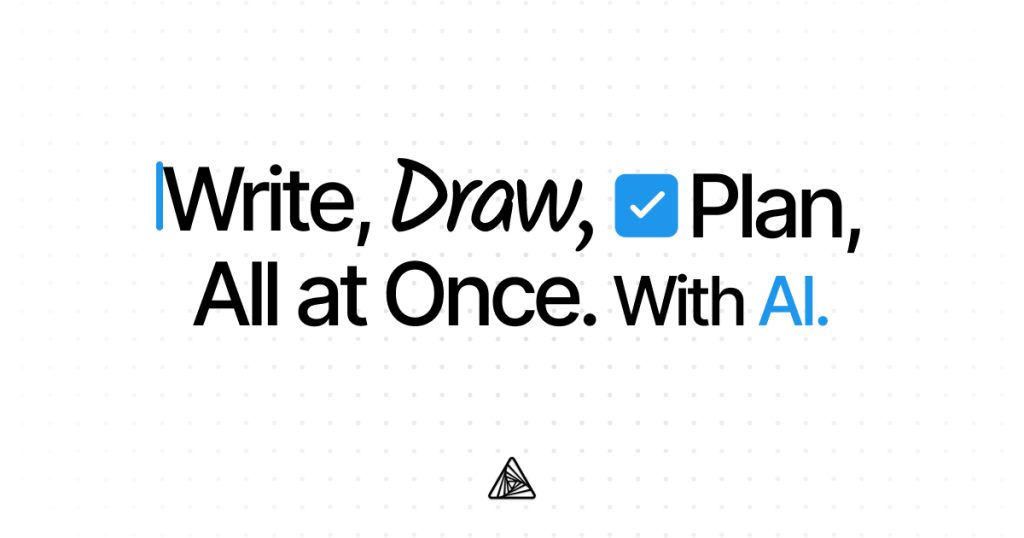
AFFiNE is an open source workspace that merges docs, whiteboards, and databases into one local-first app. Best for: privacy-conscious solo users and small teams. Price: free locally, cloud from $1/user/mo. Rating: 7.8/10
What is AFFiNE?
AFFiNE is an open source alternative to Notion and Miro that combines documents, whiteboards, and databases in a single workspace. Built with a local-first architecture, it stores your data on your device by default and offers end-to-end encryption for cloud sync. The project has gathered over 42,000 GitHub stars since launch, signaling strong community interest in a privacy-respecting productivity tool.
The name stands for “A Free, Finally Integrated, Neatly Engineered” workspace. It runs on desktop (Windows, macOS, Linux) and web, with mobile apps in development. Everything is stored in Markdown under the hood, making your data portable and future-proof.
Key Features
Edgeless Mode (Whiteboard)
AFFiNE ships with a full whiteboard canvas called Edgeless Mode. You can drag documents, images, shapes, and connectors onto an infinite canvas. It feels like Miro but lives inside your note-taking app. The transition between page mode and edgeless mode is seamless, so you can outline ideas visually and then refine them as structured documents.
Block-Based Documents
The document editor uses a block-based system similar to Notion. You get headings, toggle lists, code blocks, tables, callouts, and embedded databases. Blocks can be dragged between pages or onto whiteboards. Bi-directional linking connects related pages, and a graph view shows how your notes relate to each other.
Database Views
AFFiNE includes database functionality with table, kanban, and list views. You can create properties, filter, sort, and group entries. It covers the core use cases for task tracking and simple project management without needing a separate tool.
Local-First Architecture
Your data lives on your device first. AFFiNE uses CRDT (Conflict-free Replicated Data Type) technology for sync, meaning you can work offline and changes merge cleanly when you reconnect. This is a meaningful difference from cloud-first tools where your data sits on someone else’s server.
End-to-End Encryption
Cloud sync uses E2E encryption, so even AFFiNE’s servers cannot read your content. For teams handling sensitive information, this removes a category of risk that most SaaS tools cannot address.
Pricing
AFFiNE is free for local use with no restrictions. The cloud offering includes a free tier with 10GB storage and an early-access plan at $1/user/month. Self-hosting is also free since the entire codebase is open source under the MIT license. Compared to Notion’s $10/user/month for team features, AFFiNE’s pricing is extremely competitive.
Pros and Cons
Pros
- Truly open source with MIT license and active development
- Local-first means your data stays on your device by default
- Combines docs, whiteboards, and databases in one tool
- E2E encryption for cloud sync protects sensitive content
- Markdown-based storage keeps data portable
Cons
- Mobile apps are still in early development
- Plugin and integration ecosystem is limited compared to Notion
- Some advanced database features (formulas, rollups) are missing
- Cloud collaboration features are still maturing
| Plan | Price | Plan Features | Best For |
|---|---|---|---|
| Free (Local) | Free | Unlimited local storage, all features, offline use | Solo users who want full privacy |
| Free (Cloud) | Free | 10GB cloud storage, sync across devices | Users who want cloud backup |
| Pro (Cloud) | $1/user/mo | Extended storage, priority sync, early access features | Small teams needing cloud collaboration |
Who Should Use AFFiNE?
AFFiNE fits solo users and small teams who want Notion-style productivity without giving up data ownership. If you care about privacy, want offline access, or prefer open source software, AFFiNE checks those boxes. Developers and technical users will appreciate the Markdown foundation and self-hosting option. It is less suited for large organizations that need mature collaboration features, extensive integrations, or enterprise support right now.
Alternatives
Notion
Notion is the market leader with a polished editor, extensive templates, and deep integrations. It costs more ($10/user/month for teams) and stores everything in the cloud. Choose Notion if you need a battle-tested tool with a large ecosystem.
Anytype
Anytype is another local-first, encrypted workspace. It uses a graph-based data model and peer-to-peer sync. It is more opinionated about data structure than AFFiNE but shares the same privacy-first philosophy.
Logseq
Logseq is an open source outliner focused on networked thinking and daily journals. It stores everything in plain Markdown or Org-mode files. If your workflow is primarily note-taking and knowledge management rather than databases and whiteboards, Logseq may be a better fit.
Verdict
AFFiNE delivers on an ambitious promise: a single workspace that handles docs, whiteboards, and databases while keeping your data local and encrypted. The open source foundation and MIT license mean you are never locked in. At 7.8/10, it loses points for missing mobile apps and a still-maturing plugin ecosystem, but the core experience is solid and improving fast. For privacy-conscious users who want a Notion alternative without the SaaS trade-offs, AFFiNE is worth trying today.
AFFiNE Pros & Cons
What We Like
- Truly open source with MIT license and active development
- Local-first means your data stays on your device by default
- Combines docs, whiteboards, and databases in one tool
- E2E encryption for cloud sync protects sensitive content
- Markdown-based storage keeps data portable
What Could Be Better
- Mobile apps are still in early development
- Plugin and integration ecosystem is limited compared to Notion
- Some advanced database features like formulas and rollups are missing
- Cloud collaboration features are still maturing
AFFiNE FAQ
Is AFFiNE really free?
Yes. The desktop app and self-hosted version are completely free under the MIT license. Cloud sync has a free tier (10GB) and a paid plan starting at $1/user/month.
Can I migrate from Notion to AFFiNE?
AFFiNE supports importing Notion exports. The Markdown-based format makes migration relatively straightforward, though some complex database setups may need manual adjustment.
Does AFFiNE work offline?
Yes. AFFiNE is local-first, so all features work offline. Changes sync automatically when you reconnect to the internet.
What is AFFiNE?
Open source workspace combining docs, whiteboards, and databases. Local-first with E2E encryption. Free alternative to Notion and Miro.
How much does AFFiNE cost?
AFFiNE pricing starts at $1/user/mo (cloud). A free plan is available.
Is AFFiNE worth it?
AFFiNE combines docs, whiteboards, and databases in an open source, local-first package. Strong on privacy and data ownership, still maturing on mobile and integrations. We rate it 7.8/10.






