Guidde Review (2026): Pricing, Features & Honest Verdict
TLDR
Guidde is an AI video documentation tool that turns screen recordings into polished step-by-step guides with voiceover. Best for: teams drowning in repetitive how-to requests. Price: free plan available, paid from $16/mo. Rating: 7.2/10.
What is Guidde?
Guidde is a platform that captures your screen workflows and automatically transforms them into professional video guides. Think Loom meets Scribe, but with a heavier lean into AI-generated narration and visual polish. You click through a process, and Guidde produces a shareable video tutorial complete with voiceover, captions, and step annotations.
The company positions itself as the solution for teams tired of answering the same “how do I do this?” questions over and over. Customer support, IT, HR onboarding, sales enablement. Any department that creates documentation can theoretically benefit. The core promise is speed: Guidde claims you can create video guides 11x faster than traditional screen recording and editing workflows.
That “11x faster” claim is doing a lot of heavy lifting. But the underlying concept is solid. Instead of recording, editing, adding voiceover, and formatting manually, Guidde automates most of those steps. You record. It generates. You tweak. You share.
How It Works
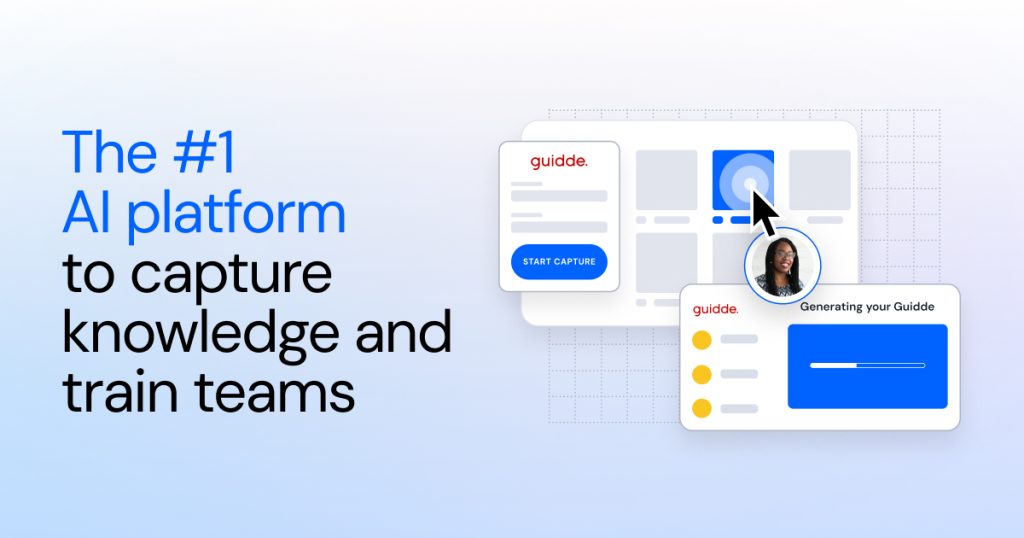
The workflow is straightforward. Install the Guidde browser extension (or desktop app for non-browser workflows). Click capture. Walk through your process. Stop recording. Guidde then uses AI to break your recording into discrete steps, generate descriptions for each step, add visual highlights to key UI elements, and layer on AI voiceover narration.
The output is a polished video guide you can share via link, embed in your knowledge base, or export. Each guide also gets an auto-generated written version with screenshots, so people who prefer reading over watching have that option too.
The AI storyboarding feature is the real differentiator. Powered by GPT, it analyzes your screen recording and creates a structured narrative. It identifies what you clicked, what you typed, and what changed on screen. Then it writes descriptions that actually make sense. Not perfect every time, but surprisingly competent for most standard software walkthroughs.
Key Features
Magic Capture
The recording experience is clean. Browser extension works reliably on Chrome and Edge. Desktop capture handles non-browser apps. You get automatic step detection, which means Guidde identifies when you click, scroll, or navigate to a new screen and creates breakpoints. This saves significant editing time compared to manually splitting a long recording into steps.
One nice touch: Guidde highlights the specific UI elements you interact with. Buttons get circled, form fields get annotated. It is not always pixel-perfect, but it catches the right element about 85% of the time in my testing.
AI Voiceover and Narration
This is where Guidde flexes. Over 200 AI voices across multiple languages. The voice quality is genuinely good. Not the robotic text-to-speech of five years ago. These sound natural enough that most viewers would not immediately flag them as AI-generated.
You can customize the script before generating voiceover, which is important. The AI-generated descriptions are a solid starting point, but you will want to tweak phrasing for your brand voice or to clarify technical details. The voiceover regenerates quickly after edits, so the iteration loop is fast.
Smart Sharing and Embedding
Guides get shareable links with viewer analytics. You can see who watched, how far they got, and whether they replayed specific sections. Useful for training teams where you need to verify completion. Embedding works in most knowledge bases, wikis, and help centers. Zendesk, Confluence, Notion, and Intercom integrations exist for direct publishing.
Enterprise Security
HIPAA compliance, SOC 2 readiness, SSO support. Guidde checks the enterprise security boxes that matter for regulated industries. If you are in healthcare or finance and need video documentation, this is relevant. For smaller teams, it is less of a selling point and more of a “nice to have” reassurance.
Pricing
Guidde offers three tiers. The free plan gives you 25 guides with basic AI features. Enough to test the concept and see if video documentation fits your workflow. The Pro plan at $16/mo per user unlocks unlimited guides, all AI voices, and advanced editing. The Business plan at $35/mo adds team management, analytics, custom branding, and priority support.
The per-user pricing is competitive against Loom ($12.50/mo) and significantly cheaper than enterprise documentation tools like WalkMe. But it adds up for larger teams. A 20-person team on Business is $700/mo, which is real money. The free plan is genuinely usable though, not just a demo. 25 guides is enough for a small team’s core processes.
Where It Falls Short
The desktop capture is noticeably weaker than the browser extension. Step detection is less reliable, highlights miss more often, and the AI has a harder time understanding non-web UI patterns. If your documentation needs are primarily desktop software, temper your expectations.
Editing capabilities are limited compared to dedicated video editors. You can trim, reorder steps, and adjust narration. But adding custom overlays, annotations beyond what the AI generates, or complex visual elements requires exporting and using another tool. Guidde is optimized for speed, not flexibility.
The AI-generated descriptions occasionally hallucinate. It might describe a button as “Save” when the actual label is “Submit,” or misidentify which dropdown menu you selected from. You need to proofread every guide before publishing. This is not a “set it and forget it” tool.
Search and organization could be better. Once you have hundreds of guides, finding specific ones relies heavily on your naming discipline. The built-in search is basic, and there is no tagging or smart categorization system.
Alternatives
Loom
Loom is the dominant player in async video communication. It is better for quick, informal video messages and team updates. But it lacks Guidde’s AI step detection, auto-narration, and structured guide format. If you want polished documentation rather than casual video messages, Guidde has the edge. If you just need fast screen recordings with face cam, Loom is simpler and more established.
Scribe
Scribe focuses on written step-by-step documentation with auto-generated screenshots. No video output. If your team prefers reading over watching, Scribe is the better pick. Scribe’s AI is also more reliable at identifying UI elements and generating accurate descriptions. But you lose the video format entirely, which matters for complex visual workflows.
Tango
Tango occupies a similar space to Guidde but skews more toward product-led growth teams and customer onboarding. The free tier is more generous. The interface is slightly more polished. But Tango lacks the AI voiceover capabilities that make Guidde’s output feel professional. If narrated video guides are important, Guidde wins. If static step-by-step guides are sufficient, Tango is worth comparing.
Bottom Line
Guidde solves a real problem well enough to recommend, but not so perfectly that it is the obvious choice. The AI voiceover and auto-storyboarding features genuinely save time. The output looks professional without hours of editing. But the desktop capture needs work, the AI makes enough mistakes to require proofreading, and the editing tools are basic.
For teams that create a lot of how-to documentation for software workflows, especially browser-based ones, Guidde delivers meaningful time savings. Support teams answering repetitive questions, HR departments building onboarding materials, and ops teams documenting SOPs will get the most value. Just budget time for reviewing and correcting what the AI generates.
| Plan | Price | Plan Features | Best For |
|---|---|---|---|
| Free | $0/mo | 25 guides, basic AI features, browser extension, shareable links | Testing the concept and small teams |
| Pro | $16/mo per user | Unlimited guides, 200+ AI voices, advanced editor, desktop capture, integrations | Individual creators and small teams |
| Business | $35/mo per user | Everything in Pro, team management, analytics, custom branding, priority support, SSO | Teams needing collaboration and analytics |
Guidde Pros & Cons
What We Like
- AI voiceover with 200+ natural-sounding voices across multiple languages
- Auto step detection and storyboarding saves significant editing time
- Usable free plan with 25 guides included
- Clean sharing with viewer analytics and completion tracking
- Enterprise security with HIPAA compliance and SSO
What Could Be Better
- Desktop capture is noticeably weaker than the browser extension
- AI descriptions occasionally hallucinate UI element labels
- Limited editing capabilities compared to dedicated video editors
- Guide organization and search tools are basic at scale
Guidde FAQ
Is Guidde free to use?
Yes, Guidde offers a free plan with up to 25 guides, basic AI features, and the browser extension. Paid plans start at $16/mo per user for unlimited guides and advanced features.
How does Guidde compare to Loom?
Loom is better for quick, informal video messages. Guidde is better for structured, polished documentation with AI-generated voiceover and step-by-step annotations. Loom lacks auto step detection and AI narration.
Does Guidde work with desktop applications?
Yes, Guidde has a desktop capture app in addition to its browser extension. However, the browser extension is more reliable with better step detection and UI element highlighting.
Is Guidde HIPAA compliant?
Yes, Guidde offers HIPAA compliance on its Business plan, along with SOC 2 readiness and SSO support. This makes it suitable for healthcare and regulated industries.
What is Guidde?
AI-powered video documentation platform that turns screen recordings into polished step-by-step guides with voiceover, captions, and visual highlights. Create professional tutorials 11x faster.
How much does Guidde cost?
Guidde pricing starts at $16/mo. A free plan is available.






