KTool Review (2026): Pricing, Features & Honest Verdict
TLDR
KTool is a send-to-Kindle service that turns web articles, newsletters, Twitter threads and documents into clean, ad-free Kindle reading. It is the most complete tool of its kind we tested, with extensions, mobile apps and document support. Best for: heavy Kindle readers. Price: from $4.99/mo, 7-day free trial. Rating: 8.3/10.
What is KTool?
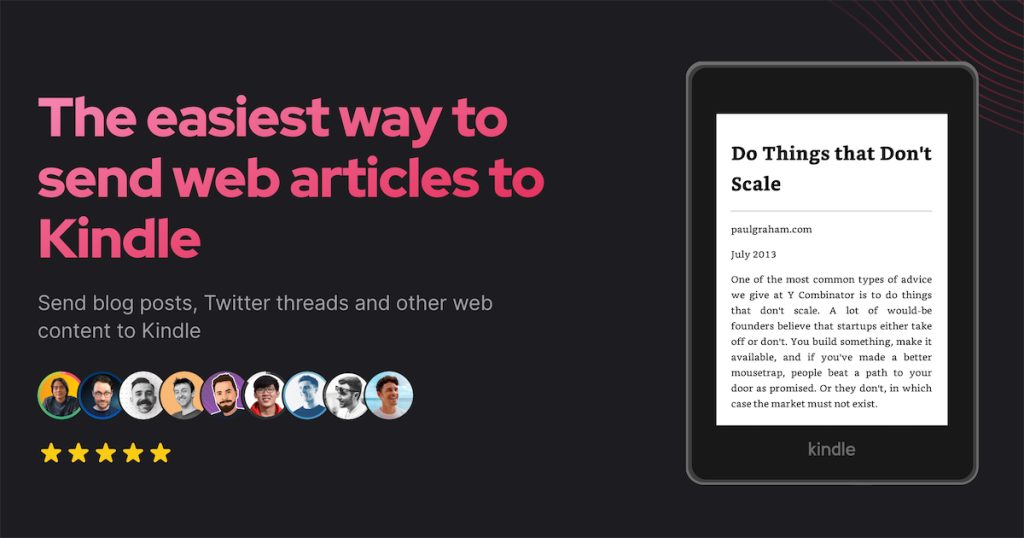
KTool is a service that takes content from the open web and delivers it to your Kindle as a properly formatted, ad-free document. You can send a single news article, a full newsletter, a Twitter thread, a Wikipedia page, a Hacker News discussion, or your own PDF, DOCX or Markdown file. It strips the ads and clutter, detects a table of contents, optimizes images and preserves formatting so the result reads like a real book rather than a web dump.
It is built by Podzim LLC and has been around long enough to ship browser extensions for Safari, Chrome, Firefox and Brave, plus iOS and Android apps. With Pocket shut down and the old Push to Kindle bookmarklet breaking for a lot of people, we found KTool stepping into the gap as the closest like-for-like replacement that is still actively maintained. If you have a stack of saved links you never get around to reading, this is the tool that gets them onto the device you actually read on. The timing matters: 2026 has thinned out the read-later field, and a maintained tool with active development is more valuable than ever in a space littered with abandoned projects.
What Are KTool’s Key Features?
Multi-platform sending
KTool does not lock you into one entry point. There are browser extensions for Safari, Chrome, Firefox and Brave, native iOS and Android apps, and email forwarding for newsletters. We liked that you can highlight an article on your laptop, hit the extension, and have it on your Kindle a minute later, or forward a newsletter from your inbox and never see it on your phone again. This breadth is the main reason it beats single-extension competitors, which usually force you to start every send from the same place. Whatever device you happen to be holding when you find something worth reading, there is a path to get it onto your Kindle.
Newsletter and digest support
On the Premium plan and up, KTool supports unlimited newsletter subscriptions and 100+ newsletter formats. You get a unique forwarding address, and incoming newsletters can be bundled into custom digests or magazines so you receive one clean issue instead of twenty separate sends. For anyone drowning in Substack and email newsletters, this is the standout feature. Instead of newsletters cluttering your inbox and getting skimmed on a phone, they arrive as a single tidy publication you sit down with. We found this alone justifies the jump from Basic to Premium for most people.
Clean, readable output
The quality of the conversion is what separates a good send-to-Kindle tool from a frustrating one. KTool strips ads and clutter, detects and builds a table of contents, optimizes images for e-ink, and preserves formatting like headings and code blocks. It also supports native Kindle features such as notes and highlights on the delivered content. In practice that means a long article reads like a chapter, not a mangled web page, and a StackOverflow answer or Hacker News thread comes through legible rather than broken.
Document conversion and EPUB export
The top Platinum tier adds document-to-Kindle conversion for Markdown, DOCX, EPUB and PDF, plus downloadable EPUBs and full-text search across everything you have ever sent. This turns KTool from a read-later tool into a small personal library. Full-text search across your whole reading history is genuinely useful if you treat your Kindle as a reference archive. The trade-off is that these features are gated behind the $10/mo plan, so lighter users will not see them, and if documents are your main use case you are pushed straight to the most expensive tier.
Reading-focused extras
KTool includes touches aimed at the reading experience itself: an ADHD reader mode on Premium, image zoom, a QR code tool for quick sending, and image optimization so photos render well on e-ink. None of these are dealbreakers on their own, but together they show the product is built by people who actually read on Kindle rather than developers ticking feature boxes. The QR code tool in particular makes it painless to push something from a phone to the device without fiddling with apps.
How Much Does KTool Cost?
KTool starts at $4.99/mo for the Basic plan, dropping to $2.99/mo if you pay annually. Basic gives you the extensions, mobile apps, unlimited individual articles, the QR code and image zoom tools, and 30-day data retention. For most casual readers this is enough.
Premium is $6.99/mo (or $3.99/mo annually) and is the plan most people will want. It adds custom digests and magazines, on-demand article conversion, ADHD reader mode, unlimited newsletter subscriptions and 90-day retention. Platinum is $10/mo (or $6/mo annually) and unlocks EPUB export, document-to-Kindle conversion, full-text search and unlimited retention.
Compared to the field, this is cheap. Amazon’s own Send to Kindle is free but far more limited, and many web-to-Kindle tools either charge similar money for fewer formats or have stopped being maintained. For a few dollars a month KTool covers more ground than anything else we looked at. There is a 7-day free trial with no credit card, but no permanent free tier.
| Plan | Price | Plan Features | Best For |
|---|---|---|---|
| Basic | $4.99/mo | Browser extensions, mobile apps, unlimited articles, 30-day retention | Casual readers sending articles |
| Premium | $6.99/mo | Adds custom digests, ADHD reader mode, unlimited newsletters, 90-day retention | Newsletter and digest readers |
| Platinum | $10/mo | Adds EPUB export, doc-to-Kindle, full-text search, unlimited retention | Power users and researchers |
Who is KTool Best For?
Use KTool if you own a Kindle and read a meaningful amount online. If you save articles you never finish, subscribe to more newsletters than your inbox can handle, or want to read long PDFs and documents on e-ink instead of a screen, it pays for itself quickly. The Premium plan in particular is a strong fit for newsletter-heavy readers.
Skip KTool if you do not own a Kindle, since the whole product is built around Amazon’s device and email pipeline. There is no value here for Kobo or other e-reader owners, who are better served by a tool like Reabble. Skip it too if your needs are tiny: if you send one article a month, Amazon’s free Send to Kindle may be enough, and you will not justify even the $4.99 fee. The sweet spot is the reader who finds themselves saving things constantly and reading them rarely, because that is the habit KTool actually fixes by putting the content somewhere you will return to.
Best KTool Alternatives
Push to Kindle
Push to Kindle is the original bookmarklet-and-extension tool for this job and has a free tier. It is the most direct comparison to KTool’s core feature. The downside is reliability: many users have reported it breaking, and it lacks the newsletter, digest and document features KTool offers. It is the budget pick if you only need occasional article sending.
Reabble
Reabble is an RSS reader built for Kindle and other e-ink devices, with a Send to Kindle feature at send.reabble.com. It is a better fit if you want a full RSS-style reading workflow rather than ad-hoc article sending, and it supports Kobo as well as Kindle. Pricing is subscription-based and broadly comparable to KTool.
Amazon Send to Kindle
Amazon’s official Send to Kindle is free and built into the Kindle ecosystem. It handles documents and some web pages well, so if your needs are simple it is hard to beat free. But it does not clean up articles, manage newsletters, build digests or export EPUBs, which is exactly the gap KTool fills.
Final Verdict: Is KTool Worth It?
KTool is the most complete send-to-Kindle service we tested, and at $4.99/mo to start it is priced like an impulse buy. The combination of cross-platform sending, newsletter management, custom digests and document conversion means it covers cases that free tools simply do not. The conversion quality is the part that matters most day to day, and KTool gets it right: clean text, working tables of contents and images that survive the trip to e-ink. For anyone who reads seriously on a Kindle, it removes the friction between finding something online and actually reading it, which is exactly the job a tool like this should do.
The only real knock is the lack of a permanent free tier, so you commit to a small monthly fee after the 7-day trial. The other minor gripe is that the best features, document conversion and EPUB export, sit on the $10 Platinum plan, so a researcher who mainly sends PDFs ends up at the top tier. Neither is a dealbreaker. Given how much it does for the money, the trade is easy for the right person. If you own a Kindle and read online a lot, KTool is worth it. If you do not own a Kindle, there is nothing here for you. We rate it 8.3/10.
KTool Pros & Cons
What We Like
- Works across browser extensions, iOS, Android and email forwarding
- Strips ads and clutter, with automatic table of contents and image optimization
- Handles newsletters, Twitter threads, PDFs, DOCX and Markdown, not just articles
- Cheapest plan is only $4.99/mo, or $2.99/mo billed annually
What Could Be Better
- No permanent free plan, only a 7-day trial
- Document-to-Kindle and EPUB export are locked to the $10 Platinum tier
- Aimed squarely at Kindle owners, so no value if you read on another e-reader
KTool FAQ
What is KTool?
KTool is a send-to-Kindle service from Podzim LLC. It converts web articles, newsletters, Twitter threads and documents into clean, ad-free files and delivers them to your Kindle through browser extensions, mobile apps or email.
How much does KTool cost?
KTool starts at $4.99/mo for Basic, or $2.99/mo billed annually. Premium is $6.99/mo and Platinum is $10/mo. There is a 7-day free trial with no credit card required.
Is KTool worth it?
Yes, if you own a Kindle and read a lot online. For under $5/mo it turns scattered articles and newsletters into clean Kindle reading. We rate it 8.3/10.
What are the best KTool alternatives?
Push to Kindle is the classic free option but is less reliable now, Reabble adds RSS and Kobo support, and Amazon's own Send to Kindle is free but handles only documents and basic web pages.
Does KTool offer a free plan?
No. KTool offers a 7-day free trial with no credit card, but there is no permanent free tier. After the trial you need a paid plan starting at $4.99/mo.
Who is KTool best for?
KTool is best for heavy Kindle readers who want to move web articles, newsletters and documents off their phone and read them comfortably on e-ink.






