Murf AI Review (2026): Pricing, Features & Honest Verdict
TLDR
Murf AI is a business-focused AI voiceover platform with 120+ voices across 20 languages, built-in video editing, and an accessible interface. Best for: e-learning creators, marketers, and small teams. Price: Free trial, $26/mo Creator. Rating: 7.3/10
What is Murf AI?
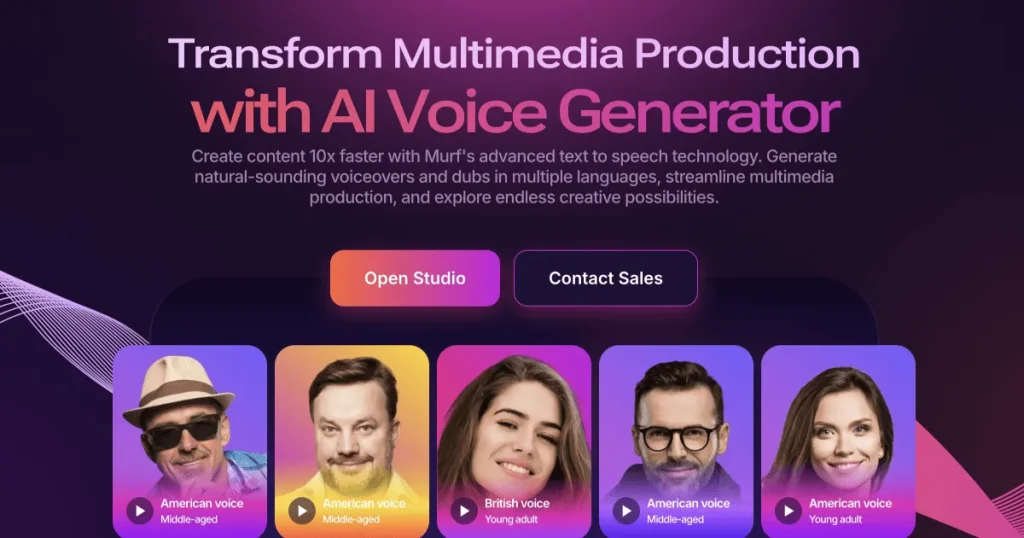
Murf AI is an AI voiceover platform designed to make professional narration accessible to businesses, educators, and content creators without voice acting experience or a recording studio. The platform provides over 120 AI voices across 20 languages, a built-in video and presentation editor, and voice cloning capabilities. It targets the gap between DIY recording (which sounds amateur) and hiring professional voice talent (which is expensive and slow).
Where some AI voice tools cater to developers or power users, Murf takes a distinctly business-friendly approach. The interface is clean, the workflow is straightforward, and the output is optimized for common business content types: training videos, product demos, marketing spots, and presentations. You write your script, pick a voice, adjust pacing and emphasis, and export. No command line, no API required (though one is available).
Key Features
Voice Library (120+ Voices, 20 Languages)
Murf’s voice library covers a solid range of tones, accents, and languages. The English voices are the strongest, with options ranging from warm and conversational to formal and authoritative. You can preview every voice before committing, and the platform lets you adjust pitch, speed, and emphasis on specific words or phrases. Quality across languages varies. English, Spanish, and Hindi voices sound natural. Some European and Asian language voices still carry a synthetic edge that may not pass for human in professional settings.
Built-In Video Editor
Unlike most TTS platforms that only output audio, Murf includes a timeline-based video editor. You can sync voiceover to slides, images, video clips, and background music. This is genuinely useful for e-learning and presentation content. Drag in your PowerPoint slides, add narration to each section, drop in background music, and export a complete video. It is not a replacement for Premiere or Final Cut, but for corporate training videos and explainer content, it does the job without leaving the platform.
Voice Cloning
Murf offers voice cloning on higher-tier plans. Upload recorded samples of a voice and the AI creates a synthetic version. The quality is acceptable for internal content like training videos but falls short of what ElevenLabs achieves with voice cloning. Cloned voices tend to lose some of the subtle characteristics that make the original distinctive. For brand consistency across a library of content, it works. For public-facing content where voice quality is critical, consider a premium alternative.
Emphasis and Pronunciation Controls
One area where Murf performs well is giving users control over how the AI speaks. You can add emphasis to specific words, insert pauses, adjust speed for individual sentences, and provide custom pronunciation for technical terms or brand names. These controls matter more than most people realize. The difference between flat AI narration and narration with strategic emphasis and pacing is significant, and Murf makes these adjustments easy.
API Access
The API is available on Business and Enterprise plans. It covers the core TTS functionality and works reliably for batch processing. Documentation is adequate but not as polished as competitors like ElevenLabs or Amazon Polly. Latency is acceptable for pre-rendered content but not optimized for real-time or streaming applications. If API access is your primary need, other platforms offer better developer experiences.
Pricing Breakdown
Murf offers a free trial with limited generation time, enough to evaluate voice quality but not to produce real content. The Creator plan at $26/month provides 48 hours of generation per year with access to all standard voices and the video editor. The Business plan at $59/month adds voice cloning, priority support, and 96 hours per year. The Enterprise plan at $166/month offers unlimited generation, custom voice development, and dedicated support.
The annual hour-based pricing is unusual and can be confusing. You are paying for total generation time per year, not per month. At $26/month (billed annually), the Creator plan comes out to roughly $6.50 per hour of generated audio. That is competitive with other AI voice platforms but significantly more expensive than Amazon Polly for high-volume use. For moderate usage (a few hours of voiceover per month), the pricing is fair.
| Plan | Price | Plan Features | Best For |
|---|---|---|---|
| Free Trial | $0 | Limited generation time, watermarked output, basic voices | Evaluating voice quality |
| Creator | $26/mo | 48 hours generation/year, all standard voices, video editor | Individual creators and freelancers |
| Business | $59/mo | 96 hours generation/year, voice cloning, priority support | Small teams and agencies |
| Enterprise | $166/mo | Unlimited generation, custom voice development, dedicated support | Large organizations with high-volume needs |
Who Should Use Murf AI?
Murf is ideal for e-learning developers, corporate trainers, marketing teams, and content creators who need consistent, professional voiceover without recording equipment or voice talent. If you produce training materials, product walkthroughs, or educational content regularly, Murf’s combination of voices, video editing, and emphasis controls hits a sweet spot of quality and convenience.
Freelancers producing client deliverables like explainer videos or course narration will appreciate the straightforward workflow. Small ecommerce teams can use it for product videos and ad narration without outsourcing. The key audience is people who need good-enough voice quality with minimal friction, not perfection.
Where Murf AI Falls Short
Voice quality, while solid, does not match the current leaders. Side-by-side with ElevenLabs, Murf voices sound more synthetic, especially in conversational or emotional passages. The free trial is too limited to properly evaluate the platform for a real project. Non-English voices lag noticeably behind English options in naturalness. The video editor, while handy, is basic. Complex projects still require exporting audio and editing in a dedicated video tool. The hour-based annual pricing model creates confusion and can lead to unexpected overage charges if you exceed your allocation mid-year.
Murf AI vs The Competition
In the AI voiceover space, Murf occupies the middle ground between budget options and premium platforms. ElevenLabs offers superior voice quality and a stronger developer experience but at higher prices for heavy users. PlayHT provides comparable quality with a different pricing structure. Speechify targets consumer read-aloud use cases rather than content production. Murf’s differentiator is the integrated video editor and business-first interface, which no direct competitor matches.
Alternatives
ElevenLabs
ElevenLabs is the quality leader in AI voice generation. If voice naturalness is your top priority, ElevenLabs produces noticeably better output, especially for conversational and emotional content. It also offers a more powerful API for developers. The trade-off is higher pricing at scale and a more technical interface. For creators and developers who demand the best possible voice quality, ElevenLabs is worth the premium.
PlayHT
PlayHT offers competitive voice quality with word-based pricing that some users find more predictable than Murf’s hour-based model. It has a strong voice library and reliable API. PlayHT lacks Murf’s integrated video editor, so you will need a separate tool for video production. If your workflow is audio-only (podcasts, audiobooks, narration), PlayHT is a strong alternative at a similar price point.
Speechify
Speechify started as a consumer text-to-speech reader and has expanded into content creation. It offers a large voice library and is particularly strong for converting written content into audio. The interface is consumer-friendly but less suited for professional production workflows. If your primary need is converting articles, documents, or books to audio, Speechify may be a better fit. For voiceover production with timing control and video sync, Murf is more capable.
Final Verdict
Murf AI is a competent, business-friendly voiceover platform that prioritizes accessibility over cutting-edge quality. The integrated video editor is a genuine differentiator that saves time for e-learning and marketing teams. The voice library is broad with good controls for emphasis and pacing. At $26/month for the Creator plan, it is reasonably priced for teams producing regular voiceover content. The main drawback is that voice quality trails behind ElevenLabs, and the hour-based pricing can be confusing. If you need the absolute best AI voice quality, look at ElevenLabs. If you want a practical, all-in-one voiceover production tool with a gentle learning curve, Murf AI delivers solid value for business use cases.
Murf AI Pros & Cons
What We Like
- Built-in video editor is a genuine differentiator for e-learning
- Clean, business-friendly interface with gentle learning curve
- Good emphasis and pronunciation controls for fine-tuning
- Broad voice library with 120+ options across 20 languages
What Could Be Better
- Voice quality trails behind ElevenLabs noticeably
- Hour-based annual pricing model is confusing
- Non-English voices lag behind English in naturalness
- Free trial is too limited for proper evaluation
- API experience is less polished than competitors
Murf AI FAQ
Is Murf AI free?
Murf AI offers a limited free trial to test voice quality. For production use, paid plans start at $26/month for the Creator tier with 48 hours of generation per year.
How does Murf AI compare to ElevenLabs?
ElevenLabs produces more natural-sounding voices and has a stronger API. Murf AI offers a simpler interface, built-in video editor, and more accessible pricing for business users. Choose based on whether quality or convenience is your priority.
Can Murf AI clone my voice?
Yes, voice cloning is available on Business and Enterprise plans. Quality is acceptable for internal content but not as refined as dedicated voice cloning platforms like ElevenLabs.
What is Murf AI?
Business-friendly AI voiceover platform with 120+ voices, 20 languages, built-in video editor, and voice cloning for e-learning and marketing.
How much does Murf AI cost?
Murf AI pricing starts at $26/mo. A free plan is available.
Is Murf AI worth it?
Murf AI is a practical, business-focused voiceover platform with a useful integrated video editor. Voice quality is solid but not best-in-class. The emphasis controls and clean interface make it ideal for e-learning and marketing teams who value simplicity over cutting-edge quality. We rate it 7.3/10.






