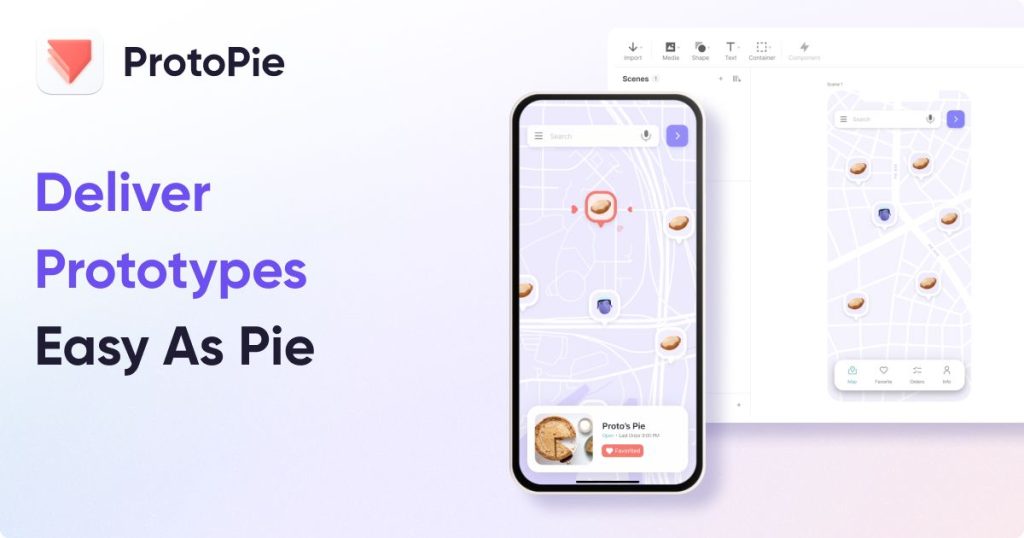
ProtoPie Review (2026): Pricing, Features & Honest Verdict
TLDR
ProtoPie is a no-code, high-fidelity prototyping tool from Studio XID that builds genuinely realistic interactions using logic, variables, sensors, and voice. The best tool for prototypes Figma can’t fake. Best for product designers and UX teams. Price: free plan, paid from $25/mo (Pro $47/editor/mo). Rating: 8.2/10.
What is ProtoPie?
ProtoPie is an interactive prototyping tool that lets designers build high-fidelity, code-like behavior without writing code. Instead of stitching together static screens, you wire up triggers, responses, conditions, variables, and formulas so the prototype actually reacts the way a shipped product would. It imports directly from Figma, Sketch, and Adobe XD, so you keep your existing design files.
It’s made by Studio XID, a Korean company co-founded in 2014 by former Google and Naver designer Tony Kim, with a commercial launch in January 2017. It has since raised roughly $39.8M (including from Samsung Venture) and is used by Microsoft, GoPro, Motorola, and Tencent. It matters because it fills a real gap: the high end of prototyping fidelity that mainstream design tools still can’t reach.
What Are ProtoPie’s Key Features?
Logic, variables, and formulas
This is the core of why people choose ProtoPie. You can build conditional logic, store and update variables, and run formulas, so a prototype can remember state, do math, validate inputs, and branch based on user behavior. It’s as close to a real app as you can get without engineering.
Device sensors and voice
ProtoPie can tap native device sensors like tilt, sound, and motion, plus voice input and output. That makes it uniquely suited to mobile, IoT, automotive HMI, and voice-driven interfaces that other prototyping tools simply can’t simulate.
Design tool imports
You don’t have to rebuild your screens. ProtoPie imports layers from Figma, Sketch, and Adobe XD, so your visual design stays where it is and ProtoPie handles the interaction layer on top.
Developer handoff
Handoff recordings and inspectable interaction logic give engineers a precise reference for how something should behave, not just how it looks, which cuts down on the ambiguity that usually plagues design-to-dev handoff.
How Much Does ProtoPie Cost?
ProtoPie starts free, with paid plans at $25/mo for the single-seat Basic tier and $47/editor/mo for Pro, plus custom Enterprise pricing; yearly billing saves up to 26%, and a Connect add-on for multi-screen prototyping is an extra $20/mo per user. That’s pricier than Figma, whose full design-plus-prototyping seats run about $16.50/editor/mo, and roughly in line with Axure RP at around $25/user/mo. Framer sits lower at free to about $30/mo but is aimed at web rather than deep interaction prototyping.
| Plan | Price | Plan Features | Best For |
|---|---|---|---|
| Free | Free | 2 prototypes, 2 scenes each, 50MB cloud storage, 1 handoff recording, personal libraries, 1 device | Trying ProtoPie or occasional personal prototypes |
| Basic | $25/mo (1 seat) | 20 prototypes, 10 scenes each, 500MB storage, 1 handoff recording, no watermark, ProtoPie AI credits (beta) | Solo designers needing watermark-free prototypes |
| Pro | $47/editor/mo | Unlimited prototypes and handoff recordings, 5GB team storage, local saving, team libraries, ProtoPie AI credits (beta) | Design teams collaborating on advanced prototypes |
| Enterprise | Custom | All Pro features plus private server, SSO, ISO compliance, custom hardware integrations, dedicated training | Large orgs with security and hardware requirements |
Who Is ProtoPie Best For?
Use ProtoPie if you need prototypes that genuinely behave like the final product, especially for mobile apps, automotive HMI, IoT, or voice and multi-device experiences. If your work lives or dies on realistic interaction fidelity, nothing mainstream comes close.
Skip ProtoPie if you only build simple click-through flows or static screen-to-screen demos. In that case Figma’s built-in prototyping already does the job for free, and ProtoPie’s learning curve and per-editor pricing aren’t worth it.
What Are the Best ProtoPie Alternatives?
Figma
The default for most teams. Figma combines design and basic prototyping in one place, free to about $16.50/editor/mo. It’s cheaper and easier, but its prototyping can’t match ProtoPie’s logic, variables, or sensor support.
Framer
Framer (free to roughly $30/mo) is strong for production-ready web prototypes and can publish live sites. It’s a better fit for marketing and web work, while ProtoPie wins for app and device interactions.
Axure RP
Axure RP (around $25/user/mo) is the veteran for complex, documentation-heavy enterprise UX with conditional logic. It’s powerful but feels dated next to ProtoPie’s modern interaction model and sensor capabilities.
Final Verdict: Is ProtoPie Worth It?
ProtoPie is the best no-code tool on the market for high-fidelity prototypes, full stop. If you need conditional logic, real variables, device sensors, or voice, it does things Figma and Framer simply cannot, and the developer handoff genuinely reduces miscommunication.
The trade-offs are a real learning curve and per-editor pricing that climbs once you add the Connect add-on. But for product teams whose work depends on interaction fidelity, it’s worth every dollar. If you only build basic flows, stick with Figma; if you build experiences, ProtoPie is the recommendation.
ProtoPie Pros & Cons
What We Like
- Creates genuinely high-fidelity interactions (logic, variables, formulas, conditions) without writing code
- Native device sensor and voice support no other mainstream prototyping tool matches
- Clean imports from Figma, Sketch, and Adobe XD so you keep your existing design files
- Developer handoff with recordings and inspectable interaction logic
What Could Be Better
- Steeper learning curve than Figma prototyping; the interaction model takes time to master
- Per-editor Pro pricing plus the $20/mo Connect add-on adds up fast for teams
ProtoPie FAQ
What is ProtoPie?
ProtoPie is a no-code, high-fidelity prototyping tool made by Studio XID. It lets designers build advanced interactive prototypes using logic, variables, device sensors, and voice without writing code, and imports designs from Figma, Sketch, and Adobe XD.
How much does ProtoPie cost?
ProtoPie has a free plan, a Basic plan at $25/mo for one seat, a Pro plan at $47/editor/mo, and custom Enterprise pricing. A Connect add-on for multi-screen prototyping costs an extra $20/mo per user. Yearly billing saves up to 26%.
Is ProtoPie worth it?
Yes, if you need realistic interactions that Figma's prototyping can't produce, like conditional logic, sensor input, or voice. It's worth the $47/editor Pro tier for serious product teams, but overkill if you only build basic click-through flows.
What are the best ProtoPie alternatives?
The main alternatives are Figma (free to $16.50/editor/mo, great for design plus basic prototyping), Framer (free to ~$30/mo, strong for production-ready web), and Axure RP (~$25/user/mo, powerful for complex enterprise UX documentation).
Does ProtoPie offer a free plan?
Yes. The free plan includes 2 prototypes with 2 scenes each, 50MB of cloud storage, one handoff recording, and personal libraries on a single device. Watermarks are only removed starting on the paid Basic plan.
Who is ProtoPie best for?
ProtoPie is best for product designers and UX teams who need genuinely high-fidelity prototypes, including those working on mobile apps, automotive HMI, IoT, and voice or multi-device experiences. It's used by companies like Microsoft, GoPro, and Tencent.






