Walkthrough Screen Recorder Review (2026): Pricing, Features & Honest Verdict
TLDR
Walkthrough is a Mac and Chrome screen recorder that saves clips to your own Google Drive and creates instant no-signup share links. The twist: you pay $29 once instead of a monthly subscription. Best for: indie makers and small teams who record async videos. Price: $29 one-time, no free plan. Rating: 8.2/10.
What is Walkthrough Screen Recorder?
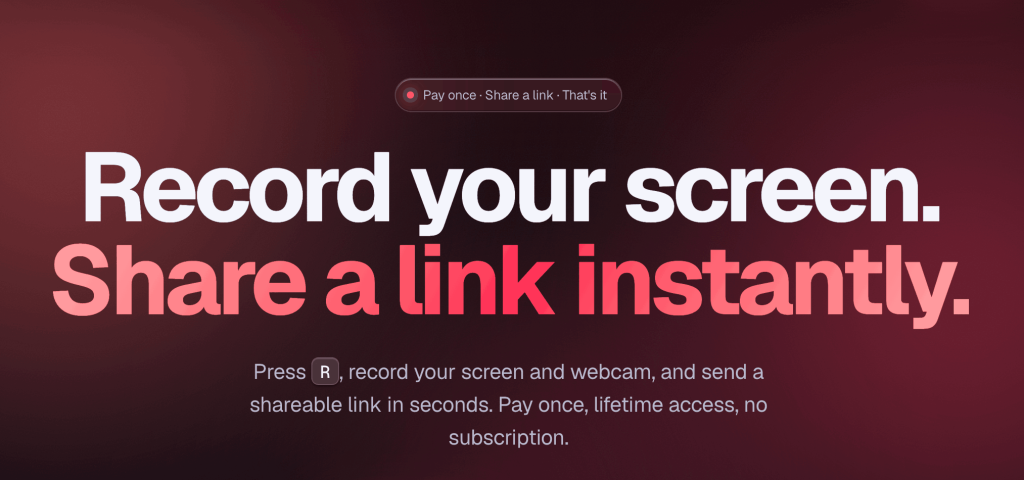
Walkthrough is a screen recorder built around two ideas most rivals ignore: you should own your recordings, and you should not pay every month to make them. You install a Mac app or Chrome extension, press R, and capture your screen, a tab, or a window plus your webcam in 1080p. The finished video lands in your own Google Drive, not on a vendor’s server, and you get a share link viewers can open in any browser without signing up.
The maker stays low-key. The site lists no founder name or company beyond a 2026 copyright, which marks this out as a fresh indie product rather than a funded SaaS. That matters for context: there is no long public track record yet. What is clear is the positioning. We dug into the model and it is deliberately the opposite of Loom: one $29 payment, lifetime updates, no card on file, and your files staying in storage you control.
The timing makes sense. Async video has become a default way teams communicate, and the screen-recorder market has steadily drifted toward per-seat subscriptions that add up quickly across a team. Walkthrough is a reaction to that drift. It bets that a meaningful slice of users, especially solo makers and small studios, would rather pay once for a tool they fully control than rent the same capability month after month. Whether that bet pays off long term depends on the maker sticking around, but the value proposition on day one is genuinely compelling for the right buyer.
What Are Walkthrough Screen Recorder’s Key Features?
One-key recording in 1080p
Recording is the whole point and it is fast. You press R and pick your screen, a single tab, or a window, then optionally overlay your webcam. Capture is 1080p, which is sharp enough for product demos, bug reports, and design walkthroughs. There is no editor to wrangle, which keeps the loop tight when you just want to talk through something and send it.
Recordings save to your own Google Drive
This is the feature that defines the product. Your videos never touch Walkthrough’s servers. They go straight into your Google Drive, so you keep the original files even if the company disappears tomorrow. For anyone who has watched a SaaS shut down and take their content with it, that ownership is a genuine reason to buy. The trade-off is that you must have and use Google Drive for storage to work at all.
No-signup share links
When you finish a recording, Walkthrough hands you a link. Whoever you send it to watches in any modern browser with no account and no friction. If you record offline, the file uploads to Drive automatically once you reconnect. This is the part that makes it usable for clients and stakeholders who will not create yet another login.
Chapter markers
You can drop chapter markers while you record, so a longer walkthrough gets navigable sections instead of one unbroken blob. It is a small thing, but it is the difference between a viewer scrubbing blindly and jumping straight to the part that concerns them. Combined with the in-browser player, it makes a 12-minute handoff feel browsable rather than daunting, and stakeholders can land on the section that touches their work without watching the rest.
Offline capture and playback extras
Walkthrough records even when you have no connection. The video sits locally and uploads to your Drive automatically once you reconnect, which is handy on a flaky cafe network or a plane. On the viewer side, the player supports faster playback and timestamped reactions, so a teammate can leave a note at the exact second they have a question instead of writing a paragraph describing where in the video they got confused. None of this is revolutionary, but it removes the small frictions that usually push people back toward a live call.
How Much Does Walkthrough Screen Recorder Cost?
Walkthrough costs $29 once. That is the entire pricing page. There is no monthly tier, no per-seat math, no card kept on file, and lifetime updates are bundled in. A 14-day money-back guarantee is the only way to evaluate it, since there is no free plan or trial.
Compare that to the subscription field and the math gets stark. Loom’s Business plan runs about $12.50 per creator per month on annual billing, so you clear $29 in roughly ten weeks. Tella’s Pro plan is $13/mo. Screen Studio sits at the premium end around $29/mo. Against any of those, a single $29 payment pays for itself inside a quarter and then costs nothing forever.
The honest caveat is what you give up. You do not get a free tier to live in, you do not get cloud storage included, and you are betting on a young product staying maintained. But for the specific buyer who records often and hates recurring bills, the value is hard to argue with. There is also a subtler benefit to the one-time model: there is no seat math to manage and no renewal to forget. You buy it, it works, and it never quietly raises your bill or churns you for not logging in. For a solo maker or a two-person studio, that simplicity is part of the value, not a footnote to it.
One thing to weigh before buying: the license is tied to a Google account and one browser profile, so if you switch machines often or share a workstation, factor that into your decision. It is not a deal-breaker for most individual users, but it is worth knowing the boundaries of what $29 covers.
| Plan | Price | Plan Features | Best For |
|---|---|---|---|
| Walkthrough | $29 once | 1080p screen + webcam, saves to your Google Drive, chapters, no-signup share links, lifetime updates | Anyone who wants to own a screen recorder outright |
Who is Walkthrough Screen Recorder Best For?
Use Walkthrough if you record async videos several times a week and want to stop renting that ability. Indie makers shipping prototype handoffs, solo designers sending critiques, founders recording investor updates, and small support teams firing off explainer clips all fit perfectly. If you already live in Google Drive and prefer owning your files, it is close to ideal.
Skip Walkthrough if you are on Windows, since only Mac and Chrome are supported today. Skip it if you need a free tier to evaluate it indefinitely, or if you want a built-in editor with zooms, captions, and backgrounds. And skip it if you do not use Google Drive, because storage and sharing both hinge on it.
It is also worth being honest about who it is not for. Large teams that need centralized video libraries, viewer analytics, SSO, and admin controls will outgrow Walkthrough fast, because it is built for individuals and tiny teams, not org-wide rollouts. Marketing teams producing polished demo videos for a landing page will want the zoom-and-cursor effects that a tool like Screen Studio bakes in. Walkthrough is unapologetically a utility: it captures, it stores, it shares, and it gets out of your way. If that narrow scope matches your job, the fit is excellent; if you need a platform rather than a tool, look elsewhere.
Best Walkthrough Screen Recorder Alternatives
Loom
Loom is the category standard and the obvious comparison. It offers a genuine free Starter plan with a 25-video limit and a 5-minute cap, and its Business plan is about $12.50 per creator per month annually. Loom wins on polish, team admin, and integrations. Walkthrough wins on price over time and on letting you keep your own files. If you need shared team libraries and analytics, Loom; if you want to pay once, Walkthrough.
Tella
Tella is the editing-forward option, with a free watermarked tier and a Pro plan at $13/mo. It adds backgrounds, layouts, and light editing that turn a raw screen capture into something more produced. That makes it better for marketing clips and course content. Walkthrough deliberately skips all of that to stay simple and cheap, so the choice comes down to whether you want production polish or a flat one-time cost.
Screen Studio
Screen Studio is the premium Mac recorder for people who want automatic zooms, smooth cursor motion, and high-production output, priced around $29/mo. It produces noticeably slicker videos than Walkthrough. But it is a subscription and it is built for polish, not speed. If your videos need to look designed, Screen Studio; if they just need to communicate and get sent fast, Walkthrough does it for a fraction of the lifetime cost.
Final Verdict: Is Walkthrough Screen Recorder Worth It?
Walkthrough earns its 8.2 by being honest about what it is and excellent at that narrow job. It records your screen cleanly, saves the file somewhere you control, and hands you a link anyone can open. For $29 once, with lifetime updates and no subscription, it quietly undercuts every major rival for the buyer who records often. We found nothing inflated here, just a tight tool that does what it promises.
The catches are real but specific. No free trial means you commit on faith backed by a 14-day refund, the Google Drive dependency is non-negotiable, and Windows users are still waiting. If none of those apply to you, this is one of the easiest recommendations in the screen-recorder space: buy it, own it, move on. If you need a free tier, polished editing, or Windows support, Loom or Screen Studio will serve you better.
Walkthrough Screen Recorder Pros & Cons
What We Like
- One-time $29 price with lifetime updates and no auto-renewing subscription
- Recordings save straight to your own Google Drive, so you keep the original files
- Viewers watch share links with no signup, and recordings upload once you are back online
- Press R to record screen, tab, or window plus webcam in 1080p
What Could Be Better
- No free plan or trial, only a 14-day money-back guarantee to evaluate it
- Hard dependency on Google Drive for storage and the hosted share player
- Mac app and Chrome extension only today, with Windows still listed as coming soon
Walkthrough Screen Recorder FAQ
What is Walkthrough Screen Recorder?
Walkthrough is a Mac and Chrome screen recorder that captures your screen and webcam in 1080p, saves the file to your own Google Drive, and generates an instant share link viewers can open without an account. It is sold as a one-time purchase instead of a subscription.
How much does Walkthrough Screen Recorder cost?
Walkthrough costs $29 once. There is no monthly fee, no card kept on file, and lifetime updates are included. A 14-day money-back guarantee is the only way to try before you commit.
Is Walkthrough Screen Recorder worth it?
Yes, if you record async videos regularly and dislike monthly software bills. One $29 payment beats years of Loom or Tella subscriptions, and you own your files in Drive. Skip it if you need a free tier or are on Windows.
What are the best Walkthrough Screen Recorder alternatives?
Loom is the polished team standard with a free tier; Tella adds editing and backgrounds for $13/mo; Screen Studio is the premium Mac option for high-production clips.
Does Walkthrough Screen Recorder offer a free plan?
No. There is no free plan and no free trial. You pay $29 upfront and rely on the 14-day money-back guarantee if it does not fit your workflow.
Who is Walkthrough Screen Recorder best for?
It is best for indie makers, solo designers, and small startup teams who send frequent async screen shares like design critiques, prototype handoffs, and support replies, and who want to escape monthly screen-recorder subscriptions.






